 listicle
Benefits of Automated Field Service Dispatching
Table of Contents
- What Automated Field Service Dispatching Does
- Faster Scheduling and Job Assignment
- Reducing Manual Administrative Tasks
- Optimizing Technician Route Planning and Travel Time
- Field Service Management Software Features That Drive Results
- Best Practices for Field Service Scheduling
- Field Service Automation ROI Examples
- Improving First-Time Fix Rates and Customer Satisfaction
- Frequently Asked Questions
Last Updated: August 9, 2026
What Automated Field Service Dispatching Does
Automated field service dispatching is the process of using software to assign jobs to technicians, optimize their routes, and manage their schedules without manual coordination. Instead of a dispatcher spending hours on the phone or email assigning work, the system matches available technicians to jobs based on skills, location, availability, and travel time.
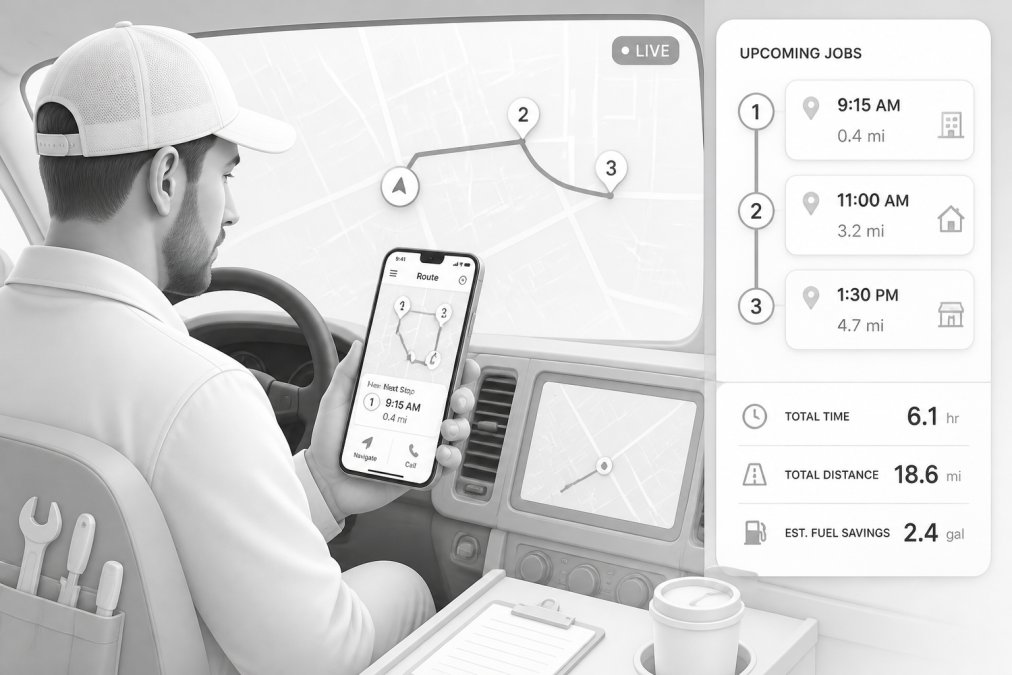
The core function is straightforward: when a new job comes in, the software instantly evaluates all available resources and assigns the work to the best-suited technician. This eliminates the back-and-forth communication, reduces idle time between jobs, and gets crews moving faster. For small to mid-sized field service businesses, this shift from manual coordination to automated scheduling unlocks significant operational improvements that compound over time.
What makes this different from simple scheduling is the intelligence built in. Automated dispatching doesn't just assign jobs randomly. It considers technician skill sets, current location, traffic patterns, service windows, and job complexity. The system learns from historical data and continuously improves its assignments. A landscaping crew with specific equipment gets routed to jobs requiring that equipment. A technician certified for high-voltage work doesn't get assigned basic maintenance calls. This matching layer is where the real value emerges.
Faster Scheduling and Job Assignment
The speed advantage is immediate and measurable. Manual dispatching requires a person to review a job request, check technician availability, consider location and skills, then send out assignments. This process typically takes 15-30 minutes per job, especially when technicians don't respond immediately or when scheduling conflicts require negotiation.
Automated systems assign jobs in seconds. The moment a customer books an appointment or a new work order enters the system, the dispatcher receives an optimized assignment. No waiting. No back-and-forth messages. No reassignments because someone didn't see the message. The technician gets notified on their mobile device and can start heading to the location immediately.
For businesses running 10-20 jobs per day, this speed advantage saves the dispatcher 2-4 hours daily. That's time freed up for customer communication, quality checks, or administrative tasks that actually require human judgment. For larger operations, the time savings scale even further.
The scheduling efficiency also reduces scheduling errors. When a dispatcher manually assigns work, mistakes happen: technicians get double-booked, travel times are underestimated, or someone gets sent to the wrong location. Automated systems eliminate these human errors. The software enforces business rules, respects technician availability, and accounts for realistic travel time between jobs.
Reducing Manual Administrative Tasks
Administrative overhead is one of the largest hidden costs in field service businesses. Between work order entry, scheduling, rescheduling, status updates, and invoicing, a dispatcher or office manager can spend 60-70% of their day on tasks that don't directly generate revenue.
Automated field service dispatching eliminates entire categories of busywork. Work orders no longer need to be manually transcribed from customer calls into a scheduling system. Technicians no longer need to call in updates about job status. Invoices no longer sit in trucks waiting to be processed. The system captures all of this automatically.
When a technician completes a job on their mobile device, they mark it done in the system. Photos are uploaded. Notes are recorded. The job automatically moves to invoicing. Customer communication happens without a dispatcher manually sending texts or emails. This automation reduces the administrative workload by 30-50% depending on how many manual processes you eliminate.
The paperwork reduction is especially valuable for businesses struggling with cash flow. Instead of invoices sitting in a truck for days before reaching the office, they're generated immediately when the job is marked complete. Payment processing accelerates. You get paid faster because the entire administrative pipeline moves at digital speed instead of human speed.
Optimizing Technician Route Planning and Travel Time
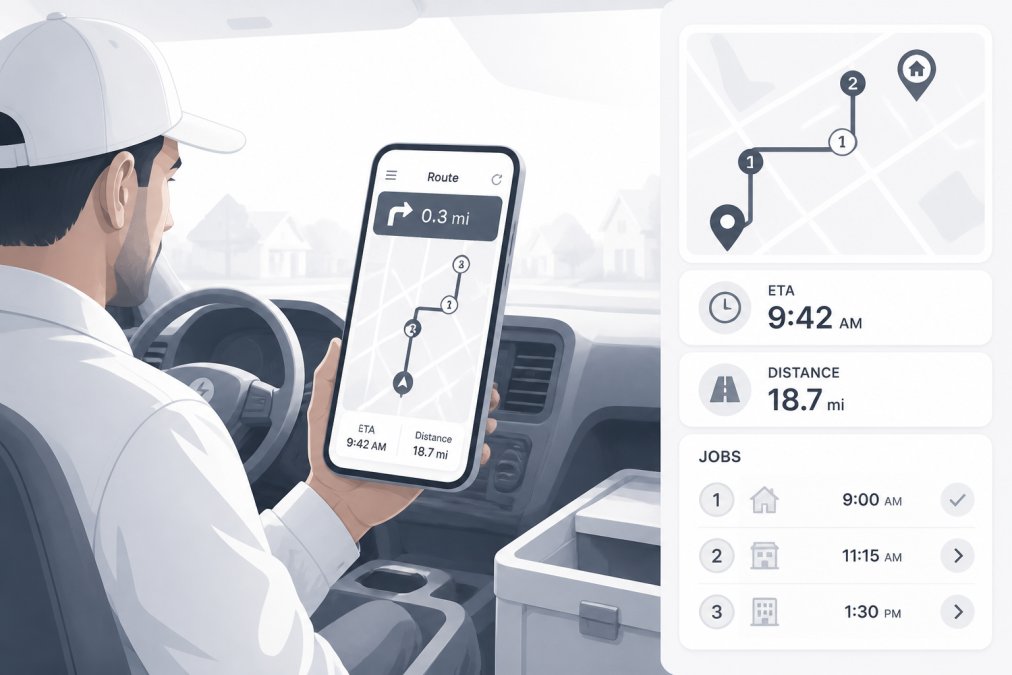
Travel time is the largest uncontrolled variable in field service operations. A technician spending 2 hours driving between jobs is 2 hours not working. Route optimization software addresses this directly by calculating the most efficient sequence of jobs based on location, traffic patterns, and service windows.
Manual route planning is guesswork. A dispatcher might assume the shortest distance is the fastest route, but traffic patterns, one-way streets, and job duration vary constantly. Automated systems use real-time traffic data to calculate actual travel time, not just distance. They account for job complexity, technician breaks, and appointment time windows. The result is routes that minimize wasted driving while respecting all operational constraints.
For a technician with 5 jobs spread across a city, the difference between a poorly optimized route and an optimized one is 30-60 minutes of saved travel time daily. That's one additional job completed per day, or earlier finish times that reduce overtime costs. Over a year, one technician completing one extra job per day adds significant revenue.
The route optimization also improves customer experience. Technicians arrive closer to their scheduled time windows because routes account for realistic travel times. No more technicians arriving 45 minutes late because the dispatcher didn't account for traffic. Predictable arrival times reduce customer frustration and improve satisfaction scores.
Field Service Management Software Features That Drive Results
The best automated dispatching systems share common features that directly impact operational efficiency. Understanding these features helps you evaluate whether a platform will actually solve your problems.
Intelligent job assignment is the foundation. The software analyzes technician skills, certifications, current location, availability, and workload, then automatically assigns jobs to the best match. This isn't random assignment. It's rules-based matching that improves over time. A septic company needs technicians certified for wastewater systems. A cleaning service needs crews with specific equipment. The system learns these requirements and enforces them automatically.
Real-time mobile access keeps field teams connected without constant phone calls. Technicians see their assigned jobs on a mobile app, access customer information, capture photos and signatures, and update job status in real time. This eliminates the disconnect between office and field. A dispatcher knows exactly where every technician is and what they're working on without asking.
Automated customer communication reduces the administrative burden of status updates. Customers receive automatic notifications when a technician is en route, when they've arrived, and when the job is complete. This reduces customer calls asking "where's my technician?" and improves satisfaction because customers feel informed.
Integration with accounting systems accelerates the service-to-cash cycle. When a job is marked complete in the field, the system automatically creates an invoice and syncs it to your accounting software. No manual data entry. No delayed invoicing. Payment processing moves faster.
Performance analytics transform raw operational data into actionable insights. The system tracks which technicians complete jobs fastest, which routes are most efficient, and where bottlenecks occur. You can identify your top performers, replicate their methods, and improve overall productivity. Data-driven decision making replaces guesswork.
Best Practices for Field Service Scheduling
Implementing automated dispatching requires more than just turning on the software. How you structure your scheduling processes determines whether you capture the full benefit.
Start by standardizing your job categories and technician skills. If your system doesn't know which technicians are certified for which work, it can't make intelligent assignments. Spend time upfront documenting skill requirements for each job type. This foundation makes every future assignment more efficient.
Set realistic service windows. Customers appreciate flexibility, but vague availability windows reduce scheduling efficiency. A customer saying "sometime this week" requires manual coordination. A customer choosing a specific 2-hour window allows the system to assign work automatically. Encourage customers to select specific time slots during booking.
Monitor and adjust your assignment rules regularly. The system learns from historical data, but you need to review its decisions. Are certain technicians consistently overloaded? Are some jobs getting assigned to technicians who struggle with that work type? Use these insights to refine your rules and improve future assignments.
Build buffer time into your schedules. If you assume every job takes exactly the scheduled time with zero travel time, your technicians will constantly fall behind. Realistic scheduling includes time for unexpected issues, customer conversations, and travel. A 30-minute job should be scheduled for 45 minutes to account for real-world variability.
Communicate changes clearly to your team. When you shift from manual dispatching to automated assignment, technicians need to understand the new process. Some dispatchers worry about losing control. Help your team see this as a tool that removes busywork, not a threat to their role. Frame it as "the system handles routine assignments so you can focus on complex scheduling problems."
Field Service Automation ROI Examples
The financial impact of automated dispatching varies by business size and current efficiency, but the pattern is consistent: less time on administration, more time on billable work.
A small excavation company with 5 crews spending 2 hours daily on scheduling and coordination saves 10 hours per week. That's 520 hours annually. If each crew generates revenue at an effective rate of $75-100 per hour, that's $39,000-52,000 in recovered productivity annually. The software cost is negligible against this recovery.
A septic service company reducing travel time by 45 minutes per technician per day completes one additional job per day per technician. With 8 technicians, that's 8 additional jobs daily, or 2,000 jobs annually. At an average service revenue of $300-500 per job, that's $600,000-1,000,000 in incremental annual revenue from the same team size.
A landscaping operation eliminating invoice delays accelerates cash flow by 5-7 days. Instead of invoices sitting in trucks for a week, they're processed the same day. For a business generating $50,000 in monthly revenue, that's $8,000-11,000 in cash freed up immediately. That cash can pay suppliers faster, fund growth, or cover operational needs.
These examples aren't theoretical. They reflect what businesses experience when they shift from manual processes to automated systems. The ROI comes from three sources: reduced administrative labor, increased technician productivity, and faster cash conversion. Most businesses see positive ROI within 6-12 months.
SolvPro helps field service businesses capture this value by centralizing scheduling, work orders, crew tracking, and payments in one platform. The bilingual support matters for crews speaking Spanish and English. The QuickBooks Online integration eliminates manual accounting data entry. The mobile-friendly interface means technicians can update job status from the field without returning to the office.
Improving First-Time Fix Rates and Customer Satisfaction
First-time fix rates are a hidden driver of profitability. When a technician completes a job on the first visit, you eliminate the cost of a second trip, reduce customer frustration, and improve your reputation. When a technician returns for a second visit, you've wasted travel time, vehicle costs, and administrative overhead.
Automated dispatching improves first-time fix rates by ensuring the right technician gets the right job. A technician with specific expertise and required tools is more likely to solve the problem correctly on the first attempt. A technician sent to a job they're not equipped for will likely need a callback.
The system also ensures technicians have complete information before arriving. Customer history, previous service notes, and equipment specifications are all available on the mobile app. A technician arriving with full context is more prepared to solve the problem correctly.
Customer satisfaction improves through predictable communication. Customers receive automatic updates about technician arrival, reducing anxiety about whether someone is actually coming. Technicians arrive closer to scheduled times because routes are optimized. Jobs are completed faster because administrative delays are eliminated. These factors compound into higher satisfaction scores and more repeat business.
The data also helps you identify patterns. If certain job types consistently require callbacks, you can investigate why. Is it a training issue? Are technicians missing information? Is the job scope unclear? Analytics reveal these patterns so you can address root causes instead of just treating symptoms.
Automated field service dispatching solves the core problem most growing service businesses face: manual coordination doesn't scale. As you add more technicians and jobs, the administrative burden grows faster than revenue. The solution isn't hiring more office staff. It's removing the manual work entirely through automation. SolvPro centralizes your scheduling, work orders, and crew tracking so your team finishes jobs faster and gets paid sooner. Start your free trial today and see how much time and money you can recover.
Frequently Asked Questions
What is field service automation?
Field service automation uses software to handle scheduling, dispatching, work order management, and communication with minimal manual intervention. Instead of coordinators juggling spreadsheets and phone calls, the system assigns jobs to the right technician based on location, skills, and availability. This eliminates delays, reduces errors, and frees your team to focus on revenue-generating work rather than administrative overhead.
How does automated dispatching improve technician productivity?
Automated dispatching removes idle time by assigning jobs intelligently based on location and technician skill sets. Technicians spend less time driving between jobs and waiting for instructions. Real-time updates mean they know their next appointment before the current one ends. Studies show this can reduce travel time by 15-30% and increase billable hours per technician, directly boosting your service-to-cash cycle.
Can field service automation actually reduce my operational costs?
Yes. Automation cuts costs in three ways: fewer administrative staff hours spent on scheduling and coordination, reduced technician travel time and fuel costs, and faster invoicing leading to quicker cash flow. For a small contracting firm, eliminating just one part-time coordinator's salary while improving crew efficiency often pays for the software in the first few months.
What's the difference between field service automation and just hiring someone to manage scheduling?
Hiring a coordinator is a fixed cost that grows with your business size. A coordinator can handle 50-100 jobs per week reliably, but struggles when you scale. Automation handles unlimited jobs without increasing costs, scales instantly as you add crews, and eliminates human error in scheduling. Plus, a coordinator can't optimize routes in real-time or provide instant visibility to customers and office staff.
This article was written using GrandRanker