 ultimate-guide
Efficient Routing Software for Lawn Care: 2026 Guide
Table of Contents
- What Is Efficient Routing Software for Lawn Care?
- Benefits of Using Routing Software for a Lawn Care Business
- Key Features to Look for in Lawn Care Routing Software
- Top Routing Software Solutions for Lawn Care Businesses
- SolvPro: All-in-One Field Service Management with Bilingual Support
- Service Autopilot: Advanced Automation for Recurring Routes
- GorillaDesk: Purpose-Built for Lawn Care and Pest Control
- Route4Me: Flexible Multi-Stop Route Optimization
- ArborGold: Industry-Specific Features for Tree Care and Landscaping
- Cost of Lawn Care Routing Software and Scalability
- Implementing Routing Software for Lawn Care Operations
- How Route Optimization Reduces Operational Costs
- Conclusion
Last Updated: July 21, 2026
What Is Efficient Routing Software for Lawn Care?
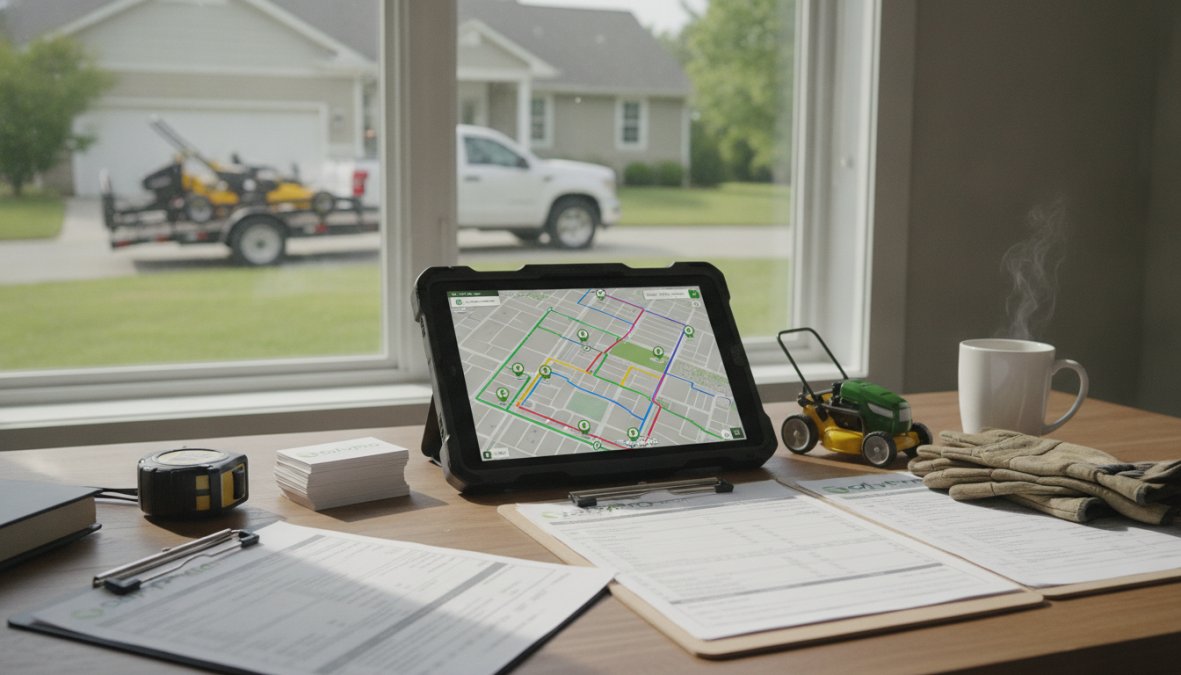
Efficient routing software automates route planning using GPS data, service duration estimates, and traffic conditions to create optimal job sequences that minimize drive time and maximize stops per day. Unlike generic delivery planning, lawn care routing software includes industry-specific logic, it accounts for variable job durations based on property size, service type, and crew skill level.
Benefits of Using Routing Software for a Lawn Care Business
Reduce Fuel Consumption and Vehicle Maintenance Costs
Fuel represents one of the largest controllable expenses in lawn care operations. Research from the U.S. Department of Energy's vehicle efficiency guide shows that optimized routing reduces fuel consumption by 10-20% compared to manual planning. Excessive driving also accelerates vehicle wear; a crew completing its route in six hours instead of eight puts 25% fewer miles on the vehicle annually, deferring thousands of dollars in maintenance over three to five years.
Improve Crew Productivity and Efficiency
When crews spend less time driving, they spend more time doing billable work. Optimized routes also reduce crew fatigue, improving job quality and customer satisfaction. The software can balance assignments to ensure specialized technicians are scheduled for jobs requiring their expertise.
Faster Customer Response and Real-Time Updates
Modern routing software includes GPS tracking and real-time communication. Customers receive accurate arrival windows instead of vague estimates, reducing no-shows and cancellations. Real-time tracking enables dynamic adjustments, if a job takes longer than expected, the software recalculates the remaining route and notifies affected customers.
Key Features to Look for in Lawn Care Routing Software
Route Optimization and Multi-Stop Planning
The routing engine should handle variable job durations, time windows, crew skill levels, and equipment requirements. Look for software that allows business rules like "never schedule two properties more than 15 minutes apart" or "always group fertilization jobs on Tuesdays." The optimization algorithm should balance workload across crews so all finish around the same time.
GPS Tracking and Real-Time Monitoring
GPS tracking provides accountability and enables quick response to problems. The tracking system should integrate with your mobile app so crews can see their assigned route, navigate turn-by-turn, and mark jobs complete from the field.
Automated Scheduling and Dispatching
Automated dispatching assigns new jobs to the most appropriate crew and integrates them into that crew's route. The software should support recurring jobs, automatically assigning weekly mowing customers to the same crew and route slot each week.
Mobile App and Offline Functionality
Field crews need access to job details, customer information, and navigation without constant internet connectivity. The mobile app should work offline and sync updates automatically when connectivity is restored. It should facilitate customer communication, photo documentation, signatures, and payments from the field.
Top Routing Software Solutions for Lawn Care Businesses
SolvPro: All-in-One Field Service Management with Bilingual Support
SolvPro combines scheduling, dispatching, crew tracking, and invoicing into a single platform. Its emphasis on simplicity and bilingual support (English and Spanish) is critical for diverse teams. Crews access their daily routes through a mobile app showing turn-by-turn navigation, customer notes, and job details. SolvPro integrates with QuickBooks Online, so invoices flow directly into your accounting system.
Pros:
- All-in-one platform eliminates tool sprawl
- Bilingual support in English and Spanish
- QuickBooks Online integration
- Mobile app works offline with turn-by-turn navigation
- Digital contracts enable field closings
- Free trial available
Cons:
- Newer to market compared to some competitors
- May require team training for full feature adoption
Service Autopilot: Advanced Automation for Recurring Routes
Service Autopilot is designed specifically for recurring service businesses like lawn care. Advanced route optimization considers service frequency, customer preferences, and crew availability. For businesses with hundreds of recurring weekly or biweekly customers, Service Autopilot handles scheduling complexity automatically.
Pricing: Startup ($49/month, 1 mobile license), Pro ($199/month), Pro Plus ($499/month). Higher tiers require annual contracts with setup fees.
Pros:
- Purpose-built for recurring service businesses
- Extensive automation reduces manual work
- Includes scheduling, dispatching, invoicing, and reporting
- Strong community and support resources
Cons:
- Many features locked behind higher-tier plans
- Annual contracts required with setup fees
- Per-user costs scale quickly
- Steeper learning curve than some alternatives
| Plan | Starting Price | Best For |
|---|---|---|
| Startup | $49/month | Single crew operations |
| Pro | $199/month | Routing and job costing |
| Pro Plus | $499/month | Advanced automations |
GorillaDesk: Purpose-Built for Lawn Care and Pest Control
GorillaDesk is specifically designed for lawn care, pest control, and pool service. The platform focuses on recurring route optimization, chemical tracking, and automated billing.
Pricing: Basic ($49-65/month for one technician), Pro ($145/month for up to five technicians), Business ($245/month for 10+ technicians). Annual billing saves 10-20%. A 14-day free trial is available.
Pros:
- Specifically designed for lawn care
- Route optimization and recurring service features in base plans
- Chemical tracking for pest control
- Reasonable pricing for small teams
- 14-day free trial
Cons:
- May not suit multi-trade operations
- Less emphasis on advanced reporting
- Limited integrations
Route4Me: Flexible Multi-Stop Route Optimization
Route4Me serves multiple industries including lawn care. It excels at multi-stop route planning and real-time optimization for same-day changes and emergency calls.
Pricing: Territory Management ($99/month), Route Management ($149/month), Route Optimization ($199/month), Business Optimization ($299/month), Enterprise Optimization ($349/month). Mobile app subscriptions are $9.99/month per user.
Pros:
- Powerful, flexible route optimization
- Handles multiple parameters and constraints
- Real-time re-optimization for same-day changes
- Easy-to-use mobile apps
- Territory management features
Cons:
- Complex pricing with multiple add-ons
- Per-user model scales linearly without volume discounts
- Pricing has increased for long-term subscribers
ArborGold: Industry-Specific Features for Tree Care and Landscaping
ArborGold is tailored for tree care, arborist, and landscaping companies. It combines business management with field operations, including estimating, scheduling, invoicing, and customer management.
Pricing: Starter ($129/month), Professional ($299/month), Enterprise ($499/month). Annual discounts available. 14-day free trial offered.
Pros:
- Purpose-built for green industry professionals
- Comprehensive estimating and proposal management
- Plant health tracking for arborist operations
- No long-term contracts required
- Highly rated by industry users
Cons:
- Pricing may be considered expensive
- Some users report report customization issues
- Less emphasis on route optimization
Cost of Lawn Care Routing Software and Scalability
Pricing Models: Per-Driver, Per-User, and Tiered Plans
Per-driver pricing charges a fixed monthly fee for each driver or crew member. Per-user pricing is similar but may include office staff at different rates. Tiered plans charge a single fee covering a certain number of drivers up to a threshold, then move to the next tier. When evaluating pricing, calculate your cost per crew member and compare across vendors.
Small Business vs. Enterprise Scalability
Small businesses (five to ten crews) benefit from platforms emphasizing simplicity and quick onboarding. SolvPro gets you operational within days. Mid-sized operations (fifteen or more crews) need software handling operational complexity, including advanced reporting, territory management, and accounting integration. Service Autopilot and ArborGold scale well for this range. Most lawn care businesses operate in the small-to-mid-sized range where platforms like SolvPro and GorillaDesk excel.
Implementing Routing Software for Lawn Care Operations
Software Migration and Data Onboarding
Moving from spreadsheets to new routing software requires planning. Start by auditing your current data, customer names, addresses, phone numbers, service history. Clean this data before importing to avoid duplicate entries and formatting inconsistencies. Plan migration in phases, starting with one service area or crew to identify problems before rolling out to the entire operation.
Team Training and Change Management
Software adoption fails when teams don't understand how to use the new system. Allocate time for training before going live. Office staff need to understand job creation, crew assignment, and schedule changes. Field crews need to know how to access their route, navigate to jobs, mark work complete, and communicate with the office. Many routing software providers offer onboarding support, take advantage of these resources.
Integration with Existing Tools and Accounting Software
Your routing software needs to integrate with your accounting system, CRM, and other business tools. QuickBooks Online integration is essential for most lawn care businesses. When a job is marked complete, the invoice should flow automatically to QuickBooks, eliminating manual invoice creation and accelerating your billing cycle.
How Route Optimization Reduces Operational Costs
Workload Balancing and Service Area Density
Route optimization balances workload across crews so all finish at approximately the same time. Service area density clusters jobs geographically, a crew servicing ten properties within a two-mile radius completes more jobs per day than one servicing ten properties spread across ten miles. High-density service areas are more profitable.
Dynamic Routing for Same-Day Adjustments
Real-world operations rarely go exactly as planned. Dynamic routing allows you to adjust routes on the fly without compromising efficiency. When a new job is added mid-day, the software recalculates the remaining route to find the best insertion point. When a customer cancels, the software removes that job and recalculates, maximizing productivity.

Getting the right routing software in place is one of the highest-impact investments a lawn care business can make. Operational improvements, less fuel consumption, higher crew productivity, faster customer response, compound over time. SolvPro delivers these benefits through an all-in-one platform combining scheduling, dispatching, crew tracking, and invoicing. With bilingual support and QuickBooks Online integration, SolvPro eliminates the coordination chaos that holds growing lawn care businesses back. Start your free trial today and see how optimized routing transforms your operations.
Frequently Asked Questions
What are the main benefits of using routing software for a lawn care business?
Routing software reduces fuel consumption by optimizing multi-stop routes, improves crew productivity through automated scheduling and dispatching, and enables real-time GPS tracking for better customer communication. Businesses also benefit from faster invoicing, reduced vehicle maintenance costs through efficient route planning, and the ability to handle recurring weekly schedules with less manual work. These tools help lawn care companies finish jobs faster and improve overall operational efficiency.
How does efficient routing software for lawn care handle offline functionality?
Many routing software solutions offer offline capability, allowing field crews to access job details, customer information, and route maps even without internet connectivity. This is critical for lawn care operations in areas with spotty coverage. Once the device reconnects, data syncs automatically with the back office. However, offline functionality varies by platform, some provide basic offline access while others offer comprehensive offline operations. Check specific software documentation to confirm offline capabilities match your service area needs.
How much does lawn care routing software typically cost, and does it scale for growing teams?
Pricing varies significantly by platform. Some charge per-driver monthly subscriptions (ranging from $35-$100+ per driver), while others use tiered plans starting at $49-$99/month for small teams. Many offer annual billing discounts of 10-20%. Scalability depends on the pricing model, per-driver pricing scales linearly with team growth, while tiered plans may offer better value for larger operations. Always verify whether the software accommodates your growth plans without excessive cost increases. Most providers offer free trials to test scalability before committing.
Can routing software integrate with accounting software like QuickBooks?
Many lawn care routing solutions integrate with QuickBooks Online and other accounting platforms, automating invoice syncing and financial data flow. This eliminates manual data entry between systems and speeds up cash flow. However, integration depth varies, some platforms offer seamless two-way sync while others require manual reconciliation. Before selecting software, confirm QuickBooks compatibility and test the integration during your trial period to ensure it meets your accounting workflow needs.
This article was written using GrandRanker