listicle
Mobile App Features for Field Service Technicians
Table of Contents
- Why Field Service Apps Beat Paper and Spreadsheets
- Digital Work Order Management: The Core of Any Field Service App
- Field Service Management Software Features That Drive Technician Productivity
- Parts and Inventory Tracking From the Job Site
- Time Tracking and Invoicing: Get Paid Faster
- Hardware Compatibility and Peripheral Integration
- User Adoption and Change Management for Mobile Workforces
- Security and Data Compliance for Remote Devices
- Real-World Technician Workflow Scenarios
- Frequently Asked Questions
Last Updated: September 27, 2026
Why Field Service Apps Beat Paper and Spreadsheets
Paper work orders disappear, rained on, left on dashboards, or buried until the office calls about an invoice. That's daily reality for landscaping, cleaning, excavation, and septic crews still on clipboards.
Digital Work Order Management: The Core of Any Field Service App
Digital work order management means creating, assigning, and completing service tasks on a mobile device instead of paper, carrying job details, customer history, parts, and photos in one place.
Offline Mode and Data Synchronization
Cell service dies in basements, rural properties, and half the job sites you'll visit this week. Offline mode lets technicians complete work orders, capture signatures, and log parts with no signal, then syncs on reconnect.
Customer Signature Capture and Documentation
Signature capture closes the loop on a job. The customer signs on the technician's phone or tablet, and that signature attaches to the work order permanently. No more chasing paper, no more "I never approved that."
Field Service Management Software Features That Drive Technician Productivity
Field service management software features fall into two buckets: those that help dispatchers and those that help technicians. The best platforms serve both, because a perfectly routed job still goes sideways if the technician can't find the gate code.
GPS Tracking and Route Optimization
GPS tracking shows where every truck is in real time. Route optimization sequences stops so technicians spend less time driving and more time working.
Automated Scheduling and Dispatching
Automated scheduling assigns jobs by location, skills, and availability, then pushes the job to the right technician's phone with directions and details attached.
Parts and Inventory Tracking From the Job Site
Inventory tracking from the field means technicians log parts as they use them, straight from the job site. That prevents two headaches: trucks running out of the part you need most, and the office ordering something already sitting in a van.
Time Tracking and Invoicing: Get Paid Faster
- Manual start/stop timers. The technician taps Start on arrival and Stop on leaving. Simple, but it depends on them remembering, and it tends to undercount drive time and prep.
- Geofenced automatic timers. The app detects arrival at the job address and starts the clock. This removes the memory problem, but it can misfire on multi-unit properties, gated communities, or when a technician parks a block away. Test the geofence radius before trusting it for billing.
- Job-status-driven timers. The clock starts when the technician moves the work order to "In Progress" and stops at "Complete." This ties billable time to job state, which is the easiest to audit later.
- Technician completes the work order and logs labor and parts.
- Customer signs on the device.
- The app generates the invoice from the work order line items, no re-typing.
- Payment is collected on-site or the invoice is emailed before the truck leaves.
A few details separate a working setup from a frustrating one:
- Rounding rules. Decide whether you bill in 15-minute, 6-minute, or exact minutes, and make sure the app applies the same rule everywhere. Inconsistent rounding causes customer complaints.
- Tax and jurisdiction handling. If you work across multiple tax districts, confirm the app applies the correct rate by job address rather than a single default.
- Payment processing fees. On-site card payments carry fees, typically a percentage plus a per-transaction amount. Factor that into pricing rather than eating it silently.
- Accounting sync. QuickBooks Online is the most common integration, and it stops your office from re-keying invoices and payments. Confirm the sync direction (one-way or two-way) and how it handles edits made after the fact.
Hardware Compatibility and Peripheral Integration
Hardware compatibility is the feature nobody asks about until their tablet won't connect to the printer in the truck. Before committing, check what the platform supports on the devices your crew already owns.
The practical checklist:
- Phones and tablets: Does the app run well on iOS and Android, including older devices your crew hasn't replaced?
- Bluetooth printers: Can technicians print receipts and invoices from the truck, or does everything route through the office?
- Card readers: Does the app accept on-site payments through a standard reader, and does it work offline?
- Cameras and barcode scanners: Can technicians scan parts and capture job photos without leaving the app?
- Signal conditions: Does the hardware setup still work in areas with weak coverage?
User Adoption and Change Management for Mobile Workforces
User adoption is the single biggest reason field service software projects fail. You can buy the best platform on the market and still watch it die if your crew won't open it. The technology isn't the hard part. The habit change is.
A few things that work in practice:
- Start with one crew. Roll out to your most patient team first, fix the rough edges, then expand.
- Pick a champion. Find the technician who likes new tools and let them train the others. Peer training beats a vendor webinar every time.
- Cut off the old way. If paper work orders are still an option, some people will still use them. Set a firm date and stick to it.
- Keep it simple at first. Turn on work orders and time tracking. Add inventory and reporting once the basics are habit.
Security and Data Compliance for Remote Devices
Security for remote devices comes down to three things: who can see what, what happens when a device is lost, and where the data lives. Field devices travel in trucks, sit on job sites, and get dropped. Plan for that.
What to look for:
- Role-based access: Technicians see their jobs. Office staff see the schedule. Owners see financials. Nobody sees everything by default.
- Remote wipe: If a phone or tablet goes missing, you can lock it and erase company data without wiping the technician's personal photos.
- Encryption in transit and at rest: Customer data and payment details should be encrypted on the device and en route to the server.
- Audit trails: Every change to a work order or invoice should be logged, so you can see who did what and when.
- Cloud-based storage: Data lives on secure servers, not on a device that might end up in a ditch.
Real-World Technician Workflow Scenarios
Feature lists tell you what an app can do; a day in the life tells you whether it will help. Here are three scenarios, septic, landscaping, and commercial HVAC, showing where features earn their keep or fall apart.
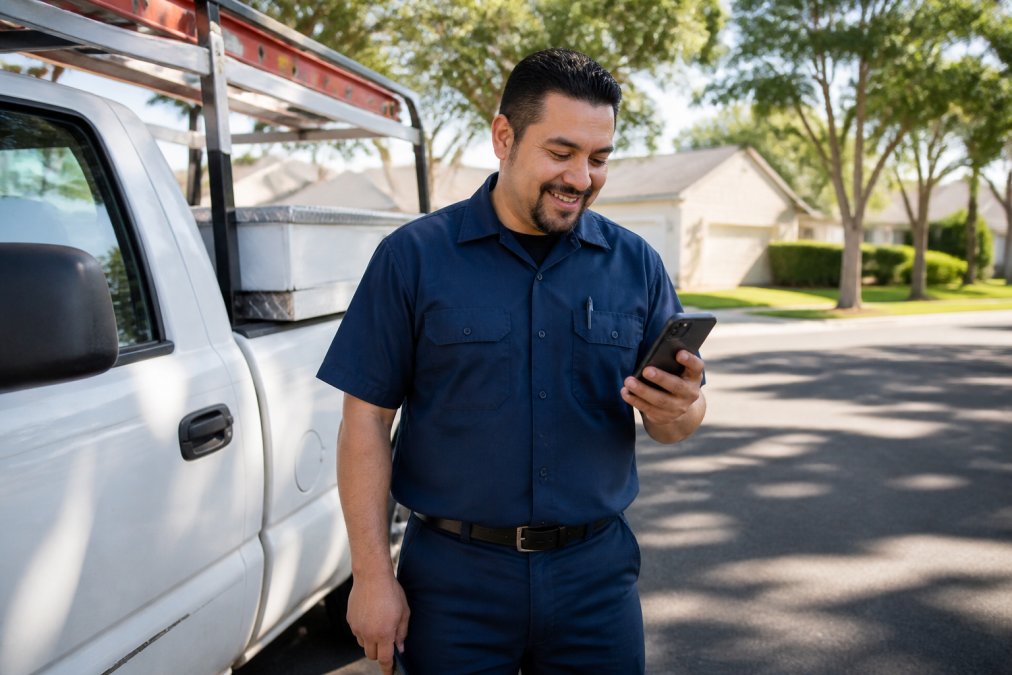
Scenario 1: The Friday-afternoon septic pump-out
A two-person crew finishes a residential pump-out at 4:30 on a Friday. With paper, the work order goes on the dash, the invoice waits until Monday, and payment lands next week. With a mobile app, the technician logs parts, captures the signature, attaches before-and-after photos, and sends the invoice before pulling out of the driveway.
Scenario 2: The landscaping route that runs out of daylight
A three-truck landscaping crew has eleven stops scheduled. By 2 p.m., truck two is forty minutes behind because a commercial property added an unplanned hedge trim. Without route optimization, the dispatcher calls around to reshuffle. With it, the app resequences remaining stops by drive time and pushes the update to each technician's phone.
Scenario 3: The commercial HVAC call with no signal in the mechanical room
A technician descends into a basement mechanical room to service a rooftop-unit controller. No cell signal. With proper offline mode, they pull up asset history, see the last three service visits and parts replaced, complete the work order, and log the refrigerant charge, all locally. Back at the truck, the app syncs automatically.
What these scenarios have in common
In each case, the feature that mattered wasn't the flashiest, it was the one that removed a phone call, a return trip, or a dispute. Apply that test when comparing platforms: not "does it have GPS tracking," but "does the GPS tracking save my dispatcher a call on a day like this?"
Frequently Asked Questions
What are the most important mobile app features for field service technicians?
The most important features include digital work order management, offline mode with data synchronization, GPS tracking, automated scheduling and dispatching, signature capture, parts and inventory tracking, time tracking, and in-field payment collection. These features directly impact how quickly technicians complete jobs and how soon your business gets paid. Prioritize offline access and route optimization if your crews work in areas with spotty cell coverage.
Do field service apps support offline data entry?
Most modern field service apps support offline mode, allowing technicians to view job details, enter notes, capture photos, and collect signatures without an internet connection. Data syncs automatically once the device reconnects. This matters for excavation, septic, and landscaping crews working in rural areas or basements. When evaluating options, test how well the app handles conflicts if two technicians edit the same work order offline.
How can mobile apps improve field service technician efficiency?
Mobile apps cut the back-and-forth between office and field. Technicians receive job details, customer history, and parts lists on their phone before arriving. Route optimization reduces drive time between jobs. Digital work orders and signature capture eliminate paper forms that sit in trucks for days. Time tracking feeds directly into invoicing, so you bill the same day. Together, these features reduce administrative bottlenecks and help technicians complete more jobs per day.
What features help field technicians get paid faster?
In-field payment processing is the biggest lever. When technicians can accept credit cards, ACH, or digital wallets directly from the mobile app, invoices get paid before they leave the job site. Real-time invoicing that pulls from completed work orders and time tracking removes the delay of paper invoices sitting in a truck. Look for apps that integrate with QuickBooks Online or your existing accounting software to avoid manual data entry and speed up reconciliation.
Scaling a service business without drowning in paperwork comes down to one decision: give your crews tools that work where they work. SolvPro puts work orders, scheduling, crew tracking, digital contracts, and payments in one mobile-friendly platform, with bilingual support for English and Spanish-speaking teams and QuickBooks Online integration so your books stay in sync. Start your free trial with SolvPro and see how much faster jobs close when the paperwork stops following the truck home.