 blog
blog
Streamline Mobile Crew Scheduling and Dispatch: 2026 Guide
Table of Contents
- Why Streamline Mobile Crew Scheduling and Dispatch?
- Key Features That Streamline Mobile Crew Scheduling and Dispatch
- Mobile Workforce Management Software: What to Look For
- Best Practices for Mobile Workforce Scheduling
- AI in Crew Scheduling: Optimization and Predictive Insights
- ROI and Cost Savings: What to Measure
- Common Pitfalls When Implementing Dispatch Software
- Getting Started: Implementation and Support
Last Updated: July 28, 2026
Why simplify Mobile Crew Scheduling and Dispatch?
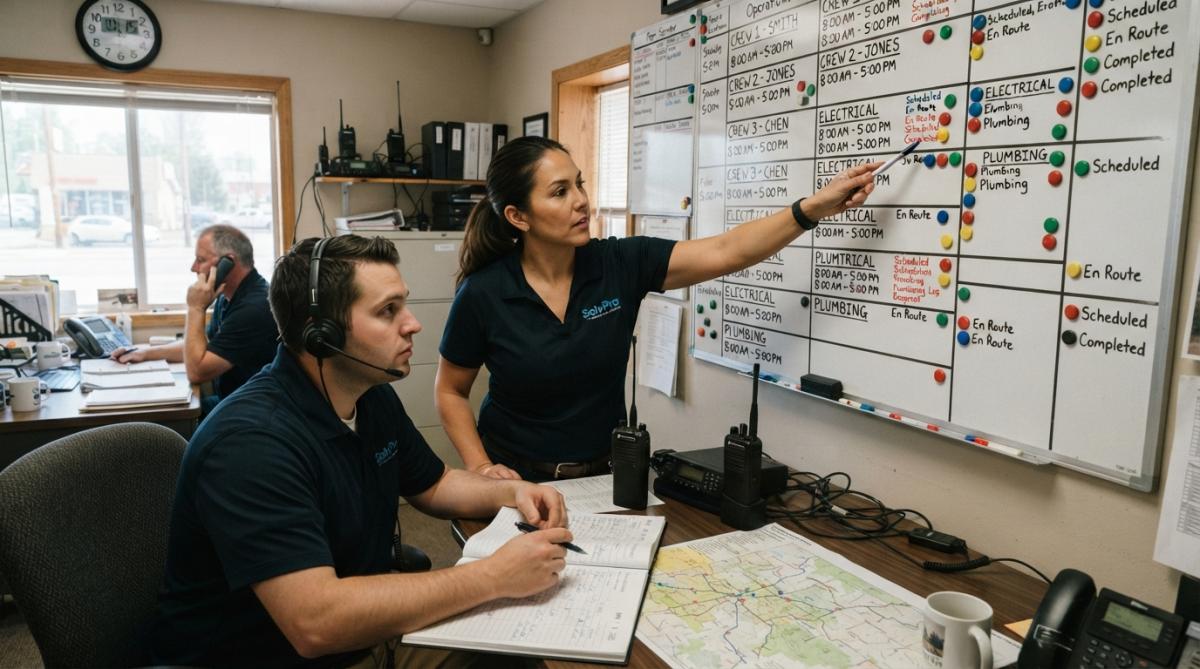
Field service businesses face a persistent challenge: coordinating crews across multiple job sites while maintaining real-time visibility. Companies relying on spreadsheets, text messages, and phone calls lose an average of 8-12 hours per week to coordination overhead alone. That's time crews spend waiting for assignments instead of generating revenue.
When dispatch decisions rely on incomplete information, crews get routed inefficiently, customers experience delays, and invoicing gets backlogged. According to field service management industry analysis, businesses without automated crew scheduling report 23% lower first-time completion rates and 31% longer average job duration compared to those using mobile dispatch tools.
Key Features That simplify Mobile Crew Scheduling and Dispatch
Effective mobile crew scheduling software coordinates complex workflows, reduces communication friction, and creates accountability. The best platforms combine real-time visibility with automated decision-making so dispatchers can focus on strategy instead of logistics.
Real-Time Crew Tracking and GPS Integration
GPS-enabled crew tracking eliminates guesswork about travel time and arrival estimates. When a customer calls asking "Where's my crew?", a dispatcher with GPS visibility answers confidently instead of making a phone call and waiting.
Accurate location data enables better route optimization, dispatchers assign jobs to the closest available crew, reducing travel time and fuel costs. Most platforms integrate GPS tracking with work order assignment, so crews see their next job and the route to get there without toggling between apps. The system can also trigger automated notifications when crews arrive, depart, or complete work, creating an audit trail for invoicing and labor compliance.
Automated Shift Management and Availability
Crew availability changes constantly. Automated availability management lets crews update their status in real-time through the mobile app, and the system immediately reflects changes in dispatch options. This prevents double-booking and ensures only available crews receive job assignments.
When a crew marks themselves unavailable or completes a job, the platform automatically adjusts the dispatcher's view of who can take the next assignment. Some platforms learn crew preferences, certain crews specialize in specific job types or geographic areas, and prioritize assignments accordingly. Time-off requests also integrate with the scheduling system, blocking those dates from future assignments.
Work Order Management and Task Execution
Mobile work order management means crews access complete job information on their phone, not a printed sheet that gets lost or damaged. Effective systems let crews view job scope, check off tasks, capture photos or signatures, and update status in real-time. When a crew marks a job complete, that status immediately flows back to the office, triggering invoicing and customer notifications.
Crews can update work orders offline. If a job site has poor cell coverage, crews can still access the work order, complete tasks, and sync data once they regain connectivity.
Mobile Workforce Management Software: What to Look For
The best platforms balance scheduling, dispatch, and real-time communication.
Dispatch Optimization and Route Planning
Optimized dispatch uses data, crew location, job location, job type, crew specialization, crew availability, to recommend the best assignment automatically. Route planning calculates the most efficient sequence for multiple jobs, minimizing travel distance and time. Over dozens of crews and hundreds of jobs weekly, optimized routing saves significant fuel and labor costs.
The best systems learn over time, tracking which crews complete jobs fastest, which have the highest customer satisfaction ratings, and which handle specific job types most efficiently. This historical data improves future dispatch recommendations.
Field-to-Office Synchronization
Information flows in both directions. The office sends work orders and assignments to crews. Crews send back job status updates, photos, signatures, and time tracking. Poor synchronization creates chaos, a crew completes a job but the office doesn't know for hours, or a crew receives a new assignment but doesn't see it because the app didn't sync.
Strong synchronization means the mobile app and backend system stay in constant communication, with built-in conflict resolution if the same data is updated from multiple places simultaneously. The system prioritizes critical updates, job completions, safety alerts, customer contact information, over less urgent data.
Offline Functionality and Data Sync
Field connectivity is inconsistent. Crews work in basements, rural areas, and locations with poor signal. Offline-first design means crews can continue working without connectivity. They can view assigned jobs, update task status, capture photos, and collect signatures all without internet. Once connectivity returns, the app syncs all changes automatically.
This feature is non-negotiable for field operations.
Best Practices for Mobile Workforce Scheduling
Technology alone doesn't simplify operations. Implementation, adoption, and ongoing optimization matter equally.
Change Management for Field Team Adoption
Field crews are skeptical of new software for good reason. Successful adoption requires transparent communication about why the change is happening. Frame it around crew benefits: fewer phone calls interrupting their work, clearer job information, faster invoicing, and ultimately faster payment.
Pilot the system with one or two trusted crews first. Let them use it for two weeks and gather feedback. This approach creates advocates who can answer questions from peers. Most crews need 30-45 minutes of hands-on training to become comfortable. Walk through the specific workflows they'll use daily: receiving a job assignment, viewing job details, updating task status, and marking work complete.
Compliance and Labor Law Automation
Labor regulations vary by state and industry. Automated time tracking through the mobile app creates an auditable record. The system records when crews clock in, take breaks, and clock out, feeding directly into payroll and eliminating manual data entry errors.
Some platforms automatically flag compliance issues. If a crew is approaching overtime thresholds or hasn't taken a required break, the system alerts them. Integration with payroll systems is critical, when time tracking, job assignments, and payroll are disconnected, reconciliation becomes a nightmare. Integrated systems ensure one source of truth.
AI in Crew Scheduling: Optimization and Predictive Insights
Artificial intelligence augments human judgment by processing data too complex for manual analysis. Predictive scheduling uses historical data to forecast demand. If Mondays typically see 30% more jobs than Fridays, the system can recommend scheduling more crews for Monday availability.
AI-powered route optimization improves on basic route planning by considering real-time traffic data, crew skill matching, and job priority. Demand forecasting becomes more accurate when AI learns from multiple years of data, incorporating seasonal patterns, weather impacts, and economic trends.
However, AI optimization is only as good as the underlying data. Implement data quality checks before relying heavily on AI recommendations.
ROI and Cost Savings: What to Measure
Implementing mobile crew scheduling software requires investment in licenses, training, and integration work. Quantifying ROI helps justify the investment and identify which improvements are delivering value.
Direct cost savings are easiest to measure. Track fuel costs before and after implementation. Optimized routing reduces travel distance, which directly reduces fuel spending. Many teams see 8-15% fuel savings within the first six months. Track labor productivity by measuring average jobs completed per crew per day.
Revenue improvements matter more than cost savings. Measure invoice-to-payment time. When crews update job status and capture signatures on-site, invoices reach customers faster, improving cash flow. Track first-time completion rates, when crews have complete job information and can communicate with the office in real-time, they're more likely to finish jobs on the first visit.
Indirect benefits include customer satisfaction scores and crew retention. Improved communication, faster response times, and on-time completion all improve satisfaction. Reduced turnover saves recruiting and training costs.
Create a simple spreadsheet tracking these metrics monthly. After six months, compare baseline to current performance. Most teams see ROI within three to six months.
Common Pitfalls When Implementing Dispatch Software
Underestimating change management is the most common failure. Budget 4-6 weeks for full adoption, not two weeks. Poor data migration creates ongoing problems, crew skills coded inconsistently, job types mismatched, or customer information incomplete. Spend time cleaning data before going live.
Ignoring offline functionality becomes painful when crews work in areas with poor connectivity. Insufficient integration means data lives in silos. Verify integrations work before implementation. Unrealistic expectations set teams up for disappointment. Set specific, measurable goals before implementation.
Getting Started: Implementation and Support
Week 1-2: Planning and setup. Define your specific goals. Identify your pilot group. Set up the software environment and configure basic settings like job types, crew roles, and geographic service areas.
Week 3-4: Data preparation. Clean and migrate historical data. Ensure crew and customer information is complete and consistent. Test integrations with payroll and accounting systems.
Week 5-6: Pilot deployment. Launch with your pilot group. Provide hands-on training and support closely during the first week. Gather feedback and refine workflows.
Week 7-8: Refinement and expansion. Address pilot feedback and adjust settings. Expand to additional crews gradually, training as you go.
Week 9+: Full deployment and optimization. Focus on optimization. Review dispatch recommendations and identify process improvements.
Support matters during and after implementation. Choose a platform provider that offers training resources, responsive support, and documentation. SolvPro provides bilingual support in English and Spanish and integrates with QuickBooks Online, simplifying payroll and invoicing workflows. When evaluating support, ask about response times, training availability, and whether support staff understand field service operations.
Coordinating field crews without real-time visibility and automation creates operational chaos that compounds daily. Modern field service requires digital coordination that keeps everyone informed and enables faster decision-making.
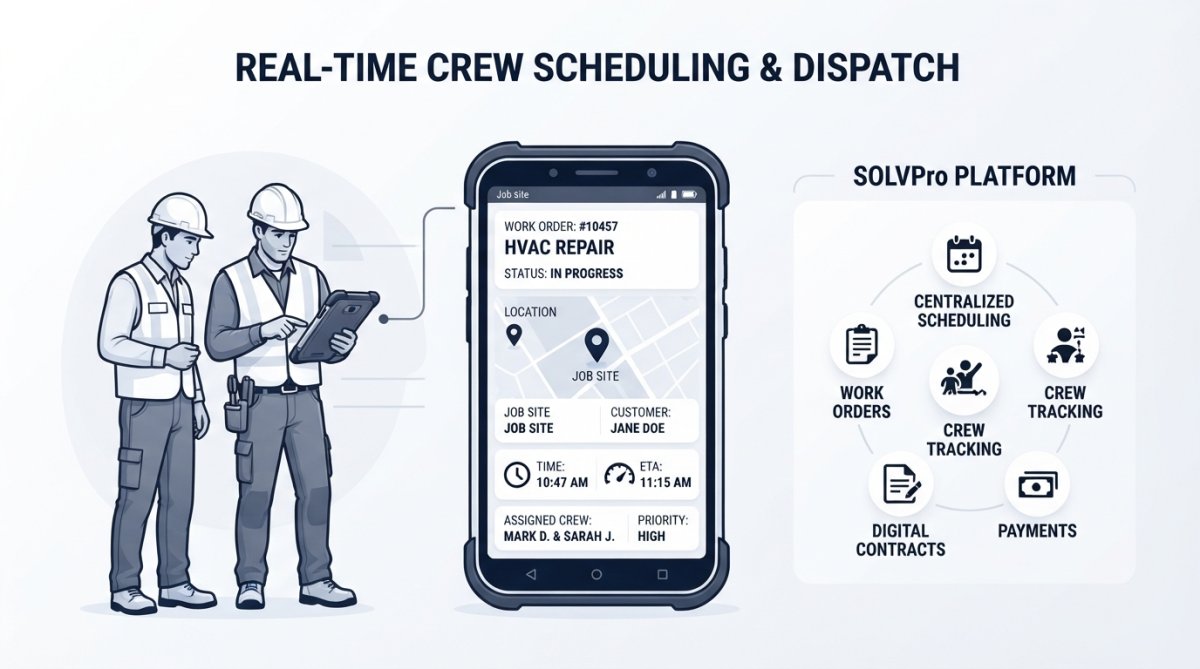
SolvPro simplifies mobile crew scheduling and dispatch by centralizing scheduling, work orders, crew tracking, and digital contracts into one intuitive platform. With bilingual support and QuickBooks Online integration, it eliminates the coordination friction that slows down field operations. Start your free trial today and see how real-time crew visibility and automated dispatch can help your team finish jobs faster and get paid sooner.
Frequently Asked Questions
What are the main benefits of using mobile crew scheduling and dispatch software?
Mobile crew scheduling and dispatch software reduces manual scheduling errors, cuts paperwork by centralizing work orders, and accelerates job completion through real-time communication. Teams can respond faster to customer requests, optimize routes to save fuel and time, and improve cash flow by getting invoices processed immediately after job completion rather than sitting in trucks for days.
How does real-time crew tracking improve mobile workforce management?
Real-time crew tracking via GPS allows dispatchers to see exactly where field teams are, enabling faster response to urgent calls and better route optimization. It reduces idle time, improves accountability, and allows office staff to provide accurate arrival estimates to customers. For mobile workforce management, this visibility eliminates guesswork and enables data-driven scheduling decisions.
What should we prioritize when selecting mobile workforce management software?
Prioritize platforms that offer bilingual support (if your teams speak multiple languages), offline functionality so crews can work without internet, and seamless integration with your existing accounting software. Look for user-friendly interfaces that don't require IT expertise, automated payroll integration to save administrative time, and proven change management support to help your field teams adopt the system.
How can AI in crew scheduling help reduce operational costs?
AI-powered crew scheduling analyzes historical job data to predict how long tasks take, automatically suggesting optimal crew sizes and route combinations. This reduces overstaffing, minimizes travel time between jobs, and prevents scheduling conflicts. Predictive analytics can also flag bottlenecks before they happen, allowing proactive adjustments rather than reactive firefighting.
This article was written using GrandRanker