 ultimate-guide
Field Service Dispatch Software Solutions: 2026 Guide
Table of Contents
- What Is Field Service Dispatch Software?
- Key Features of Dispatch Management Software Features
- Field Service Management Software Integration and Workflow
- Route Optimization Software: Efficiency and Cost Savings
- Mobile Field Service App Capabilities and Benefits
- Top Field Service Dispatch Software Solutions Compared
- Security and Data Compliance in Dispatch Software
- How to Choose the Right Dispatch Software for Your Business
Last Updated: July 25, 2026
What Is Field Service Dispatch Software?
Field service dispatch software solutions are cloud-based platforms designed to centralize scheduling, work order management, crew tracking, invoicing, and payments. Instead of managing jobs through spreadsheets and phone calls, dispatch software gives you a single source of truth for your entire operation.
The core function is straightforward: match the right technician to the right job at the right time, then track progress and collect payment before the crew leaves the site. When you centralize scheduling, customer communication, and billing in one platform, you reduce administrative burden, accelerate cash flow, and give field teams the information they need to finish jobs faster.
Research from McKinsey's field service operations study shows that businesses using integrated dispatch systems reduce administrative overhead by 25-35% while improving first-time fix rates.
Key Features of Dispatch Management Software
Real-Time Visibility and GPS Tracking
Real-time GPS tracking lets you see exactly where your crews are and how long they'll take to reach the next job. Route optimization algorithms analyze traffic patterns, technician skills, and job location to suggest the most efficient sequence, reducing drive time, often the biggest hidden cost in field service operations.
Customers appreciate automatic notifications when a technician is 15 minutes away, reducing no-shows and improving experience without adding manual communication work.
Automated Work Order Management
Automated systems let you create, assign, and track jobs without manual data entry or phone calls. When a customer books online or calls in, the job appears in your system immediately with all relevant details, service history, equipment specs, and billing information.
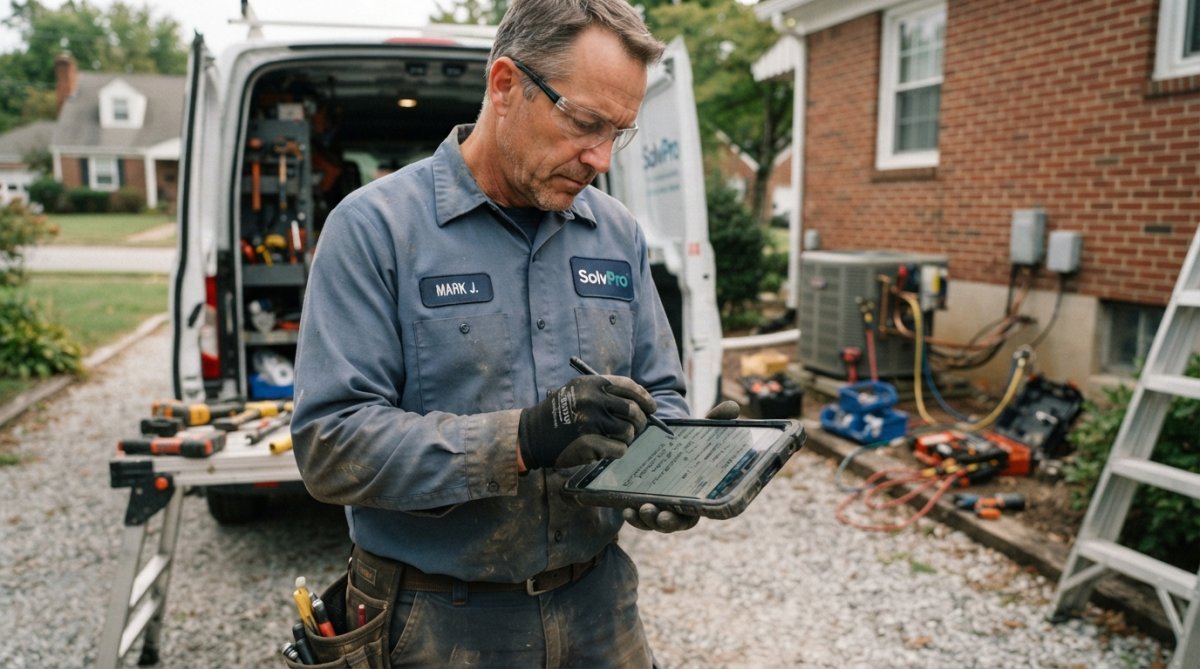
Mobile-connected technicians receive work orders on their phones, see customer notes and photos, and update status in real time. This eliminates lag between job completion and office notification, critical for scheduling follow-ups or identifying issues before customers discover them.
Mobile-First Design for Field Teams
The best mobile apps work offline. Technicians can download their day's schedule before leaving the office and work without internet connection. When they regain connectivity, data syncs automatically.
Digital forms on mobile devices capture signatures, photos, and notes at the job site. Some platforms let technicians create quotes or proposals on the spot, dramatically speeding up the sales cycle for add-on work.
Field Service Management Software Integration and Workflow
CRM and Accounting System Connectivity
The friction point most service businesses face: data lives in multiple systems. Integration solves this by syncing data in real time. A customer updates their address in your mobile app, and it automatically updates in QuickBooks. A technician completes a job, and the invoice generates and queues for sending.
[Gartner's integration report on field service(/feeds/blog/mobile-apps-electricians-job-management) platforms | gartner.com] found that businesses with integrated systems reduce data entry errors by 40% and cut billing cycle time by 50%. SolvPro integrates directly with QuickBooks Online, covering the accounting side for most small service businesses.
Change Management for Dispatch Teams
Many service businesses implement dispatch software and watch adoption stall because change is uncomfortable. Your experienced technicians have their rhythm, and asking them to change feels like you're saying they were doing it wrong.
Treat adoption as a separate project from implementation. Involve your team early, ask what frustrates them about current processes before choosing software. Once selected, dedicate time to training that goes beyond "here's the app." Show them how it makes their job easier, not just different.
Route Optimization Software: Efficiency and Cost Savings
Fuel costs and drive time are often the largest hidden expenses in field service. Route optimization algorithms analyze job locations, traffic patterns, technician availability, and skill requirements to suggest the most efficient sequence, re-optimizing throughout the day as new jobs come in.
Reduce drive time by 20% and you fit one additional job per day into each technician's schedule. For a crew of five technicians, that's 25 extra jobs per week, directly adding revenue without hiring more people.
American Trucking Associations report on fleet efficiency documents that optimized routing reduces fuel consumption by 15-25% while improving delivery times.
Mobile Field Service App Capabilities and Benefits
Offline Functionality and Data Sync
The best mobile apps work without internet. Your technician downloads their schedule before leaving the office and can see job details, customer history, and notes even in areas with no signal. When they reconnect to the network, everything syncs to your central system automatically.
Digital Contracts and Payment Processing
Collecting payment at the job site, not days later, improves cash flow immediately. Mobile dispatch apps that support digital contracts and payment processing let technicians present an invoice, collect a signature, and process payment before they pack up.
A technician who can say "I can process that right now" instead of "I'll email you an invoice" closes jobs faster and reduces payment delays. Digital contracts also protect you by providing proof of approval for add-on work.
Top Field Service Dispatch Software Solutions Compared
SolvPro: All-in-One Bilingual Platform
SolvPro is built for small to medium-sized service businesses that want an all-in-one platform without complexity. It centralizes scheduling, work orders, crew tracking, digital contracts, and payments in one intuitive interface.
The bilingual support (English and Spanish) is a genuine differentiator. If your crews speak Spanish, SolvPro's bilingual implementation extends to work orders, customer communication, and crew interfaces, not just a UI toggle.
QuickBooks Online integration means invoices sync automatically, eliminating manual data entry between systems. Digital proposals and contracts let technicians close deals and collect signatures at the job site.
Best for: Service businesses under 20 technicians, especially those with bilingual crews, looking to eliminate spreadsheets and get paid faster.
Pros:
- All-in-one platform reduces tool sprawl
- Bilingual support in English and Spanish throughout the platform
- QuickBooks Online integration simplifies accounting
- Mobile-friendly interface technicians actually use
- Free trial available to test before committing
Cons:
- Smaller platform means fewer integrations than enterprise tools
- Limited advanced analytics compared to larger competitors
WorkWave Service: Comprehensive Scheduling and Invoicing
WorkWave Service combines scheduling, dispatching, customer management, invoicing, and GPS tracking in one platform for small to mid-sized field service businesses in HVAC, plumbing, pest control, and lawn care.
The platform includes route optimization to reduce drive time, mobile app for technicians, and customer portal for appointment booking and status updates. Invoicing happens in the field or back office, with credit card processing available.
Best for: Small to mid-sized service companies needing comprehensive scheduling and invoicing without enterprise complexity.
Pros:
- Combines scheduling, CRM, invoicing, and GPS tracking
- Industry-specific workflows for common trades
- Mobile app with offline capability
Cons:
- Pricing not publicly listed; requires contacting sales
- Implementation fees can add significant cost
- Annual contracts typical, not month-to-month flexibility
Skedulo: Enterprise-Scale Mobile Workforce Management
Skedulo is built for organizations with hundreds of mobile workers. It handles intelligent scheduling and dispatching, mobile forms, real-time collaboration, and integrates with Salesforce for larger enterprises.
The platform focuses on matching resources to jobs based on skills, availability, travel time, and other criteria, particularly strong for companies managing complex scheduling constraints, certifications, and equipment.
Best for: Organizations with 100+ mobile workers that need enterprise-grade scheduling and Salesforce integration.
Pros:
- Designed for large-scale mobile workforces
- Salesforce integration for enterprise CRM users
- 24/7 online support portal with training resources
- Free trial available
Cons:
- Pricing is per user per month, which scales quickly with headcount
- Annual contracts required; no monthly billing
- Feature-heavy, steeper learning curve than simpler platforms
simPRO: Trade-Focused Operations Platform
simPRO is built specifically for trades: electrical, plumbing, HVAC, and security. It integrates quoting, scheduling, compliance, invoicing, and inventory management into one platform, emphasizing the full job lifecycle from quote to invoicing to follow-up.
Multi-company functionality lets you manage multiple branches or entities within one account. Strong accounting integrations with cloud software like Xero and MYOB.
Best for: Trade businesses (electrical, plumbing, HVAC) that need to manage leads, quotes, scheduling, and inventory in one system.
Pros:
- Purpose-built for trade industries
- Multi-company functionality for branches or franchises
- Strong accounting software integrations
- Comprehensive job lifecycle from quoting to invoicing
Cons:
- Pricing not publicly available; custom quotes required
- Feature-heavy and complex; steeper learning curve for non-technical users
- Can be overkill for very small operations
ServiceMax: Asset-Intensive Field Service
ServiceMax (by PTC) is designed for complex, asset-centric field service in energy, medical equipment, and utilities. It handles work order management, scheduling, dispatching, asset tracking, and IoT-enabled predictive maintenance.
The platform is built around the asset, not just the technician, tracking equipment history and predicting maintenance needs.
Best for: Large companies (50+ technicians) in asset-intensive industries that need predictive maintenance and complex asset tracking.
Pros:
- Designed for complex, asset-centric operations
- Predictive maintenance capabilities
- Real-time data for better decision-making
Cons:
- No publicly available pricing; custom enterprise quotes required
- Users report slow performance and learning curve
- Overkill for simple service operations
| Platform | Best For | Key Strength | Pricing Model |
|---|---|---|---|
| SolvPro | Small teams under 20 with bilingual needs | All-in-one simplicity + bilingual support | Free trial available |
| WorkWave Service | HVAC, plumbing, pest control | Established platform with proven workflows | Contact sales |
| Skedulo | 100+ mobile workers | Enterprise scheduling at scale | Per user/month |
| simPRO | Trades (electrical, plumbing, HVAC) | Complete job lifecycle management | Contact sales |
| ServiceMax | 50+ technicians in asset-intensive industries | Predictive maintenance and asset tracking | Contact sales |
Security and Data Compliance in Dispatch Software
Your dispatch software handles sensitive customer data, addresses, phone numbers, payment information, and service history. It also manages your crew's location data in real time.
Look for platforms that encrypt data in transit and at rest. Ask about backup and disaster recovery procedures. Understand where data is stored and whether the platform meets relevant standards for your industry. Healthcare service providers need HIPAA compliance. Regulated industries may need SOC 2 certification.
The cost of a data breach, notification, credit monitoring, potential fines, lost customer trust, far exceeds software pricing differences. Prioritize security in your evaluation.
How to Choose the Right Dispatch Software for Your Business
Assessing Team Size and Scalability Needs
Start with your current team size, but plan for growth. A platform perfect for five technicians might become unwieldy at 20. Look at pricing models: some charge per technician, others charge per company or use tiered pricing.
Consider whether the platform can handle growth in complexity. If you're a plumbing company today but plan to offer HVAC services next year, can the platform handle multiple service types? If you're single-location today but plan to expand to multiple territories, does it support multi-location management?
Integration Requirements and Compatibility
Make a list of systems you currently use: accounting software, CRM, customer portal, payment processing, communication tools. Ask each vendor if they integrate with these systems and push for specifics.
Many vendors claim integration but the process is clunky, requires manual syncing, doesn't update in real time, or only works one direction. Ask for a demo of the integration and speak with a customer who uses both systems.
Trial Period and Support Quality
Most vendors offer a free trial. Use it to actually set up your jobs, schedule your crew, and see if the mobile app feels natural. During the trial, test the support by asking a question and noting how long it takes to get an answer.
Choosing the right field service dispatch software isn't just about features, it's about finding a platform that fits your team's size, integrates with your existing systems, and provides the support you need when things go wrong. SolvPro stands out for small to medium-sized teams because it handles scheduling, work orders, crew tracking, digital contracts, and payments all in one intuitive platform, with bilingual support and QuickBooks integration built in. Start with a free trial and see how it feels to your team. The right software should eliminate chaos, not create it.
Frequently Asked Questions
What is field service dispatch software and why do small businesses need it?
Field service dispatch software is a platform that centralizes scheduling, work order management, technician tracking, and customer communication. For small businesses, it eliminates the need for manual spreadsheets and phone-based coordination. Instead of managing crews through texts and emails, dispatch software gives you real-time visibility into who's where, what jobs are assigned, and when they'll finish. This reduces scheduling conflicts, speeds up job completion, and helps you get paid faster by automating invoicing and payment collection.
What are the main features to look for in dispatch management software features?
Essential features include real-time GPS tracking, automated work order assignment, mobile app access for technicians, route optimization, and integrated invoicing. Look for platforms that offer drag-and-drop scheduling, customer notifications, digital signatures, and integration with accounting software like QuickBooks. Advanced options include predictive maintenance scheduling, inventory tracking, and bilingual support. The best dispatch software balances ease of use with powerful automation, your team shouldn't need IT expertise to operate it daily.
How does route optimization software reduce costs and improve technician productivity?
Route optimization software analyzes job locations, traffic patterns, and technician availability to assign the most efficient route for each day. Instead of technicians driving randomly between appointments, the system groups nearby jobs and minimizes travel time. This cuts fuel costs, increases the number of jobs completed per day, and reduces technician fatigue. Studies in field service show that proper route optimization can increase productivity by 15-25%, directly improving your bottom line and customer satisfaction through faster response times.
Can field service dispatch software integrate with the accounting software we already use?
Most modern dispatch software integrates with QuickBooks Online, Xero, and other accounting platforms. Integration means work orders automatically flow into invoices, reducing manual data entry and the risk of billing errors. Payment information syncs back to your accounting system, giving you accurate cash flow visibility. Before choosing a platform, verify it supports your specific accounting software. Some solutions like SolvPro offer seamless QuickBooks integration, while others may require custom setup or third-party connectors.
This article was written using GrandRanker