 how-to
Improve Communication Between Office and Field Crews
Table of Contents
- Why Communication Between Office and Field Crews Breaks Down
- Define Roles, Responsibilities, and Escalation Procedures
- Implement Field Service Communication Software
- Adopt Construction Communication Strategies That Work
- Standardized Reporting for Field Crews and Office Teams
- Manage Change: Getting Field Crews to Adopt New Tools
- Measure ROI: Quantifying Communication Improvements
- How to Improve Communication Between Office and Field Crews: Action Plan
Last Updated: July 16, 2026
Why Communication Between Office and Field Crews Breaks Down
Communication failures between office and field teams follow predictable patterns. Teams in separate locations develop different priorities, use different tools, and lack shared urgency about information flow. The real problem isn't unwillingness to communicate, it's fragmented systems that force people to repeat themselves constantly. A dispatcher sends a work order via email. The field crew checks it hours later. By then, the scope has changed, but nobody's told them.
Information Silos and Delayed Updates
Information silos create dangerous delays. When your office uses one system and field crews use another, or none at all, you've created a gap that slows everything down. A technician completes a job and writes notes on paper. That form sits in their truck until end of day. The office enters data the next morning. Meanwhile, the customer has already called wondering about their invoice.
Real-time updates eliminate this delay. When field crews update job status instantly from the jobsite, the office sees it immediately. When the office needs to communicate a change, they push it directly to the crew's mobile device.
Inconsistent Reporting and Manual Processes
Manual processes create inconsistency. One crew member fills out forms one way. Another uses a completely different format. The office team spends hours deciphering handwriting and piecing together what actually happened. Standardized digital documentation eliminates this noise. Everyone uses the same fields. The office gets clean, consistent data they can actually use.
Define Roles, Responsibilities, and Escalation Procedures
Communication improves dramatically when everyone knows exactly what they're supposed to do and who to contact when something goes wrong.
Establish Clear Reporting Structures
A reporting structure tells everyone who reports to whom and who makes which decisions. Without it, you get conflicting instructions and unclear authority. Map your current structure on paper. Who reports to the dispatcher? What decisions can a crew lead make independently? Document this clearly and share it with everyone. The structure itself matters less than the clarity.
Create Escalation Pathways for Urgent Issues
Not everything requires full chain-of-command approval. Define what counts as urgent: an angry customer, a safety issue, equipment breakdown, or a missed deadline. Define who handles these situations, usually a supervisor with authority to make quick decisions. Then define how escalation happens. A crew member calls the dispatcher. The dispatcher has five minutes to respond. If unavailable, it goes to the project manager.
Implement Field Service Communication Software
Software removes the friction that makes communication difficult. When crews have to call the office for information, they'll avoid it. When they can check their phone, they'll do it.
Centralized Platform for Real-Time Updates
A centralized platform means everyone sees the same information at the same time. The office updates a work order. The field crew sees it immediately. The crew completes a job and updates status. The office sees it immediately. No delays. No confusion about what version is current. This eliminates the "I didn't know" excuse and creates accountability.
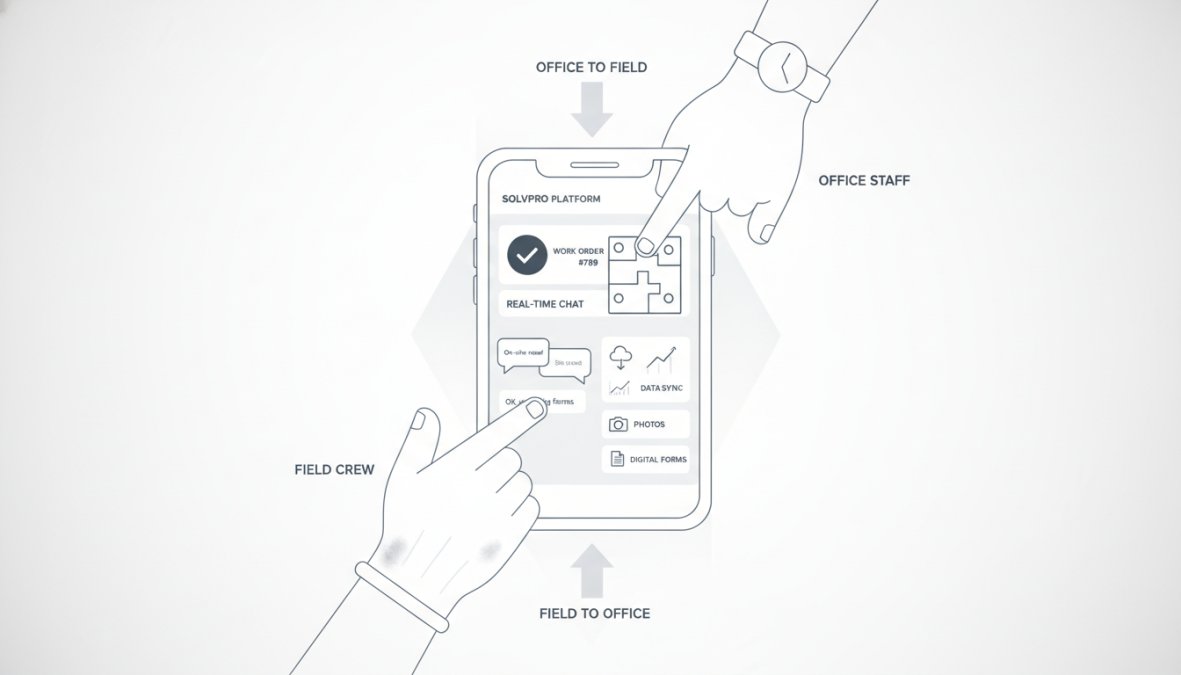
SolvPro centralizes all work orders, crew tracking, and job updates in one place. Field crews see assignments on their mobile device and update status in real time. The office sees everything as it happens, eliminating communication delays and creating transparency across every jobsite.
Mobile-First Accessibility for Frontline Workers
Your field crews aren't sitting at desks. They need information fast and need to update it without leaving the job. Mobile-first design means the platform works great on phones, not just computers. A crew arrives at a job, opens the app, sees the work order and customer requests, completes the work, takes photos, and updates status, all from their phone. Test your mobile platform with actual field crews and adjust based on what you learn.
Adopt Construction Communication Strategies That Work
Field crews move between jobsites, work in noisy environments, and often work alone or in small groups. Strategies designed for office teams don't work for them.
Standardize Communication Channels
When you have multiple communication channels, people get confused about which one to use. Pick your primary channels and stick to them. For urgent issues, crews call the dispatcher. For non-urgent work order changes, they check the mobile app. For documentation, everything goes in the system. For team announcements, use the group chat. Standardization also makes training easier.
Schedule Regular Touchpoints and Team Meetings
Regular communication prevents small problems from becoming big ones. Schedule a morning dispatch call, five minutes to review the day's work orders and answer questions immediately. Schedule a weekly team meeting to discuss what went well and what didn't. These meetings take time but save far more by preventing miscommunication and catching problems early.
Standardized Reporting for Field Crews and Office Teams
When reporting is inconsistent, the office team spends time translating instead of analyzing. Standardized reporting means the office gets clean, usable data.
Digital Documentation and Paperless Workflows
Paper forms get lost, damaged, and require manual data entry that introduces errors. Digital documentation eliminates these problems. Crews enter data directly into the system on their phone. The data goes straight to the office. No manual entry. No transcription errors. Digital workflows also create a permanent, searchable record. Every job has a complete history: who worked on it, what they did, what issues they found, what photos they took.
High-Accuracy Data and Transparent Documentation
When data is accurate and transparent, everyone trusts it. Accuracy starts with standardized fields. Every work order has the same information in the same format. Build in checks and balances. Require photos to prove work was completed. Require customer signatures. Require specific fields to be filled before a job can be marked complete.
Manage Change: Getting Field Crews to Adopt New Tools
New communication tools are only valuable if people actually use them. Field crews often resist because they're used to the old way and worry the new way will slow them down.
Address Resistance and Build Buy-In
Resistance is normal. Your crews have been doing things a certain way for years. Address these concerns directly. Explain why the change is happening, not to spy on them, but to make their jobs easier. Involve crews in selecting the new tool. Ask what problems they have with the current system. When they have input, they're more likely to support the change. Start with a pilot. Pick one crew and test the new tool there. Work out bugs. Show other crews that it's working.
Train and Support Frontline Workers
Training isn't a one-time event. It's ongoing support. Start with basic training before rollout. Focus on the core workflow. Provide written guides and videos. Assign a power user in each crew to become the go-to person for questions. Be patient with mistakes. Gather feedback regularly and use it to improve processes.
Measure ROI: Quantifying Communication Improvements
You need to know if your communication improvements are actually working. This requires measuring the right things and tracking them over time.
Track Metrics That Matter: Response Times, Job Completion, Accuracy
Response time measures how fast information moves. When you implement real-time updates, response times should drop significantly. Job completion time measures how fast crews finish work. Better communication should make crews faster because they have all information upfront. Data accuracy measures how clean your information is. Track these metrics before and after your improvements.
Demonstrate Business Impact to Leadership
Leadership cares about business impact. Connect your metrics to business outcomes. Faster job completion means more jobs per crew per day. That's more revenue. Better data accuracy means fewer errors and rework. That's lower costs. Improved crew satisfaction means lower turnover. That's lower hiring and training costs. Build a simple ROI calculation. Add up all benefits. Subtract the cost of the new tool. Show how many months it takes to break even.
How to Improve Communication Between Office and Field Crews: Action Plan
Here's exactly how to implement these improvements step by step.
Quick-Start Checklist for Implementation
Week 1: Assessment and Planning
- Map your current communication channels
- Interview 3-5 field crews about their biggest frustrations
- Interview 2-3 office staff about their biggest challenges
- Document your current reporting structure and escalation procedures
- List the 5 biggest communication problems
Week 2-3: Tool Selection
- Research field service communication software options
- Demo at least 2-3 platforms with your team
- Get feedback from field crews on which platform feels most intuitive
- Check integration capabilities with existing systems
- Make a final selection
Week 4: Pilot Setup
- Choose one crew or jobsite for the pilot
- Set up the new platform and test core features
- Create simple training materials
- Train the pilot crew
- Document any issues or needed adjustments
Week 5: Pilot Refinement
- Run the pilot for one full week
- Track metrics: response times, data quality, crew feedback
- Fix any issues that came up
- Celebrate wins with the pilot crew
- Gather feedback for broader rollout
Week 6-8: Full Rollout
- Train all crews on the new platform
- Assign power users in each crew
- Launch the new platform across all operations
- Monitor closely for the first 2 weeks
- Provide support and answer questions
Week 9-12: Stabilization
- Review metrics weekly
- Gather ongoing feedback from crews
- Make adjustments based on what you learn
- Celebrate improvements and wins
- Plan for next phase of improvement
| Phase | Duration | Key Activities | Success Indicator |
|---|---|---|---|
| Assessment | 1 week | Identify problems, interview teams | Clear list of top 5 issues |
| Planning | 1 week | Research tools, demo platforms | Tool selected and approved |
| Pilot | 2 weeks | Set up, train, run test | Pilot crew comfortable with tool |
| Rollout | 3 weeks | Train all crews, launch | All crews using platform |
| Stabilization | 4 weeks | Monitor, adjust, optimize | Metrics show improvement |
Start with assessment. Talk to your people. Find out what's actually broken from their perspective. Then pick a tool that solves those specific problems. Run a pilot before going all-in. Pilots let you work out bugs and build confidence. Be patient during rollout. Support your teams. Track your metrics from day one.
According to research on field service management from Forrester, organizations that improve communication between office and field crews see 23% faster job completion and 18% higher crew productivity. The investment in communication tools and processes pays for itself within 6-12 months through efficiency gains alone.
The challenge most service businesses face isn't knowing what to do. It's actually doing it. SolvPro is built specifically for this. It centralizes work orders, crew tracking, and real-time updates in one mobile-friendly platform. Field crews see assignments on their phone and update status instantly. The office sees everything as it happens. With bilingual support in English and Spanish, SolvPro helps service teams of all sizes eliminate communication chaos and focus on finishing jobs faster.
Get started with SolvPro and eliminate the communication gaps that are costing you time and money. Start your free trial today and see how real-time communication transforms your operation.
Frequently Asked Questions
What are the common communication challenges between office and field teams?
The most common barriers include information silos where field crews lack real-time project updates, delayed reporting due to manual paperwork, inconsistent communication channels, and unclear escalation procedures. These gaps cause missed deadlines, repeated work, safety risks, and frustration on both sides. Centralizing communication through a unified platform and standardizing reporting processes directly addresses these pain points.
How can field service communication software improve team alignment?
Field service communication software creates a centralized platform where office staff and field crews access the same real-time information, work orders, schedules, timecards, and task updates. Mobile-first design ensures frontline workers can view job details, submit reports, and receive urgent messages from the field. This transparency reduces miscommunication, accelerates decision-making, and improves jobsite efficiency by eliminating the need for phone tag and email delays.
What standardized reporting for field crews should we implement?
Standardized reporting includes consistent formats for daily work logs, incident reports, timecards, and task completion updates. Digital documentation replaces paper forms, ensuring high-accuracy data that the office can instantly access. Define templates for common reports so field staff know exactly what information to capture. This creates transparent documentation that improves team accountability and gives management the visibility needed to spot issues early and optimize workflows.
How do we get field crews to adopt new communication tools?
Change management is critical. Start by explaining how the tool solves their pain points, faster job assignments, clearer expectations, and less paperwork. Involve field leaders early in selection and pilot with a small crew first. Provide hands-on training and ongoing support. Address resistance honestly: some crews fear surveillance or worry about complexity. Show that the tool saves time and makes their jobs easier, not harder. Celebrate early wins and gather feedback to refine adoption.
Additional Resources:
[EXTERNAL_LINK: OSHA guidelines on workplace communication and safety | osha.gov]
[EXTERNAL_LINK: McKinsey research on operational efficiency in field services | mckinsey.com]
This article was written using GrandRanker