 listicle
5 Best Mobile Apps for Field Service Billing
Table of Contents
- Quick Comparison: Field Service Billing Apps at a Glance
- 1. SolvPro: All-in-One Field Service Management with Bilingual Support
- 2. Kickserv: Affordable Invoicing and Online Payments for Small Teams
- 3. mHelpDesk: Custom Reporting and Flexible Invoicing
- 4. FieldEdge: Built-in Price Books and QuickBooks Integration
- 5. simPRO: Job Costing and Profitability Tracking for Contractors
- Field Service Billing Best Practices: How to Choose the Right App
- Field Service Management Software with Invoicing: Key Features That Matter
Last Updated: August 6, 2026
Quick Comparison: Field Service Billing Apps at a Glance
Field service businesses face a consistent problem: invoices sit in trucks for days, payment processing takes weeks, and crews spend more time on paperwork than actual work. The right mobile billing app changes that equation entirely. Below is a snapshot of the five strongest options for field service teams that need to invoice faster, get paid sooner, and eliminate the administrative drag that slows growth.
| App | Starting Price | Free Tier | Best For | Standout Feature |
|---|---|---|---|---|
| SolvPro | Free trial available | Yes | Small to mid-size service businesses | Bilingual support (English/Spanish) + all-in-one platform |
| Kickserv | $60/month | Yes (30-day free trial) | HVAC, plumbing, electrical teams | Free if you process $2,500+/month in payments |
| mHelpDesk | $99/month | No | Service industries needing custom reporting | Flexible invoicing and detailed reporting |
| FieldEdge | Contact for pricing | No | HVAC, plumbing, electrical contractors | Built-in price book and QuickBooks sync |
| simPRO | Contact for pricing | No | Project-driven commercial contractors | Job costing and profitability tracking |
1. SolvPro: All-in-One Field Service Management with Bilingual Support
SolvPro is the top choice for small to mid-sized field service businesses that need one integrated platform to handle scheduling, work orders, crew tracking, digital contracts, and payments without juggling multiple tools. Bilingual support in English and Spanish is critical for teams managing diverse crews across different regions.

The platform centralizes everything your team needs to finish jobs faster and get paid sooner. Work orders sync in real time between office and field, crews capture digital signatures and photos on site, and invoices generate automatically once a job is complete. QuickBooks Online integration keeps your accounting data synchronized without manual entry.
The bilingual work orders and customer communication are genuinely useful for crews that speak Spanish and English. SolvPro builds this into the core platform, not as a bolt-on. Payment processing integrates directly, so crews can collect payment on site and the money clears to your business account without waiting for invoices to reach the office.
2. Kickserv: Affordable Invoicing and Online Payments for Small Teams
Kickserv targets small to medium-sized field service businesses in HVAC, plumbing, and electrical trades. Starting at $60/month for up to 5 users, there's also a clever free option: if you process at least $2,500 per month in online payments through Kickserv, the platform is free.
The platform bundles scheduling, dispatching, estimates, invoicing, and online payment collection into a single mobile app. Technicians receive job notifications in real time, mark jobs complete with digital signatures, and customers can pay via credit card, Apple Pay, or Google Pay directly from the invoice. QuickBooks Online and Desktop integration syncs your financial data automatically.
What works here is simplicity. For teams that need to schedule jobs, send estimates, invoice, and collect payment, Kickserv delivers exactly that without overwhelming complexity. The 30-day free trial gives you a full month to test whether the workflow matches your operation.
3. mHelpDesk: Custom Reporting and Flexible Invoicing
mHelpDesk focuses on service industries: plumbers, HVAC, appliance repair, IT, pest control, electricians, and landscapers. Starting at $99/month with month-to-month billing (no long-term contracts), it appeals to teams that want flexibility without commitment.
The core strength is invoicing and custom reporting. Work orders convert to invoices with minimal friction, and the reporting engine lets you build custom reports that match your business metrics. This matters for teams that need visibility into job profitability, technician use, or service category revenue.
The mobile app works on iOS and Android with internet access. QuickBooks integration is included. Payment processing fees are separate from the subscription (2.89% + $0.30 per transaction).
4. FieldEdge: Built-in Price Books and QuickBooks Integration
FieldEdge is built specifically for HVAC, plumbing, and electrical contractors. The platform emphasizes price book management, a feature that matters for trades where technicians need instant access to equipment and part pricing while on site.
The mobile app includes GPS tracking, time tracking, and digital signatures. The built-in price book lets technicians generate accurate estimates on site without returning to the office. QuickBooks integration is strong, with accounting synchronization that reduces manual data entry.
FieldEdge requires a demo to get pricing, signaling that this is positioned for larger teams or teams with more complex operations. Implementation costs can add $500-$2,000 depending on setup complexity.
5. simPRO: Job Costing and Profitability Tracking for Contractors
simPRO is built for project-driven commercial contractors in HVAC, electrical, solar, and plumbing. The platform emphasizes job costing and profitability tracking, tools for contractors who need deep visibility into project margins, labor costs, and material expenses.
The quoting and estimating tools are comprehensive. Real-time inventory management tracks parts and materials across multiple jobs. The invoicing and payment processing integrate with QuickBooks for accounting synchronization. The job costing engine tracks labor, materials, and overhead per project.
simPRO pricing is custom (contact for pricing), with no free trial or free plan available. This signals that the platform is positioned for larger operations. The mobile app includes offline access, which matters for crews working in areas with spotty connectivity.
Field Service Billing Best Practices: How to Choose the Right App
Choosing the right field service billing app depends on your team size, trade, and specific operational pain points. The wrong choice wastes time and money. The right one eliminates the administrative drag that slows growth.
Offline Access and Data Synchronization
Offline access is critical for field teams working in areas with unreliable connectivity. The best apps sync data automatically when the connection returns, so crews never lose information. SolvPro offers offline-first capabilities, meaning technicians can capture work order details, take photos, and record time even without internet.
Test offline functionality before committing. Turn off WiFi and cellular, and verify that you can still access work orders and capture job details.
Integration with Accounting Software
Most field service teams already use accounting software like QuickBooks Online, QuickBooks Desktop, or another platform. The wrong billing app forces manual data entry between systems, which creates reconciliation headaches. All five apps listed here integrate with QuickBooks in some form. Before selecting an app, verify that it syncs with YOUR specific accounting software.
Security and Data Compliance
Field service apps handle sensitive data: customer contact information, payment card data, work history, and business financial details. Look for platforms that offer data encryption (both in transit and at rest), role-based access controls, and regular security audits. Confirm that your app includes automated backups and that you can access historical data if needed.
Implementation and Onboarding Time
The fastest app is worthless if your team never learns to use it. SolvPro is designed for quick onboarding; you can have crews using them within days. FieldEdge and simPRO require more extensive setup and training. Consider your team's technical comfort level and ask vendors for a realistic timeline.
Field Service Management Software with Invoicing: Key Features That Matter
The best field service billing app does more than just send invoices. It simplifies the entire workflow from job assignment to payment collection.
Mobile-First Interface and Technician Productivity
Field technicians spend their day on phones and tablets, not desktops. The best apps are designed for mobile first, with large buttons, minimal typing, and workflows that work with one hand while holding tools.
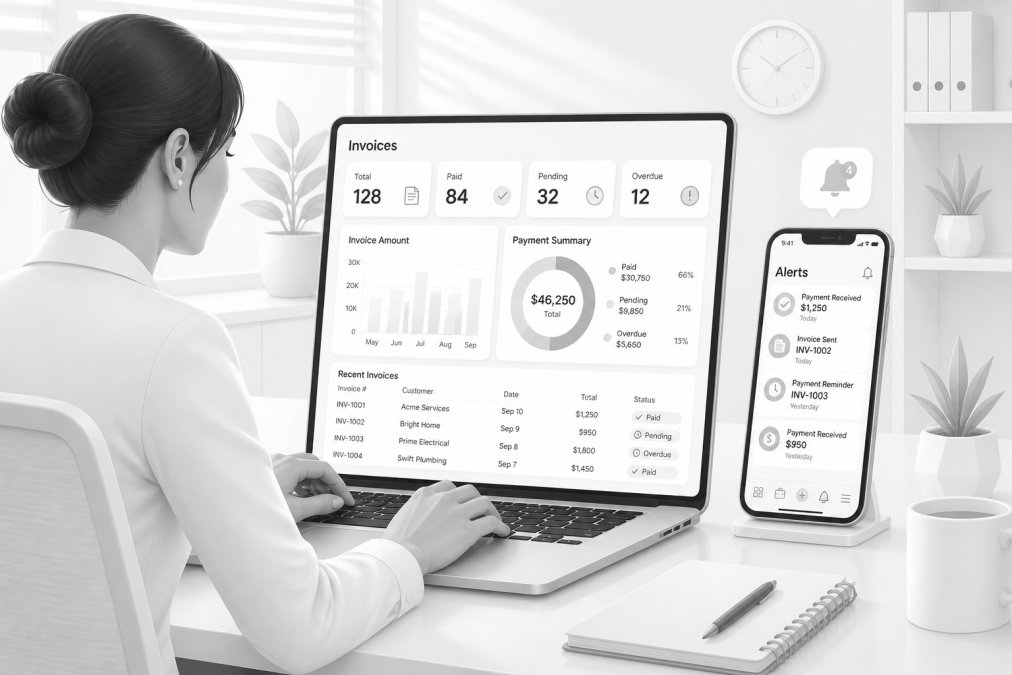
A mobile-first app should let technicians complete core tasks without returning to the office: view work orders, capture customer signatures, take photos, and process payment. Test the mobile app with your actual team before committing.
Real-Time Scheduling and Dispatch
Scheduling inefficiency costs money. Real-time scheduling apps optimize routes and dispatch, reducing travel time and increasing jobs per day. The best scheduling apps include GPS tracking, so you know where crews are and can reassign jobs dynamically. This eliminates downtime and increases productivity.
Real-time scheduling also improves customer communication. You can give customers accurate arrival windows instead of vague time ranges, reducing no-shows and improving satisfaction.
Payment Processing and Billing Cycle Reduction
The biggest cash flow improvement comes from collecting payment on site instead of waiting for invoices to reach the office. Apps that include integrated payment processing let technicians collect payment immediately after completing work via credit card, Apple Pay, or Google Pay.
This is transformational for cash flow. Instead of invoicing today and hoping for payment in 30 days, you collect payment today. Payment processing fees vary by platform. Some include payment processing in the subscription; others charge per transaction (typically 2.89% + $0.30). Calculate your expected monthly payment volume and compare total cost across platforms.
Conclusion
The five best mobile apps for field service billing each solve different problems for different team sizes and trades. SolvPro stands out as the top choice for small to mid-sized teams needing an all-in-one platform with bilingual support and seamless payment processing. The platform's integrated approach eliminates the administrative friction that slows growth.
For teams already using QuickBooks, automatic synchronization keeps your financial data current without manual entry. The bilingual support in English and Spanish makes it genuinely useful for crews that communicate in both languages. The mobile-first design means your technicians can complete jobs faster without returning to the office to handle paperwork.
Get started with SolvPro's free trial and test the entire workflow with your team before committing. You'll see firsthand how integrated work orders, digital signatures, and on-site payment processing reduce the time between completing a job and getting paid.
Frequently Asked Questions
What features should I look for in a field service billing app?
Prioritize mobile invoicing that works offline, real-time payment processing, and QuickBooks integration to eliminate manual data entry. Look for digital signatures, automated estimate generation, and a mobile-first interface so technicians can invoice on-site. The best field service billing apps also track time, manage work orders, and provide customer history in one place, reducing paperwork and speeding up cash flow.
Can field service billing apps integrate with QuickBooks?
Yes, most field service management software with invoicing integrates with QuickBooks Online or Desktop. SolvPro, Kickserv, mHelpDesk, FieldEdge, and simPRO all offer QuickBooks integration, which syncs invoices, payments, and job data automatically. This eliminates duplicate entry and keeps your accounting records current without manual reconciliation.
Are there free mobile apps for field service invoicing?
SolvPro and Kickserv both offer free trials and free plans. SolvPro provides a free trial with full access to its bilingual field service management platform. Kickserv's free tier is available if you process at least $2,500 per month in online payments through the app. Both allow you to test core invoicing and work order features before paying.
How do field service apps improve payment collection times?
Field service billing apps let technicians create and send invoices immediately after completing a job, eliminating delays from paperwork sitting in trucks or offices. Built-in payment processing accepts credit cards, Apple Pay, and Google Pay on-site. This reduces billing cycle time by days or weeks and improves cash flow, especially for small teams where invoices often get delayed between field and office.
[EXTERNAL_LINK: Field Service Management Industry Trends | gartner.com]
[EXTERNAL_LINK: Payment Processing Best Practices for Service Businesses | nfcc.org]
[EXTERNAL_LINK: QuickBooks Integration Standards for Service Software | intuit.com]
This article was written using GrandRanker