 ultimate-guide
Mobile Apps for On-Site Payments: 2026 Guide
Table of Contents
- How Mobile Payment Apps Work for On-Site Transactions
- In-Person Payment Apps: Types and Use Cases
- Key Features Every Mobile Payment App Should Have
- Secure Mobile Payments: Encryption and Fraud Prevention
- Payment Gateway Integration for Seamless Operations
- Mobile Wallet Payments and Contactless Options
- Top Mobile Payment Apps Compared
- Pricing and Fees: What You'll Actually Pay
- Choosing the Right Mobile Payment App
- Frequently Asked Questions
Mobile Apps for On-Site Payments: 2026 Guide
Last Updated: July 18, 2026
Mobile payment adoption among service businesses has accelerated significantly, with field teams now processing transactions directly at customer locations. Getting paid faster means better cash flow, fewer payment delays, and immediate revenue reinvestment. A mobile app for on-site payments eliminates manual invoicing and check collection friction.
How Mobile Payment Apps Work for On-Site Transactions
Mobile payment apps process credit and debit card transactions in real time using hardware readers, internet connectivity, and secure payment gateways. When a technician taps a card on a reader, swipes it, or enters payment details, the transaction flows through an encrypted connection to a payment processor, which communicates with the customer's bank. Authorization or decline occurs within seconds, and receipts generate instantly on the phone or tablet.
The core technology relies on three components: the mobile app (iOS or Android), a card reader (built-in NFC or Bluetooth-connected device), and a payment gateway handling transaction routing.
Payment Processing Flow
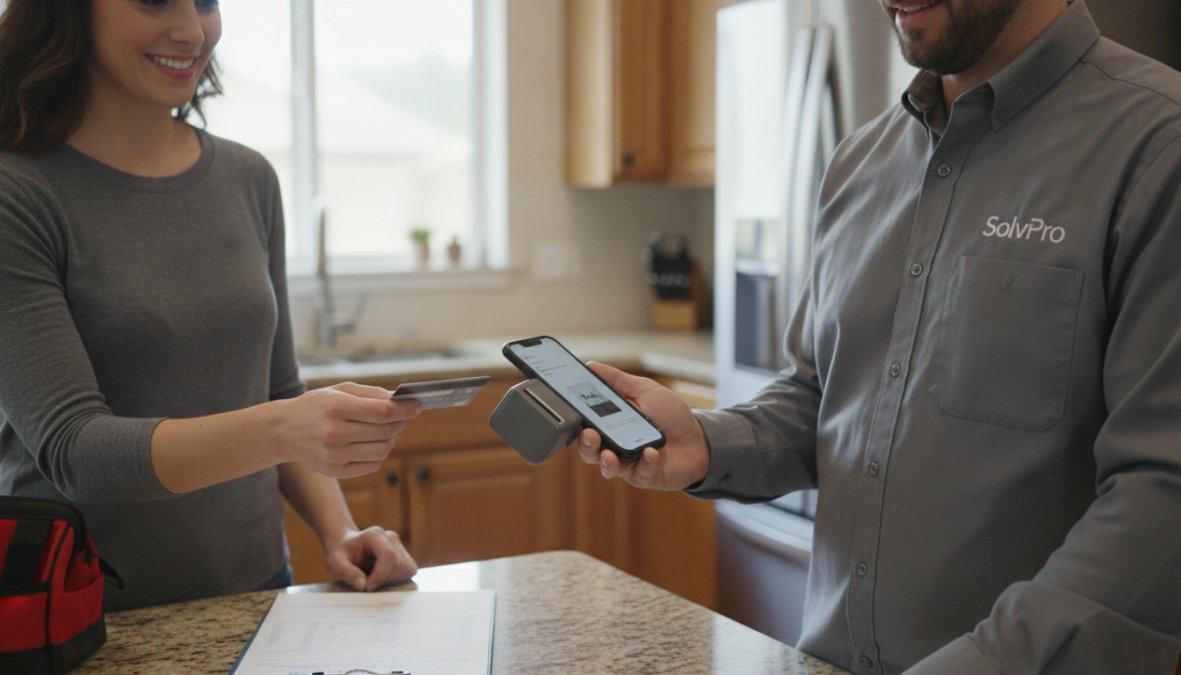
The technician enters the amount into the app, which displays the total with applicable tax or fees. The customer presents their card physically or digitally (Apple Pay, Google Pay). The app encrypts the card data and sends it to the payment processor, which checks for available funds. Within 2-5 seconds, the payment is approved or declined. The transaction record stores locally and syncs to the cloud when connectivity is available, eliminating manual payment entry delays and creating immediate records that sync with accounting software.
Hardware and Connectivity
Modern payment readers come in two forms: external Bluetooth readers (costing $30-$60) like Square's card reader, and built-in NFC capabilities on newer devices enabling Tap to Pay directly on compatible iPhones and Android phones. Connectivity is critical, most apps require internet access for real-time processing, though some offer offline mode for spotty coverage areas. Offline transactions queue locally and process when connection returns.
In-Person Payment Apps: Types and Use Cases
P2P Payment Apps vs. Merchant Solutions
Peer-to-peer apps like Venmo and Cash App lack professional features: no receipt generation, limited transaction history, no tax reporting, and no accounting integration. Merchant payment apps like Square, PayPal Zettle, and Stripe Terminal are purpose-built for business transactions. They include receipt generation, transaction reporting, inventory tracking, and accounting integrations, essential for field service work to separate personal and business finances and generate tax-ready reports.
Mobile Wallets and Contactless Payments
Apple Pay, Google Pay, and Samsung Pay represent the shift toward digital wallets. Customers store card information securely on their phone and pay by tapping near a reader. Contactless payments reduce friction and eliminate the need for technicians to handle physical cards. Wallets tokenize card data, meaning actual card numbers are never transmitted, only secure tokens pass to the payment processor, reducing fraud risk and simplifying PCI compliance.
Key Features Every Mobile Payment App Should Have
Payment Processing and Reporting
Every app must process cards securely and generate instant transaction records. Quality reporting matters significantly, you need visibility into daily revenue, transaction history by customer, failed attempts, refunds, and payment method breakdown. Advanced apps filter by technician, location, or service type. Real-time reporting lets you monitor cash flow throughout the day. Some apps sync directly with QuickBooks Online or other accounting software, eliminating manual transaction entry and maintaining accurate financial records.
Customer Experience and User Interface
The app's interface directly impacts how quickly technicians process payments on-site. The best apps display amounts clearly, confirm payment method, and show confirmation in 3-5 taps. Customer-facing features matter too, can customers see itemized receipts, sign digitally for service completion, and receive receipts via email or SMS automatically? These touches professionalize the experience and reduce follow-up calls.
Secure Mobile Payments: Encryption and Fraud Prevention
Modern payment apps are more secure than cash or checks when they meet industry standards.
Tokenization and Data Protection
Tokenization is the core security mechanism. When a customer's card is swiped, inserted, or tapped, the app doesn't store the actual card number. Instead, it generates a unique token representing that transaction only. The token encrypts and sends to the payment processor, which decrypts it and communicates with the customer's bank. Even if a technician's phone is stolen, the thief cannot access customer card data because no card numbers are stored.
Compliance and Industry Standards
All legitimate payment processors comply with PCI DSS (Payment Card Industry Data Security Standard), the baseline for processing credit cards legally. Reputable apps handle PCI compliance on your behalf. Additionally, look for apps supporting EMV chip readers and NFC technology, which reduce fraud by ensuring only authorized devices process payments.
Payment Gateway Integration for Seamless Operations
A payment gateway bridges your mobile app and the banking system, routing transactions, managing fraud detection, and handling settlement.
APIs, SDKs, and Third-Party Integrations
For businesses with custom software needs, APIs and SDKs allow developers to embed payment processing into existing apps. Stripe Terminal provides APIs and SDKs for custom payment experiences. However, most field service businesses benefit from pre-built apps like Square Point of Sale or PayPal Zettle, which come with payment processing built in.
Integration with Accounting and Business Software
Real power emerges when payment apps integrate with accounting software. QuickBooks GoPayment syncs every transaction directly to QuickBooks Online, revenue appears in financial reports immediately without manual entry. Integration with field service management software is transformative. SolvPro integrates mobile payments into its broader platform, allowing you to capture payment at the job site while updating work order status, scheduling the next appointment, and tracking crew productivity.
Mobile Wallet Payments and Contactless Options
Supporting Apple Pay, Google Pay, and NFC-enabled cards is now expected, not optional.
Apple Pay, Google Pay, and NFC Technology
Apple Pay and Google Pay store encrypted card information on the customer's device. When they tap their phone near an NFC reader, the payment processor receives a secure token, not the actual card number. This is faster and safer than swiping a card and reduces fraud and chargebacks because payment is authenticated by the customer's device.
QR Code Payments and Digital Wallets
QR code payments offer an alternative to card readers. Customers scan a QR code displayed in the payment app, which opens their banking app or mobile wallet and prompts payment confirmation. Digital wallets extend beyond Apple Pay and Google Pay. The best apps support multiple wallet options, giving customers choice and reducing friction.
Top Mobile Payment Apps Compared
SolvPro: Field Service Payments with Bilingual Support
SolvPro is an all-in-one field service management platform integrating mobile payments into scheduling, work orders, crew tracking, and digital contracts. Technicians process credit cards directly on-site, with receipts emailed or texted to customers immediately. Transactions sync automatically with QuickBooks Online, eliminating reconciliation work.
SolvPro's bilingual support in English and Spanish sets it apart. For field service teams with Spanish-speaking crew members or customers, the entire platform supports both languages natively. Work order completion, customer communication, crew tracking, and financial reporting all flow through a single platform.
Square Point of Sale: Versatile and Affordable
Square Point of Sale is one of the most popular mobile payment solutions for small businesses. It accepts all major credit cards, contactless payments, and chip cards. The free POS software includes inventory management, sales reporting, and customer management. Hardware options are flexible, use their card reader or Tap to Pay on iPhone. Pricing is straightforward: no monthly software fee for the basic plan, but transaction fees apply (typically 2.6% + 30¢ per transaction).
PayPal Zettle: No Monthly Fees for Small Vendors
PayPal Zettle positions itself as a no-monthly-fee alternative. The software is free; you pay transaction fees only when processing payments. It accepts card-present transactions, QR code payments, and PayPal/Venmo checkout options. For businesses already using PayPal, Zettle integrates naturally. The tradeoff is feature depth, Zettle lacks inventory management and advanced reporting.
Stripe Terminal: For Developers and Custom Solutions
Stripe Terminal is designed for businesses with development resources who want custom payment experiences. It provides APIs and SDKs for embedding payment processing into proprietary software. Hardware costs $59-$299, and transaction fees apply (typically 2.7% + 5¢ for in-person payments). Stripe Terminal is overkill for most field service businesses unless you have existing custom software.
QuickBooks GoPayment: Integrated Accounting
QuickBooks GoPayment is built for QuickBooks Online users. Every transaction syncs directly to accounting software, and invoices mark paid automatically. The app accepts in-person payments via Tap to Pay on iPhone or a Bluetooth card reader. For field service businesses committed to QuickBooks Online, GoPayment eliminates the need for separate payment processors and reduces accounting work significantly.
| App | Best For | Monthly Fee | Transaction Fees | Key Strength |
|---|---|---|---|---|
| SolvPro | Field service teams with bilingual needs | Free trial available | Varies by plan | Full platform with payments + scheduling + crew tracking |
| Square | Small retail and service businesses | Free (basic plan) | 2.6% + $0.30 | Mature ecosystem, flexible hardware |
| PayPal Zettle | Mobile vendors, low transaction volume | None | 1.75% (varies) | No monthly fees, PayPal integration |
| Stripe Terminal | Developers, custom solutions | None | 2.7% + $0.05 | Highly customizable via APIs/SDKs |
| QuickBooks GoPayment | QuickBooks Online users | Optional | 2.2% + $0.30 | Direct accounting integration |
Pricing and Fees: What You'll Actually Pay
Most apps use transaction-based pricing (pay a percentage plus fixed amount per transaction) or subscription-based pricing (fixed monthly fee plus transaction fees). Transaction-based pricing is more common for small businesses because you only pay when processing payments.
A typical structure is 2.5-2.7% plus $0.25-$0.30 per transaction. For a $100 payment, you'd pay approximately $2.75-$3.00. A field service business processing $10,000 monthly would pay $250-$300 in transaction fees alone. Subscription-based pricing works differently, you pay a fixed monthly fee ($10-$50) plus lower transaction fees. The break-even point is usually around $2,000-$3,000 in monthly transaction volume.
Card readers typically cost $30-$60 as a one-time purchase. Some apps like QuickBooks GoPayment support Tap to Pay on iPhone, eliminating hardware costs. Setup is generally straightforward with no setup fees or hidden charges.
Choosing the Right Mobile Payment App
Selecting the best app requires evaluating your specific business needs, transaction volume, and integration requirements. Assess your current workflow: How many transactions do you process daily? Do customers expect digital receipts? Do you need accounting integration? Are your crew members or customers primarily English-speaking, or do you need bilingual support?
Evaluate apps aligning with your answers. If you need a full field service platform with payments, SolvPro is purpose-built for that. If you're using QuickBooks Online and want simple payment processing, GoPayment integrates seamlessly. If you need maximum flexibility and have development resources, Stripe Terminal offers that. If you want the lowest cost and simplest setup, Square or Zettle are solid choices.
Most apps offer free trials or free plans. Process test transactions and see how it feels in your actual workflow. Pay attention to processing speed, receipt generation, and accounting software integration. Consider total cost of ownership, not just transaction fees. An app with slightly higher transaction fees might save money overall if it integrates with accounting software and eliminates manual data entry.
Getting paid faster is one of the highest-impact improvements a field service business can make. A mobile app for on-site payments eliminates cash flow friction. For field service teams balancing scheduling, crew coordination, and customer communication, SolvPro simplifies operations by centralizing payments alongside work order management, digital contracts, and crew tracking. The platform's bilingual support means your entire team can process payments and complete work orders without confusion. Start your free trial and see how much time and administrative overhead you can eliminate by getting paid on-site, every time.
Frequently Asked Questions
What are the best mobile payment apps for small businesses?
The best mobile payment apps depend on your business type and needs. Square Point of Sale offers versatility with no monthly fees for basic use and works for retail, services, and mobile vendors. PayPal Zettle suits small vendors with no subscription costs. QuickBooks GoPayment integrates seamlessly with accounting. For field service businesses, SolvPro combines payment processing with work orders, scheduling, and bilingual support. Stripe Terminal works for developers needing custom integration. Evaluate based on your transaction volume, hardware needs, and desired features.
How does payment gateway integration improve mobile payment apps?
Payment gateway integration connects your mobile payment app to financial institutions, enabling secure transaction processing. APIs and SDKs allow seamless connection with your existing business software, accounting systems like QuickBooks, CRM platforms, and inventory management tools. This eliminates manual data entry, reduces errors, and accelerates cash flow. Integration also enables real-time reporting and analytics, helping you track sales performance instantly. For field service businesses, integration with work order systems ensures invoices and payments are synchronized immediately after job completion.
What security features protect transactions in secure mobile payments?
Secure mobile payments use tokenization to replace sensitive card data with unique tokens, preventing unauthorized access. Encryption protects data in transit and at rest. NFC (Near Field Communication) technology for contactless payments adds security through short-range wireless communication. Compliance with PCI DSS standards ensures payment data handling meets industry requirements. Fraud prevention tools monitor unusual transaction patterns. Two-factor authentication and end-to-end encryption further protect customer information. Always verify that your mobile payment app meets current security standards and compliance regulations.
Can mobile wallet payments like Apple Pay and Google Pay work with mobile payment apps?
Yes, most modern mobile payment apps support mobile wallet payments through NFC (Near Field Communication) technology. Customers can use Apple Pay, Google Pay, and similar digital wallets for contactless transactions. This capability is becoming standard across platforms like Square, PayPal Zettle, and QuickBooks GoPayment. Mobile wallet payments offer faster checkout, improved customer experience, and reduced physical contact. Ensure your chosen app explicitly supports the payment methods your customers prefer, as this directly impacts adoption and conversion rates.
This article was written using GrandRanker