 how-to
Automate Preventive Maintenance Scheduling for Contractors
Table of Contents
- Why Preventive Maintenance Scheduling Matters for Contractors
- Setting Time-Based and Usage-Based Maintenance Intervals
- Creating a Preventive Maintenance Schedule Template
- Choosing Preventive Maintenance Software for Contractors
- Automating Recurring Maintenance Tasks and Work Orders
- Equipment Maintenance Scheduling Around Active Jobs
- Using a Preventive Maintenance Checklist to Track Inspections
- Measuring Results and Reducing Unplanned Downtime
- Frequently Asked Questions
Last Updated: October 10, 2026
Why Preventive Maintenance Scheduling Matters for Contractors
Contractors lose money when equipment breaks down unexpectedly. A single day of downtime can cost thousands in lost revenue, delayed jobs, and emergency repair bills.
Preventive maintenance scheduling is the practice of planning and performing routine equipment inspections, repairs, and service at set intervals before problems occur.
Most contractors rely on memory, spreadsheets, or handwritten notes to track maintenance, creating gaps where equipment gets skipped and service dates slip by until something fails on a job site.
Automating preventive maintenance scheduling eliminates these gaps by centralizing planning, auto-assigning work orders, and tracking completion, keeping equipment running longer and avoiding costly emergency repairs.
Setting Time-Based and Usage-Based Maintenance Intervals
The foundation of preventive maintenance scheduling is knowing when to service each asset. Two main approaches exist: time-based intervals (fixed calendar schedules) and usage-based intervals (tied to operating hours or cycles).
Time-Based Intervals
Time-based maintenance happens on a fixed calendar schedule regardless of usage. Examples include oil changes every 3 months, filter replacements every 6 months, and seasonal inspections. This approach is simple to track but may waste time and materials on equipment that doesn't need service yet.
Usage-Based Intervals
Usage-based maintenance is tied to operating hours, miles, or cycles. Heavy equipment like excavators and compressors benefit from this approach, an excavator running 8 hours daily needs service sooner than one used twice weekly. Usage-based intervals are more accurate but require regular hour logging; automation removes the manual work.
How to Choose and Adjust Intervals for Your Fleet
Start with the manufacturer's recommendation from the equipment manual or dealer. Then adjust for your actual conditions:
Operating intensity: Shorten intervals by 10-20% if you run equipment harder than average; extend slightly for light or seasonal use, but never beyond manufacturer maximums. Environmental factors: Dusty sites need more frequent air filter changes; wet conditions accelerate wear. Age and condition: Older equipment needs more frequent service; tighten intervals if the same failure repeats. Service history: After 3-6 months, review records, if you find problems at every service, intervals are too long; if never, you're over-servicing. Document all adjustments with reasons and dates.
Combining Time and Usage Triggers
Many contractors use a hybrid approach: service when either condition is met, whichever comes first (e.g., oil change every 250 hours or 3 months). This protects you whether equipment sits idle or runs hard. Automated systems track both triggers simultaneously and alert you when either threshold approaches.
Creating a Preventive Maintenance Schedule Template
A preventive maintenance schedule template lists every piece of equipment, required tasks, and due dates. Include:
| Equipment | Maintenance Task | Interval | Last Completed | Next Due | Assigned To |
|---|---|---|---|---|---|
| Excavator A | Oil and filter change | 250 hours | Sept 15 | Nov 2 | Mike R. |
| Air Compressor | Tank drain and filter | Monthly | Sept 20 | Oct 20 | Field Crew |
| Pressure Washer | Pump inspection | 6 months | June 10 | Dec 10 | Sarah T. |
| Dump Truck | Tire rotation | 6 months | Aug 1 | Feb 1 | Maintenance |
Start with your equipment list (machines, tools, vehicles with serial numbers and purchase dates). Add manufacturer recommendations from manuals or suppliers. Set realistic intervals for your operation, shorten if you run equipment hard, extend slightly if used sparingly. Assign responsibility clearly so nothing slips through. Build in lead time by scheduling major service before peak seasons.
Choosing Preventive Maintenance Software for Contractors
Manual spreadsheets break down with multiple equipment or crews. Preventive maintenance software centralizes everything. Look for:
- Automated work order creation when maintenance is due
- Mobile access for crews to mark tasks complete from the job site
- Equipment tracking for hours, meter readings, and service history
- Integration with accounting, scheduling, and CRM systems
- Bilingual support for Spanish and English-speaking crews
- Customizable intervals for time-based, usage-based, or combined triggers
SolvPro centralizes work orders, equipment maintenance, crew scheduling, and payments. Set up preventive maintenance schedules, auto-assign tasks, and track completion from your phone. Bilingual interface and QuickBooks Online integration included. Standardizing these workflows ensures that agricultural equipment maintenance remains consistent across every job site, helping to extend the operational lifespan of your heavy machinery.
Automating Recurring Maintenance Tasks and Work Orders
Automation is where preventive maintenance scheduling becomes powerful. The system creates work orders for you instead of manual entry. But true automation requires handling exceptions, integrating with existing systems, and cleaning data first.
Setting Up Automated Reminders and Work Order Generation
Define triggers: calendar-based (every 30 days, quarterly, annually), usage-based (after 500 hours), seasonal, or event-based. The system auto-creates work orders with equipment details, tasks, required parts, estimated time, and safety checklists. Crews receive assignments on their phones, complete tasks, add notes or photos, and the system logs completion and calculates the next due date.
Handling Exceptions and Escalation Rules
Your system needs rules for common exceptions: Overdue work orders should escalate to supervisors after 3 days and flag equipment as unavailable. Inspection failures should auto-create urgent repair orders and pull equipment from dispatch. Parts unavailability should pause (not close) maintenance work orders and resume automatically when parts arrive. Equipment reassignment should stop generating work orders and archive history. Meter reading discrepancies should flag entries for supervisor review before acceptance.
Integrating with Your Existing Systems
Automation only works if your maintenance system talks to your other business tools. Before you start, plan integrations:
Accounting software. Connect to QuickBooks Online, Xero, or your current platform so maintenance costs flow automatically into job costing. This lets you see whether maintenance is eating into job margins.
Dispatch and scheduling. Sync with your job scheduling system so the dispatcher knows which equipment is down for maintenance and can't be assigned to new jobs.
Telematics and GPS. If your vehicles have GPS or hour-meter devices, pull operating hours automatically instead of relying on manual meter readings.
Inventory management. Connect to your parts inventory so the system knows what's in stock.
Work order and CRM systems. If you use a separate work order or customer management platform, sync maintenance records so you have a complete view of each asset's history.
Preparing Your Data Before Automation
Before you turn on automation, audit your equipment records:
Standardize equipment names. If the same excavator is listed as "Excavator A," "Exc-001," and "CAT 320," the system will treat them as three different machines. Establish a naming convention and clean your records.
Verify serial numbers and purchase dates. These are critical for warranty claims and manufacturer recall tracking. Missing or incorrect data creates problems later.
Confirm meter readings. If you're switching to usage-based intervals, your starting meter reading must be accurate. If the excavator's hours are unknown, start fresh with a manual reading and document the date.
Remove duplicate or inactive assets. If your equipment list includes machines you no longer own, delete them or mark them as retired.
Map equipment to locations. If you have multiple job sites or a central yard, tag each asset with its current location.
Testing Before Full Rollout
Start automation with a small subset of equipment, perhaps three to five machines. Run it for two weeks:
- Do work orders appear on schedule?
- Are they assigned to the right people?
- Can crews complete tasks and mark them done from their phones?
- Are escalation rules firing correctly when tasks are overdue?
Once you confirm the system works, expand to your full fleet. This phased approach prevents mistakes from disrupting your entire operation.
Equipment Maintenance Scheduling Around Active Jobs
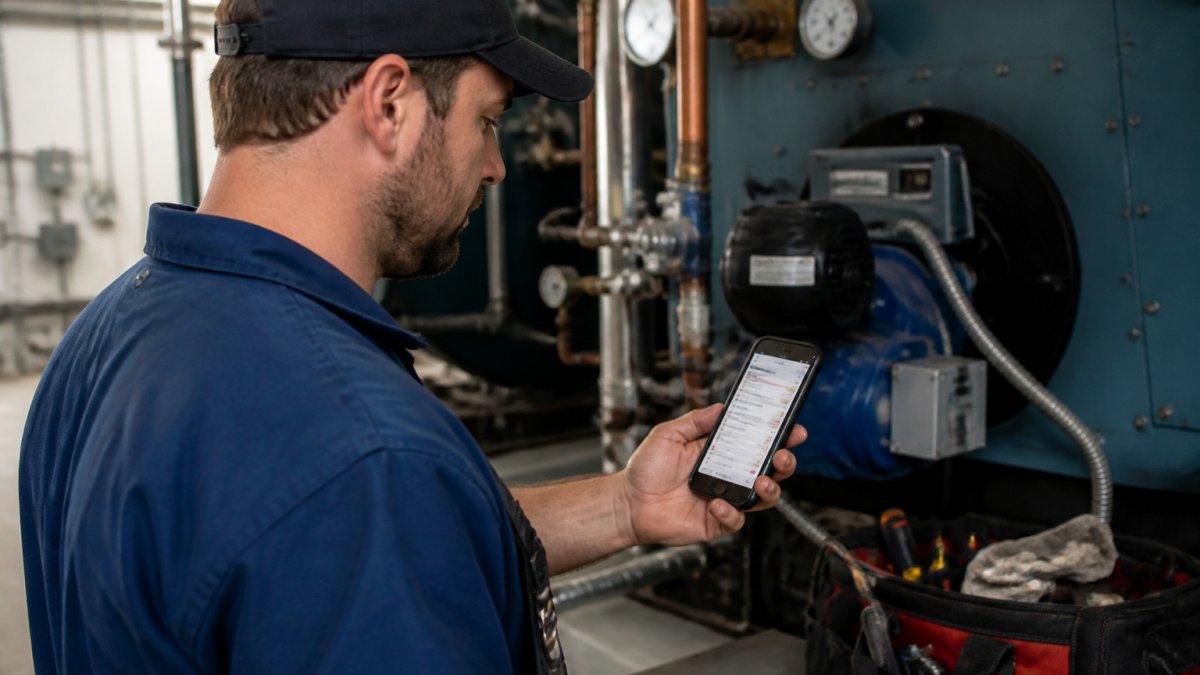
The challenge for contractors is timing maintenance without disrupting active jobs.
Build your maintenance schedule with job site realities in mind:
Schedule maintenance during downtime. If crews typically finish jobs by Friday afternoon, schedule equipment service for Friday evening or early Monday morning.
Plan for seasonal shifts. During slow months, do major maintenance. During peak season, stick to quick checks and minor repairs.
Track equipment availability. Know which machines are on job sites and which are in the yard.
Use a weekly lookahead. Every Monday, review the week's job schedule and maintenance schedule together.
Communicate with crews. Let field teams know when equipment will be down for maintenance. They can plan around it and avoid surprises.
Using a Preventive Maintenance Checklist to Track Inspections
A maintenance checklist ensures every critical item gets inspected. It also creates a record you can reference later for warranty claims, safety audits, or resale value.
Your checklist should be specific to each equipment type. Here's an example for an excavator:
- Check hydraulic fluid level and condition
- Inspect hoses for leaks or cracks
- Test all hydraulic cylinders for smooth operation
- Check engine oil and coolant levels
- Inspect air filter and replace if dirty
- Test all electrical connections
- Check bucket teeth for wear
- Inspect boom and arm for cracks
- Test all warning lights and alarms
- Document meter reading and hours operated
Crews complete the checklist on the job site using a mobile form. Photos can be attached. If something is wrong, they note it and create a separate repair work order.
The checklist becomes part of your equipment history. Over time, you see patterns. If the same issue keeps appearing, you know the equipment needs deeper attention or replacement.
Measuring Results and Reducing Unplanned Downtime
Automation gives you data. Track these metrics to see the impact of your preventive maintenance program:
Equipment uptime. How many days per month is each machine available and working? Higher uptime means fewer job delays.
Maintenance backlog. How many overdue tasks are sitting in your system?
Unplanned downtime. How often does equipment fail unexpectedly? This should decrease significantly after three to six months of consistent preventive maintenance.
Cost per job. Are jobs finishing faster now that equipment is more reliable?
Crew productivity. Less time waiting for repairs means more billable hours. Track hours spent on jobs versus hours spent on maintenance.
Compliance and safety. Documented maintenance creates an audit trail.
Review these metrics monthly. If uptime isn't improving, your maintenance intervals might be wrong.
The goal is simple: keep equipment running, finish jobs on time, and avoid emergency repair bills.
Frequently Asked Questions
How do contractors create an effective preventive maintenance schedule?
Start by listing all equipment and vehicles, then consult manufacturer guidelines for recommended service intervals. Separate time-based maintenance (every 3 months) from usage-based (every 500 operating hours). Document each task, required parts, estimated duration, and assigned crew member. Use a preventive maintenance schedule template to standardize the format, then input it into your preventive maintenance software for contractors so reminders trigger automatically. Review and adjust the schedule quarterly based on actual equipment performance and downtime patterns.
What should be included in a preventive maintenance checklist?
A preventive maintenance checklist must include the equipment name and ID, scheduled service date, specific tasks (fluid checks, filter replacements, inspections), required tools and parts, safety precautions, estimated time to complete, and sign-off space for the technician. Add a section for meter readings or operating hours to track usage-based intervals. Include photos or diagrams of critical components if helpful. Store the checklist digitally so crews can access it on mobile devices and mark tasks complete in real time, reducing paperwork and preventing missed steps.
Can automation really reduce equipment downtime for contractors?
Yes, when set up correctly. Automated scheduling sends reminders before maintenance is due, preventing overlooked tasks that lead to breakdowns. Work orders are assigned automatically to available crews, reducing delays. Digital checklists ensure consistent, thorough inspections. Tracking operating hours and meter readings triggers usage-based maintenance on time. The result is fewer surprise failures on job sites, less idle equipment waiting for repairs, and better equipment reliability. Many contractors report significant reductions in unplanned downtime after implementing automated preventive maintenance systems.
How do you integrate preventive maintenance scheduling with active job schedules?
In your preventive maintenance software for contractors, mark equipment as unavailable during scheduled maintenance windows. Check job schedules before assigning maintenance tasks to avoid pulling equipment off active projects unexpectedly. Schedule routine maintenance during slow periods or between jobs when possible. For critical equipment, plan maintenance during planned job downtime or shift maintenance to off-hours. Use lead time alerts to give crews advance notice so they can prepare, source parts, and coordinate with project managers. This prevents maintenance from disrupting revenue-generating work.
Preventive maintenance scheduling keeps your equipment reliable and your jobs on schedule. Manual tracking fails as you grow. SolvPro centralizes maintenance planning, automates work order creation, and gives crews mobile access to assignments. With bilingual support and integration to your existing tools, you can build a maintenance program that actually works. Start your free trial today and see how much time you save.