 how-to
7 Steps to Implementing Preventive Maintenance Programs for Field Teams
Last Updated: October 25, 2026
Quick Summary
Implementing preventive maintenance programs for field teams means scheduling work on equipment before it fails, based on time or usage rather than breakdowns. Set measurable goals, rank assets by criticality, build a schedule crews can follow, and create one checklist per job type. Then roll out software that automates recurring work orders and works offline.
- Organizations using preventive and predictive maintenance report 52.7% less unplanned downtime, according to MaintainX's guide.
- A TBM Consulting Group program that added oil sampling cut conveyor-system incidents by 48% and downtime by 24%.
- Score each asset 1-5 for failure impact and likelihood, giving critical assets the tightest maintenance intervals.
- Reserve part of each technician's week for unplanned calls and define in advance which planned tasks can slip.
- Do not buy software before ranking assets and drafting one checklist per job type.
Table of Contents
- Why Preventive Maintenance Programs Beat Reactive Repairs
- Step 1: Set Program Goals and Measurable Objectives
- Step 2: Assess Assets and Rank Equipment by Criticality
- Step 3: Build a Preventive Maintenance Schedule That Field Crews Can Follow
- Step 4: Create a Preventive Maintenance Checklist for Every Job Type
- Preventive Maintenance Examples You Can Copy This Week
- Field Service Maintenance Software: What to Look For
- Roll Out Your Program With SolvPro
- Frequently Asked Questions
Why Preventive Maintenance Programs Beat Reactive Repairs
Organizations that lean on preventive and predictive maintenance report 52.7% less unplanned downtime, according to MaintainX's preventive maintenance guide.
At SolvPro, we talk to contractors every week who are stuck in reactive maintenance. A pump fails on a Friday afternoon.
Preventive maintenance is scheduled work done on equipment before it fails, based on time or usage rather than breakdowns. (Preventive Maintenance: The Complete Guide for 2026) It turns maintenance operations from a series of surprises into a plan you control.
The difference shows up fast. A TBM Consulting Group preventive-maintenance program that added oil sampling cut conveyor-system incidents by 48% and downtime by 24% (TBM Consulting Group case study).
Below, we'll walk through the 7 steps for implementing preventive maintenance programs for field teams, from setting goals to rolling out software your crews will actually use.
Step 1: Set Program Goals and Measurable Objectives
Start with numbers, not good intentions. A preventive maintenance program without measurable objectives is just a wish list.
Pick two or three goals tied to money and uptime. Common targets for field teams include:
- Downtime reduction: fewer emergency callouts per month
- Schedule compliance: the share of planned maintenance tasks completed on time
- Work completion rate: work orders closed versus opened
Each goal needs a baseline. Pull your last six months of maintenance history and count the emergency jobs. That is your starting point.
A common mistake is setting goals nobody tracks. If a KPI does not live on a dashboard your ops manager checks weekly, it will not change behavior.
Step 2: Assess Assets and Rank Equipment by Criticality
You cannot maintain everything equally. Asset criticality ranking tells you where planned inspections earn their keep.
Build an asset register first. List every piece of equipment your field teams service: pumps, HVAC units, vehicles, conveyors, generators. For each one, record:
- Location and service history
- Failure history and average repair cost
- What happens to operations if it fails
Then score each asset on a simple 1-5 scale for failure impact and failure likelihood. High impact plus high likelihood equals your critical assets. Those get the tightest maintenance intervals.
What most guides miss is the parts angle. An asset with a three-week lead time on a critical component deserves more attention than its failure rate alone suggests.
Step 3: Build a Preventive Maintenance Schedule That Field Crews Can Follow
A preventive maintenance schedule is a calendar of planned maintenance tasks tied to specific assets, intervals, and assigned technicians. For a field team, the schedule is also a routing and dispatch problem: the same task takes different amounts of time depending on where the asset sits, who can access it, and how far the technician has to drive.
Most scheduling guides stop at interval selection. The field-specific work starts after that.
Match task frequency to the asset, not a template
- High-criticality equipment: monthly or usage-based inspections
- Mid-tier assets: quarterly servicing
- Low-risk items: semi-annual checks
Usage-based intervals beat calendar intervals when equipment runs unevenly. A compressor that runs 60 hours a week needs service on run hours, not on the first Monday of the month.
Coordinate across sites and service windows
A schedule that ignores site access will fail on day one. Before you publish intervals, capture three facts for every asset: who grants access, what hours the site allows work, and whether the technician needs an escort, permit, or lift certification.
Group work by geography and access window rather than by asset type alone. A common pattern is to cluster planned tasks into route days, for example, all north-side sites on Tuesday and Thursday, so technicians spend less time driving and more time wrenching.
Build recovery into the plan
Emergencies will hit. The question is whether one emergency collapses a week of planned work. Reserve a portion of each technician's week for unplanned calls, and define a triage rule in advance: which planned tasks can slip a week, which cannot, and who decides. Without that rule, every urgent job becomes a judgment call and planned work loses by default.
Automate recurring job creation
Recurring work orders should generate themselves from the asset record, not from a spreadsheet someone remembers to update. Automation also makes the recovery rule enforceable: when a task slips, the system reschedules it and flags the slip instead of silently dropping it.
We cover the mechanics in our guide to automating preventive maintenance scheduling for contractors.
Step 4: Create a Preventive Maintenance Checklist for Every Job Type
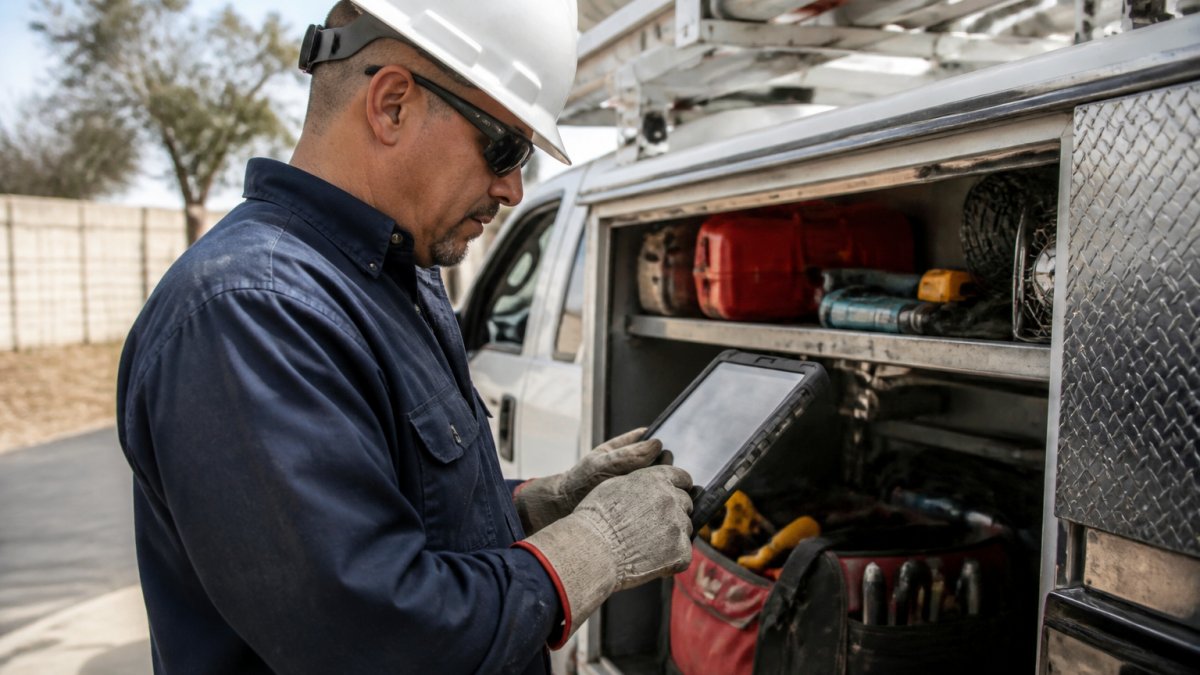
A preventive maintenance checklist is a task-by-task list technicians complete during a planned inspection, with pass/fail or measurement fields for each item. One checklist per job type beats one generic form.
Good checklists share a few traits:
- Each item is a single, clear action
- Measurement fields capture readings, not just checkmarks
- Photo capture is built in for condition records
Mobile-first workflows matter here. A technician with greasy hands on a rooftop is not opening a spreadsheet. If you want to see which app features support on-site checklist completion, read our breakdown of mobile app features for field service technicians.
Preventive Maintenance Examples You Can Copy This Week
Here are practical preventive maintenance examples you can adapt to your own operation:
- HVAC contractor: quarterly filter and coil inspections on every serviced unit, with readings logged
- Excavation company: 250-hour fluid and filter checks on heavy equipment, tracked by run hours
- Septic service: annual tank inspections scheduled automatically from the last service date
The pattern is the same in each case: a defined asset, a set interval, a checklist, and a record. That record is what makes your program audit-ready when a customer or inspector asks for proof of servicing.
Field Service Maintenance Software: What to Look For
Field service maintenance software is a platform that manages work orders, scheduling, asset records, and maintenance history for mobile crews. The right tool turns your maintenance plan into daily assignments technicians can complete from a phone, and the wrong tool turns it into paperwork that never makes it back to the office.
Core capabilities
| Feature | Why It Matters |
|---|---|
| Recurring job scheduling | Creates planned maintenance work orders automatically from asset records |
| Mobile work orders | Technicians receive assignments, complete checklists, and log readings on site |
| Asset and service history | Keeps failure history and past readings attached to each piece of equipment |
| Offline capability | Lets crews complete and sync work where connectivity is unreliable |
| Photo and document capture | Creates condition records and proof of completion without a separate camera roll |
| Parts and labor capture | Records what was used and how long the job took, feeding cost and inventory data |
| Bilingual support | Keeps English- and Spanish-speaking crews on the same page |
| Accounting integration | Syncs job costs and invoices without manual entry |
Mobile-first execution is the real test
A technician with greasy hands on a rooftop is not opening a laptop. Evaluate software by how few taps it takes to go from assignment to completed work order: open the job, see the asset history, run the checklist, capture a photo, log parts and labor, close it out. If any of those steps requires a desktop or a second app, the workflow will break in the field.
Offline work deserves special attention
Basements, rural sites, and job trailers all kill cell signal. Ask vendors exactly how offline mode behaves: Can the technician download the day's assignments before leaving? Can checklists, photos, and readings be captured with no signal? What happens if two people edit the same work order? Software that fails offline creates more paperwork, not less.
Measure what the field actually does
Software should report field-specific measures, not just work-order counts. The most useful ones:
- Schedule compliance: share of planned tasks completed in the scheduled window
- First-time fix rate: jobs resolved on the first visit
- Repeat visits: return trips to the same asset within a short window
Read these together. High schedule compliance with a rising repeat-visit rate usually means checklists are being completed but not catching problems. Low travel time with falling first-time fix rates can mean routes are too tight to carry the right parts.
Match the tool to your rollout
If you are evaluating scheduling tools, our guide on how to set up job scheduling software walks through needs assessment, configuration, and team training.
Roll Out Your Program With SolvPro
The final step is rollout, and this is where most programs stall. A plan on paper means nothing until crews adopt it.
Set an owner for each phase and a milestone date. Train in small groups.
SolvPro supports this rollout with the tools field teams need: field service work end to end, scheduling, crew tracking, job costing, invoicing and payments.
- Recurring job and service management to automate planned maintenance
- Work order management with digital checklists crews complete on mobile
- Crew scheduling and dispatching across multiple locations
- Bilingual support in English and Spanish for mixed-language crews
Our article on field service change management best practices covers how to get crews on board without a fight.
Frequently Asked Questions
What are some examples of preventive maintenance programs?
Common preventive maintenance examples include oil-sampling programs for conveyors, seasonal HVAC servicing, fleet vehicle inspections on a set mileage interval, and pump or septic system checks tied to usage hours. One documented intervention that added oil sampling to an existing program cut conveyor-system incidents by 48% and downtime by 24% while closing more than 400 overdue work orders. The pattern holds across trades: pick the asset, set a trigger (time, usage, or condition), and assign a checklist to a named technician.
How do you create a preventive maintenance schedule for field equipment?
Start with the manufacturer's recommended interval, then adjust using your own failure history. Group tasks by location and route so crews handle several assets in one visit, and set the schedule in weeks rather than exact dates so weather and callbacks do not break it. A preventive maintenance schedule only works if technicians can see it on a phone and mark tasks complete on site. Review schedule compliance monthly and tighten intervals on assets that keep failing early.
How can field teams track preventive maintenance work?
Paper binders and spreadsheets fail once crews work across multiple sites. Field service maintenance software ties each task to an asset, a work order, and a technician, so completion is recorded the moment the job is done. Look for mobile-first workflows, offline mode for unreliable connectivity, photo attachments for audit-ready records, and bilingual work orders if your crews work in English and Spanish. SolvPro bundles scheduling, work orders, and crew tracking in one platform so maintenance history stays in one place.
How do you measure the success of a preventive maintenance program?
Track a small set of KPIs: schedule compliance (planned tasks completed on time), unplanned downtime hours, mean time between failures, work order backlog, and maintenance cost per asset. Organizations relying more on preventive and predictive maintenance reported 52.7% less unplanned downtime, per MaintainX's 2026 guide. Review these numbers monthly with your operations lead and adjust intervals or staffing where compliance slips. A program nobody measures quietly turns back into reactive repairs.
Reactive maintenance feels normal until you see the cost. Unplanned downtime, emergency labor, and paperwork eating your evenings add up fast. SolvPro brings scheduling, work orders, crew tracking, and job costing into one platform so your maintenance plan actually runs. Get started with SolvPro and turn planned maintenance into finished jobs and faster payments.