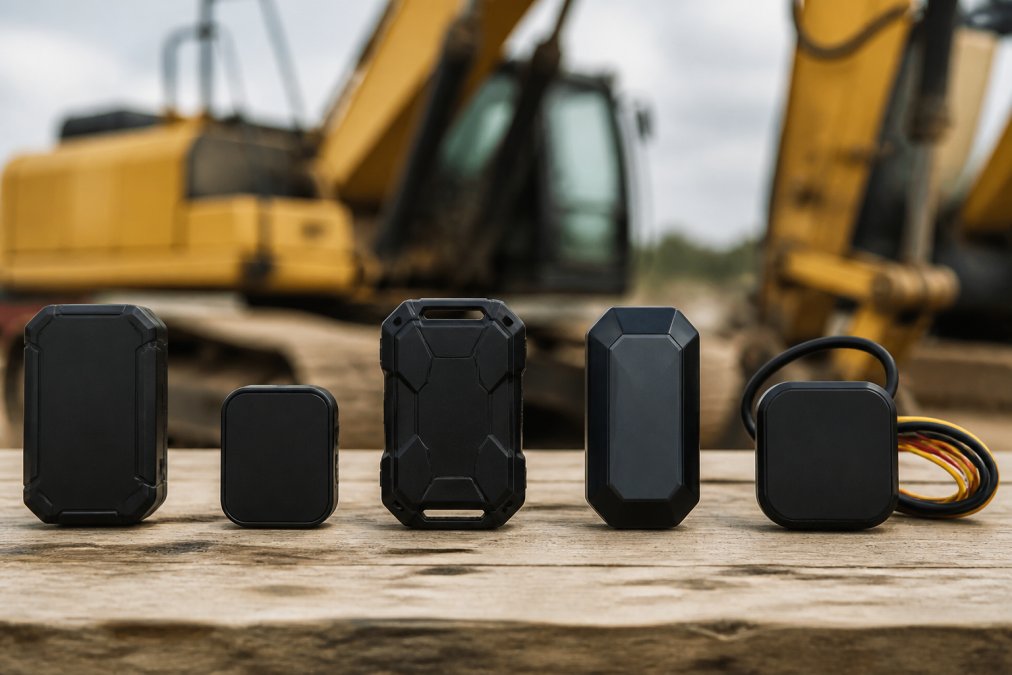
 comparison
Equipment Tracking Devices: 5 Best Options for 2026
Table of Contents
- Quick Comparison: Equipment Tracking Devices
- How We Evaluated These Trackers
- 1. SolvPro: Best All-in-One Equipment Tracking
- 2. Trak-4: Best for Flexible Power Options
- 3. LandAirSea 54: Best for Discreet Magnetic Mounting
- 4. BrickHouse Security Spark Nano 7: Best for Real-Time Updates
- 5. Geotab: Best for Enterprise Fleet Telematics
- Construction Equipment Theft Prevention: What Actually Works
- Frequently Asked Questions
Last Updated: September 16, 2026
Quick Comparison: Equipment Tracking Devices
Equipment tracking devices are GPS- or Bluetooth-enabled units that attach to machinery, tools, and trailers to report location, movement, and usage data. This guide from SolvPro breaks down five options for 2026, based on hardware specs, power configurations, and fit, from a single skid steer to a full fleet.
| Tracker | Starting Price | Power Options | Best For |
|---|---|---|---|
| SolvPro | Free trial available | Platform-based, mobile app | All-in-one crew and asset management |
| Trak-4 | $13.88/device | Battery, wired 12V, solar | Flexible power needs |
| LandAirSea 54 | Contact for pricing | Rechargeable battery | Discreet magnetic mounting |
| Spark Nano 7 | $5/month | Rechargeable battery | Real-time updates |
| Geotab | Contact for pricing | Wired vehicle install | Enterprise fleet telematics |
How We Evaluated These Trackers
We scored each option on five criteria: power flexibility, durability and weather resistance, update frequency, mounting options, and how well the data flows into software you already run. Cost of ownership mattered too, but only what a tracker returns, not its sticker price.
1. SolvPro: Best All-in-One Equipment Tracking
SolvPro is an all-in-one field service management platform that centralizes scheduling, work orders, crew tracking, digital contracts, and payments. For small to medium service businesses, job data lives in one place.

Key Features and Specifications
- Bilingual support in English and Spanish for crews and customer communication
- Digital proposals and contracts signed in the field
- QuickBooks Online integration for accounting sync
- Mobile-friendly platform for phones and tablets
- Crew tracking tied directly to jobs and equipment assignments
Pros and Cons
Pros: one platform for scheduling and dispatch; bilingual tools that work for mixed-language crews; free trial and a free plan to test before committing.
2. Trak-4: Best for Flexible Power Options
Trak-4 is a GPS tracking solution built around power flexibility, offering battery, wired 12V, and solar configurations for heavy equipment and unpowered assets. That range fits fleets mixing powered machines with trailers that sit idle for weeks. Power choice determines how often the device reports, how long it survives between service visits, and annual running cost.
Matching power configuration to the asset
| Power Setup | Best For | Trade-off |
|---|---|---|
| Battery only | Trailers, idle equipment, seasonal assets | Finite runtime; ping frequency directly shortens battery life |
| Wired 12V | Trucks, powered heavy equipment, daily-use machines | Requires install labor; no battery anxiety |
| Solar | Exterior-mounted assets in sun-exposed yards | Output drops in winter and shaded storage |
A common pattern: wired 12V on anything that starts daily, battery or solar on everything else. Mixing configurations on one account is where the flexibility pays off.
Key Features and Specifications
- Rechargeable long-life batteries plus solar panel options
- Customizable ping rates from every 10 minutes to hourly
- Rugged, weather-resistant housing for outdoor storage
- Web-based dashboard for real-time location and alert management
- Subscription-based cellular connectivity
- Onboard data logging so positions are stored and uploaded when coverage returns
Pros and Cons
Pros: genuinely durable hardware for harsh environments; subscription tiers scale with how often you need updates; power options let you deploy one platform across powered and unpowered assets.
What it actually costs to run
Hardware price is the smallest part of the bill; over three years, subscription and connectivity fees dominate. Two levers control cost:
- Ping frequency: every 10 minutes burns battery and data faster than hourly. If you only need to know a trailer moved, hourly is enough. If you are watching a machine in transit, you need faster updates and should plan for wired power.
- Data logging vs live reporting: a device that logs positions and uploads in batches uses less cellular data than one streaming live. For assets that sit idle, logging is the cheaper configuration.
Integration and troubleshooting notes
Before you buy, confirm the platform exposes an API or syncs with the fleet or accounting software you already run. A tracker in its own dashboard adds a login without adding a workflow.
3. LandAirSea 54: Best for Discreet Magnetic Mounting
The LandAirSea 54 is a compact, waterproof GPS tracker with a strong built-in magnet for discreet asset and equipment monitoring. If you want a tracker hidden on a trailer or small machine without drilling or wiring, this is the simplest path. Maintaining consistent power for such long-term deployments often requires selecting the most reliable batteries for GPS to ensure the device remains active throughout the entire monitoring period.
Key Features and Specifications
- Strong built-in magnet for quick attachment to metal surfaces
- Waterproof housing rated for outdoor use
- Global tracking via cellular networks
- Battery optimized for extended deployment
Pros and Cons
Pros: installs in seconds with no tools; compact enough to place out of sight, which supports asset recovery.
4. BrickHouse Security Spark Nano 7: Best for Real-Time Updates
The Spark Nano 7 is a portable GPS tracker delivering rapid location updates over 4G LTE, aimed at businesses that need frequent position data on high-value assets. When watching a machine in transit, update speed is the whole point.
Key Features and Specifications
- Rapid location updates via 4G LTE networks
- Geofencing alerts when equipment leaves a designated area
- Compact design for varied asset types
- Detailed reporting and history logs via mobile app
Pros and Cons
Pros: reliable 4G connectivity and a user-friendly mobile interface for field teams.
5. Geotab: Best for Enterprise Fleet Telematics
Geotab is an enterprise-grade telematics platform providing deep insight into equipment use, maintenance, and location. It suits large fleets that want engine diagnostics and maintenance scheduling alongside tracking, not just a dot on a map.
Key Features and Specifications
- Advanced engine diagnostics and maintenance scheduling
- Comprehensive fleet management software with API integrations
- Driver behavior monitoring and safety reporting
- Scalable architecture for large deployments
Pros and Cons
Pros: extensive analytics and a strong API for integrating with other business software.
Construction Equipment Theft Prevention: What Actually Works
Construction equipment theft prevention works best as a layered system: a visible deterrent, a hidden tracker, and geofencing alerts that fire the moment a machine moves outside a job site. One tracker rarely stops a determined thief, but it dramatically improves recovery odds. What most guides skip is what determines whether your system works six months from now: running cost, integration with software you already own, and what you are legally allowed to track.
The TCO math nobody publishes
Hardware is the smallest line item in a tracking deployment. Across fleets, a tracker's sticker price is roughly 10 to 20 percent of what you spend over three years. The rest is subscription fees, cellular data plans, replacement mounts, and management labor.
Build your own three-year estimate using these buckets:
- Hardware: one-time cost per device, plus spares. Budget one spare per 20 active units for swaps during repair.
- Connectivity: monthly per-device cellular subscription. Ping frequency drives this, a unit reporting every 10 minutes typically costs more per month than one reporting hourly.
- Software seats: most platforms charge per user, not per device. A five-person office and 40-device fleet pays for five seats, not 40.
- Install labor: wired 12V installs run higher than magnetic mounts. If you cannot install in-house, expect a per-unit labor charge from your upfitter.
- Maintenance: battery replacements, mount inspections, and firmware updates. Magnetic mounts on high-vibration machines need monthly checks.
Integration with fleet and ERP software
A tracker that does not talk to your existing systems creates a second dashboard nobody opens. Before committing, ask three questions:
- Does the platform expose an API, and is it documented publicly?
- Does it sync with common fleet and accounting tools, QuickBooks Online, fleet maintenance platforms, or your ERP?
- Can it push alerts into the tools your team already uses, such as email, SMS, or a work-order system?
Legal and privacy compliance
Tracking employee-operated equipment is not the same as tracking employees. A few practical rules:
- Vehicles and equipment: tracking company-owned assets is generally permitted, but state laws vary on notice requirements. Some states require written notice to employees before GPS monitoring begins.
- Personal devices: never install tracking software on an employee's personal phone without explicit written consent.
- Off-hours tracking: if a company vehicle goes home with an employee, continuous tracking can raise privacy issues. Many fleets configure geofences and time-based rules so tracking pauses outside work hours.
- Union and contract environments: collective bargaining agreements may impose additional notice or consultation requirements.
Troubleshooting signal loss and interference
Trackers lose signal. The question is whether you designed around it.
- Remote areas: cellular coverage gaps are the most common cause of missing pings. Choose a device with onboard data logging so it stores positions and uploads them when coverage returns.
- Dense urban environments: tall buildings cause multipath interference, where GPS signals bounce and produce inaccurate positions. Look for devices that combine GPS with cellular tower or Wi-Fi positioning as a fallback.
- Metal enclosures: mounting a tracker inside a sealed metal toolbox or equipment cab blocks GPS. Mount on exterior surfaces or use a remote antenna.
- Battery drain: cold weather reduces lithium battery capacity. Expect shorter runtime in winter and adjust ping frequency seasonally.
The practical setup
- Install a discreet tracker on high-value machines and trailers
- Set geo-fences around every active job site and yard
- Enable movement alerts outside working hours
- Log route history so you can prove where an asset traveled
- Review tamper detection and battery status monthly
- Keep serial numbers and photos on file for police reports
- Confirm written notice requirements with counsel before deployment
- Test API or software integration before signing a multi-year contract
On Bluetooth vs GPS trackers for tools: Bluetooth trackers are cheap and fine for tools that stay within range of a phone or hub, but they do not report location off-site. GPS asset tracking software with cellular connectivity is what you need for anything that leaves the yard.
Frequently Asked Questions
What is the best tracking device for equipment?
The best equipment tracking device depends on your power access, update frequency needs, and whether you want standalone hardware or a full management platform. Trak-4 works well for heavy machinery with flexible power configurations. LandAirSea 54 suits small equipment needing discreet magnetic mounting. For businesses that want scheduling, work orders, and invoicing integrated, SolvPro combines crew tracking with field service management so you get job details in one platform.
Can I use an AirTag to track my equipment?
AirTags rely on nearby Apple devices to report location, so they fail on remote job sites with no iPhone traffic. They also lack ruggedized hardware, weather resistance, and real-time alerts that construction equipment theft prevention requires. For heavy machinery or tools left overnight on unsecured sites, a GPS tracker with cellular connectivity and tamper detection is the practical choice. AirTags work for keeping tabs on small tools inside a shop or warehouse where people with Apple devices are present.
Is there a GPS tracker without a monthly fee?
Most GPS asset tracking software and hardware require a subscription because cellular connectivity costs money to maintain. Trak-4, LandAirSea 54, and BrickHouse Security Spark Nano 7 all charge monthly fees that scale with update frequency. SolvPro offers a free plan and free trial, but full features sit within paid tiers. If avoiding monthly fees is your priority, Bluetooth trackers work without subscriptions but only within short range of a connected device, which limits their use for job site management.
How do GPS asset trackers work for heavy machinery?
GPS asset trackers attach to heavy machinery using magnetic mounts, wired connections, or solar-powered units. They receive GPS coordinates from satellites, then send that location data over cellular networks to a cloud-based platform. You view real-time location, route history, and geo-fence alerts through a web dashboard or mobile app. Battery life and ping rate affect how often you get updates. Wired and solar options suit long-term deployment on excavators and generators, while battery models work for temporary tracking or smaller equipment.
What should I look for in construction equipment theft prevention?
Focus on movement alerts, geo-fencing, and tamper detection. A tracker that sends an alert when equipment moves outside a designated area gives you time to respond before the asset leaves your job site. Weather-resistant and ruggedized hardware survives outdoor storage. Cellular connectivity matters more than Bluetooth for remote sites. Pair the hardware with GPS asset tracking software that logs route history and speed monitoring so you have evidence if theft occurs. No single feature prevents theft alone, but layered alerts and recovery data improve your odds.