 blog
blog
HVAC vs Plumbing Billing Software: Key Differences
Table of Contents
- Why HVAC and Plumbing Billing Software Are Not Interchangeable
- Key Differences in Invoicing and Payment Workflows
- Best Invoicing Apps for HVAC Businesses
- Plumbing Business Management Software Features That Matter
- Integrating Accounting Software With Field Service Tools
- Compliance and Tax Reporting Differences
- How to Choose the Right Billing Software for Your Trade
Last Updated: August 24, 2026
Why HVAC and Plumbing Billing Software Are Not Interchangeable
HVAC and plumbing businesses operate under fundamentally different constraints, and billing software designed for one creates friction when forced onto the other. HVAC systems operate on seasonal demand patterns and often involve complex maintenance contracts. Plumbing jobs tend to be emergency-driven with different parts tracking needs. These operational realities mean that billing software optimized for one trade leaves gaps in the other. Using the wrong billing software for your trade can slow down job completion, delay invoicing, and create accounting headaches that ripple through your entire operation.
Key Differences in Invoicing and Payment Workflows
HVAC invoicing often involves service agreements, maintenance plans, and recurring billing cycles tied to seasonal patterns. Plumbing invoices frequently deal with emergency calls requiring rapid turnaround and unpredictable material costs discovered on-site.
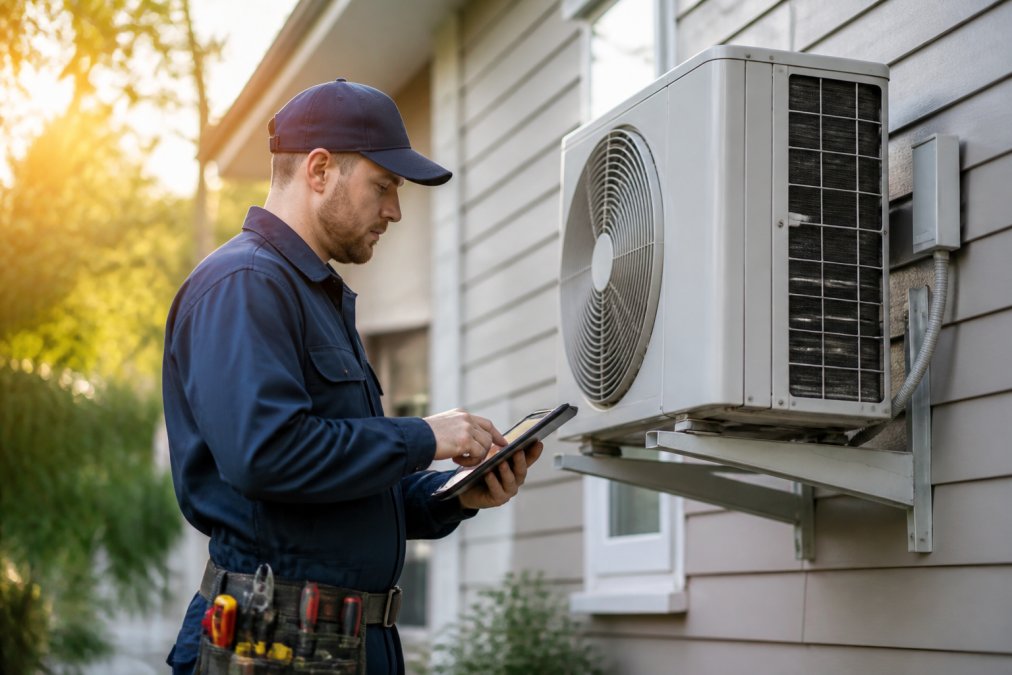
Payment workflows reflect these differences. HVAC customers often expect invoices for completed service agreements, sometimes with deposits for seasonal maintenance plans. Plumbing customers frequently want immediate invoices after emergency repairs are finished, and many prefer to pay on-site. This means HVAC billing software typically emphasizes contract management and scheduled billing, while plumbing billing software prioritizes on-site payment capture and rapid invoice generation.
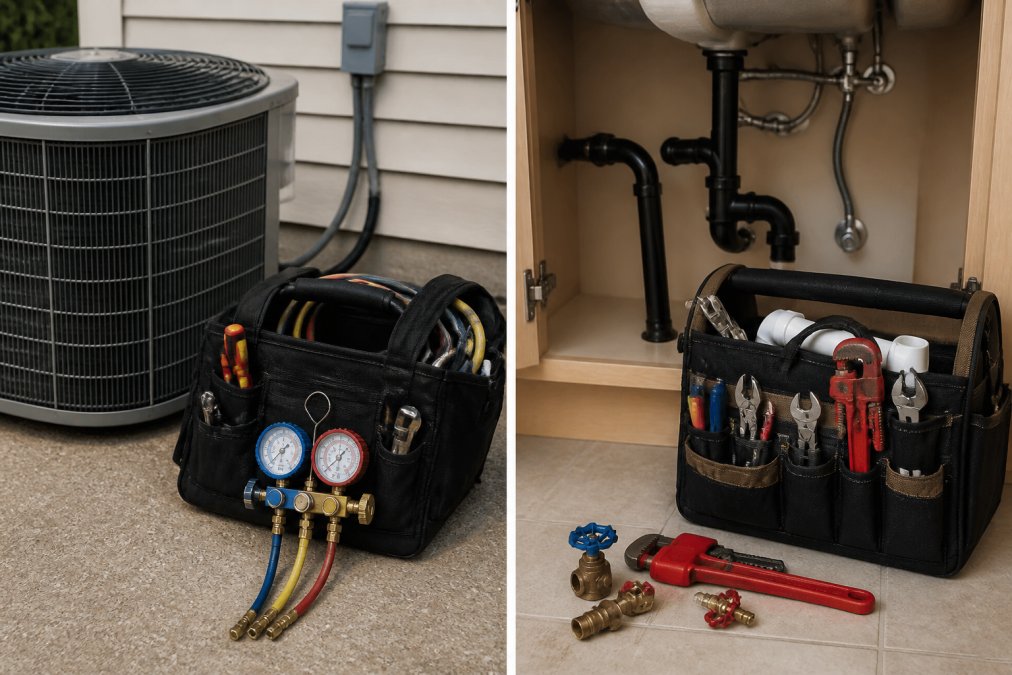
Material tracking creates another divergence. HVAC technicians need to log specific refrigerant types and compressor models. Plumbing technicians track copper fittings, PVC, water heaters, and fixtures that vary widely depending on the job. Billing software that doesn't account for these material differences forces you to work around the system rather than with it.
Best Invoicing Apps for HVAC Businesses
HVAC-specific billing software needs to handle service agreements, preventative maintenance scheduling, and seasonal billing patterns. It should track refrigerant inventory separately, manage equipment warranty information, and support recurring billing for maintenance contracts, features that matter less in plumbing-focused tools.
SolvPro stands out as a top choice for HVAC businesses because it centralizes work orders, digital contracts, and payment processing in one platform. The mobile app lets technicians capture service details in the field, generate estimates on-site, and collect payments before leaving the job. For HVAC companies managing multiple crews across large service areas, real-time dispatching and crew tracking features reduce travel time between jobs. The QuickBooks Online integration means your service revenue syncs automatically to your accounting system, eliminating manual data entry that often causes invoice delays.
A common mistake HVAC businesses make is choosing billing software built for general contractors or plumbing work. These tools often lack support for refrigerant tracking, equipment-specific labor codes, or the recurring billing cycles that HVAC maintenance plans depend on. SolvPro's bilingual capabilities mean work orders, estimates, and digital contracts display in both English and Spanish, reducing miscommunication and speeding up job completion.
Plumbing Business Management Software Features That Matter
Plumbing-specific billing software needs to prioritize emergency response speed. When a pipe bursts at 2 AM, your billing software needs to help you capture the service call, dispatch the nearest available technician, and generate an invoice within minutes. The best plumbing software includes dynamic pricing adjustments for emergency calls, rapid parts lookup for common plumbing fixtures, and simplified on-site payment collection.
Many plumbing jobs involve discovering additional work once the technician arrives. Billing software designed for plumbing handles these scope changes gracefully, allowing technicians to update the estimate in real time and get customer approval before proceeding.
Inventory management for plumbing requires tracking supply items with high turnover and variable pricing. Plumbing billing software should flag when inventory runs low and suggest alternatives when a customer's preferred fixture isn't available. This means plumbing businesses benefit from billing software that emphasizes rapid job capture, flexible pricing, and mobile-first design.
Integrating Accounting Software With Field Service Tools
Whether you're running HVAC or plumbing operations, integrating your billing software with accounting tools is non-negotiable. Manual syncing between systems creates duplicate work, introduces errors, and delays financial reporting.

How Integration Works in Practice
When billing software integrates with accounting systems, invoices sync to your accounting software within minutes of being sent. Revenue recognition happens in real time. Customer payments are recorded against the right invoice and job. This integration eliminates manual data entry that typically causes delays and errors.
The integration also enables better financial visibility. You can see job profitability in real time, track which customers are paying on time, and identify which service types generate the most revenue. For HVAC businesses managing seasonal fluctuations, this visibility helps you plan staffing and inventory. For plumbing businesses with highly variable job sizes, it shows you which call types are most profitable.
When billing software integrates with accounting tools, sales tax calculations happen automatically based on your jurisdiction and customer location. This matters particularly if you operate across multiple states or counties with different tax rules. Automated integration reduces audit risk and the cost of corrections.
Data Portability and Migration: The Hidden Challenge
Before committing to any billing software, understand how your data moves in and out of the system. Ask the vendor: Can you export all customer records, historical invoices, and job data in a standard format (CSV, Excel, or API access)? Some vendors lock your data in proprietary formats that are difficult to migrate to a competing platform.
When you switch billing software, you need to maintain historical invoices for tax and audit purposes. The IRS generally recommends keeping tax returns and supporting documents for at least three years after filing, though some situations may require longer retention. Confirm whether the new software can import historical invoices from your old system.
Your customer database is one of your most valuable business assets. When migrating from one billing system to another, customer records often get corrupted or duplicated. Before switching, verify that the new vendor has a proven data migration process and will validate the import for accuracy.
Some billing software vendors offer API access, allowing you to build custom integrations with other tools your business uses. Others lock you into their ecosystem. If you use specialized tools for your trade, confirm that the billing software can integrate with them via API or pre-built connectors.
Accounting Software Compatibility
Not all billing software integrates equally with accounting platforms. QuickBooks Online is the most common integration target, but the depth of integration varies. Some vendors sync only invoices and payments; others sync job costs, labor hours, and material expenses. If you use Xero, Wave, or a specialized construction accounting platform, confirm that the billing software supports it before signing up. fleet management software.
Compliance and Audit Trail
When billing software integrates with accounting tools, every transaction creates an audit trail. This is essential for tax compliance and financial audits. Confirm that the integration maintains a clear record of who created each invoice, when it was created, when it was modified, and when it was synced to accounting.
Planning for Future Flexibility
Before committing to a platform, ask yourself: If I need to switch in three years, how easily can I extract my data? Choose billing software from vendors with a track record of stability and transparency about data ownership. Avoid vendors that make it difficult to export data or that use aggressive lock-in tactics.
Compliance and Tax Reporting Differences
HVAC work often involves EPA refrigerant handling certifications and specific documentation requirements (the EPA). Your billing system should track which technicians are certified for which refrigerant types and flag jobs that require certified personnel.
Plumbing compliance centers on different regulations. Backflow prevention requirements, water quality standards, and permit tracking vary by jurisdiction (the CDC). Your billing software should support capturing permit information and flagging jobs that require specific permits before work begins.
Tax reporting differs too. HVAC businesses often deal with service agreements that span multiple tax years, requiring careful revenue recognition. Plumbing businesses typically recognize revenue on a per-job basis. Your billing software should support the revenue recognition method your accountant recommends.
How to Choose the Right Billing Software for Your Trade
Selecting billing software requires understanding your specific workflow and assessing total cost of ownership (TCO), the true financial impact of the software beyond the monthly subscription fee.
Start by mapping out your current invoicing process. How long does it take from job completion to invoice delivery? Where do errors happen? What information do your technicians need to capture in the field? This baseline helps you quantify the time and labor costs the software should eliminate.
Understanding Total Cost of Ownership
Most billing software comparisons focus on subscription pricing. SolvPro offers flexible pricing plans, with a Starter plan at $179/month for up to 3 users, a Growth plan at $228/month for 4 users plus $49 for each additional user, and custom pricing for unlimited users on its Scale plan. True TCO includes:
Implementation and Setup Costs. Moving from spreadsheets or legacy software to a new platform requires data migration, custom field configuration, and workflow setup. SolvPro does not charge implementation or setup fees, and offers assistance with importing customers and jobs.
Training and Onboarding. Your office staff and field technicians need training. SolvPro aims for quick onboarding, with teams often running in days, and offers live support.
Payment Processing Fees. If the software includes integrated payment processing, you'll pay transaction fees on top of the subscription. These typically range from 2.2% to 3.5% plus $0.30 per transaction. For a plumbing business processing $50,000 monthly in payments, this adds $1,100-$1,750 per month.
Data Migration Costs. If you're switching from another system, migrating customer records, historical invoices, and job data isn't free. SolvPro offers assistance with importing customers and jobs.
Calculating Your True ROI
Once you understand these costs, calculate the labor savings the software should deliver. If your current invoicing process takes 2 hours per day across your office staff, and the software reduces that to 30 minutes per day, you're saving 1.5 hours daily. At an average office wage of $20 per hour, that's $30 per day or roughly $7,200 annually. Subtract the annual software cost, implementation, and payment processing fees to ensure the labor savings and faster payment collection justify the investment.
Evaluating Software Against These Costs
Evaluate billing software against these criteria:
- Does it support your specific trade's invoicing patterns (recurring billing for HVAC, rapid scope changes for plumbing)?
- Can it handle your material tracking needs without custom workarounds?
- Does it integrate with your accounting software?
- What are the actual payment processing fees?
- Can you export your data in a standard format if you need to switch vendors?
- Can your team learn it quickly?
The best approach is to test billing software with a free trial before committing. SolvPro offers a 14-day free trial with all features unlocked and no credit card required to start. During the trial, ask the vendor for a detailed TCO breakdown: implementation fees, training costs, payment processing rates, and data export policies. Pay attention to how well the software handles the edge cases in your business. For HVAC, that might be managing service agreements and recurring billing. For plumbing, it might be rapid scope changes and on-site payments.
One final consideration: bilingual support matters if your crews include Spanish-speaking technicians. Software that supports both languages natively eliminates communication breakdowns and improves coordination across your entire operation.
=== FAQ ANSWERS (audit these too, same rules) ===
[1] Q: What is the best billing software for HVAC services? A: The best HVAC billing software handles seasonal demand fluctuations, maintenance contracts, and equipment-specific pricing. Look for platforms with strong invoicing capabilities, mobile access for technicians, and integration with accounting software. Features like recurring billing for service agreements and preventative maintenance scheduling are essential. Your choice depends on your crew size, whether you offer commercial or residential services, and your current accounting system.
[2] Q: Can one software platform handle both HVAC and plumbing billing? A: Yes, a comprehensive field service management platform can handle both trades, but you'll need to ensure it supports the specific workflows each requires. HVAC billing often emphasizes maintenance contracts and seasonal patterns, while plumbing billing typically involves emergency calls and variable job complexity. A flexible platform with customizable invoicing templates, work order structures, and billing cycles can adapt to both. Verify it integrates with your accounting software and supports your current payment processing needs.
[3] Q: How do billing requirements differ between HVAC and plumbing contractors? A: HVAC contractors frequently bill for preventative maintenance agreements, seasonal tune-ups, and equipment warranties, requiring recurring billing capabilities. Plumbing contractors often handle emergency calls with variable pricing, material markups, and complex job estimates. Both need digital invoicing and payment processing, but HVAC software should prioritize contract management and scheduling flexibility, while plumbing software should emphasize rapid estimate generation and on-site payment collection. Tax reporting may also differ based on service type and local regulations.
[4] Q: What features should plumbing billing software include? A: Essential features include digital work orders, mobile invoicing for on-site payment collection, and material tracking for accurate job costing. Plumbing software should support quick estimate generation, service call scheduling, and customer history tracking. Integration with accounting software ensures accurate financial reporting and payroll synchronization. Mobile app functionality lets technicians access job details, capture digital signatures, and submit invoices immediately after completing work, speeding up cash flow and reducing administrative delays.
Frequently Asked Questions
Q: What is the best billing software for HVAC services?
A: The best HVAC billing software handles seasonal demand fluctuations, maintenance contracts, and equipment-specific pricing. Look for platforms with strong invoicing capabilities, mobile access for technicians, and integration with accounting software. Features like recurring billing for service agreements and preventative maintenance scheduling are essential. Your choice depends on your crew size, whether you offer commercial or residential services, and your current accounting system.
Q: Can one software platform handle both HVAC and plumbing billing?
A: Yes, a comprehensive field service management platform can handle both trades, but you'll need to ensure it supports the specific workflows each requires. HVAC billing often emphasizes maintenance contracts and seasonal patterns, while plumbing billing typically involves emergency calls and variable job complexity. A flexible platform with customizable invoicing templates, work order structures, and billing cycles can adapt to both. Verify it integrates with your accounting software and supports your current payment processing needs.
Q: How do billing requirements differ between HVAC and plumbing contractors?
A: HVAC contractors frequently bill for preventative maintenance agreements, seasonal tune-ups, and equipment warranties, requiring recurring billing capabilities. Plumbing contractors often handle emergency calls with variable pricing, material markups, and complex job estimates. Both need digital invoicing and payment processing, but HVAC software should prioritize contract management and scheduling flexibility, while plumbing software should emphasize rapid estimate generation and on-site payment collection. Tax reporting may also differ based on service type and local regulations.
Q: What features should plumbing billing software include?
A: Essential features include digital work orders, mobile invoicing for on-site payment collection, and material tracking for accurate job costing. Plumbing software should support quick estimate generation, service call scheduling, and customer history tracking. Integration with accounting software ensures accurate financial reporting and payroll synchronization. Mobile app functionality lets technicians access job details, capture digital signatures, and submit invoices immediately after completing work, speeding up cash flow and reducing administrative delays.
This article was written using GrandRanker