 ultimate-guide
Paperless Field Service for Plumbing Contractors: A 2026 Guide
Table of Contents
- Why Paperless Field Service Matters for Plumbing Contractors
- Digital Work Order Templates for Plumbers: Replacing Paper-Based Chaos
- Plumbing Dispatch and Scheduling Software: Real-Time Crew Management
- Mobile Invoicing for Plumbing Contractors: Getting Paid Faster
- The Hidden Costs of Staying Paper-Based
- Making the Transition: Change Management for Your Field Teams
- Calculating ROI: What Paperless Actually Saves Your Business
Last Updated: August 26, 2026
Why Paperless Field Service Matters for Plumbing Contractors
Paperless field service eliminates the operational chaos of paper-based workflows: lost invoices, delayed payments, duplicate work orders, and hours wasted on data entry. When your crews work in the field all day, paper creates a cascade of problems that drain profitability.
The shift to digital transforms operations. Instead of waiting for technicians to return with paperwork, you see job status updates in real time. Invoices are created on-site and sent immediately. Customer signatures are captured digitally. Payment processing happens before the technician leaves the driveway.
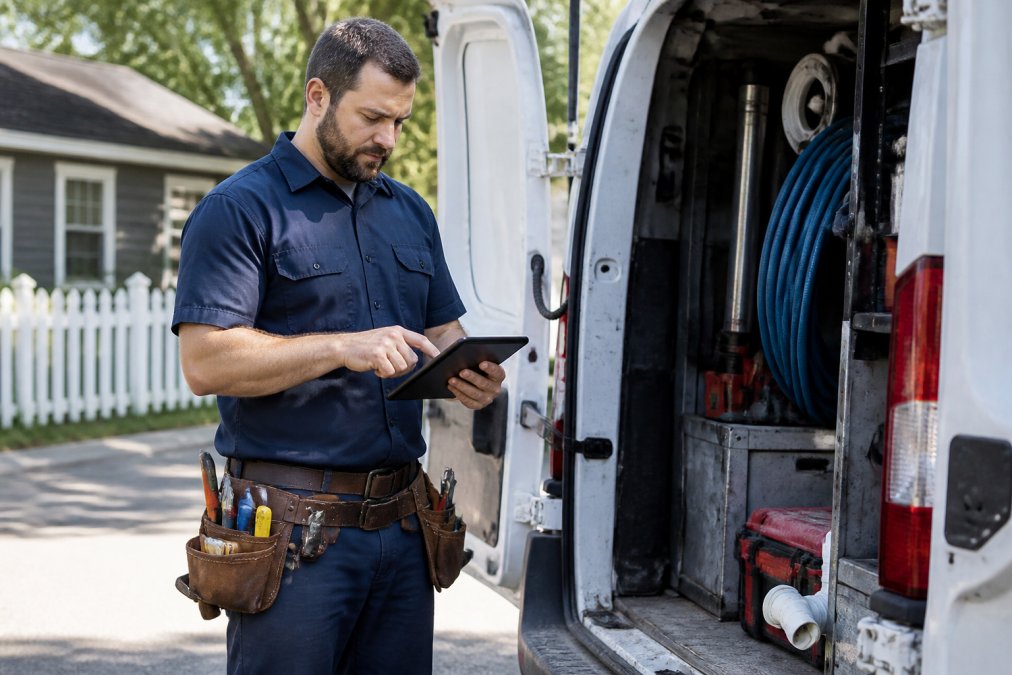
The real cost of staying paper-based isn't the paper itself. It's the time your office staff spends hunting for lost invoices, re-entering data from handwritten notes, and chasing technicians for information. It's the cash flow delay when invoices sit in a truck for days before reaching your billing system. It's the customer frustration when they can't get a status update.
A paperless field service platform centralizes work orders, scheduling, invoicing, and crew tracking into one system. Your technicians work with digital tools designed for the field. Your office gets instant visibility into every job. Customers get real-time updates without extra effort. Administrative overhead shrinks.
Digital Work Order Templates for Plumbers: Replacing Paper-Based Chaos
Digital work order templates standardize how jobs are documented from start to finish. Everyone follows the same structure, making it easier for your office to process jobs, for customers to understand what was done, and for technicians to know exactly what to document.
A solid digital work order captures job details upfront: customer contact info, service address, what the customer reported, estimated time, and parts needed. As the technician works, they log what they found, what they fixed, what parts they used, and how long it took. At the end, they add notes and capture the customer's signature.
The template approach removes guesswork. Technicians aren't wondering what information to collect, the form tells them. Your office isn't hunting through messy notes, the structured data is right there. Customers get a clear record of work performed, which reduces disputes and supports warranty claims.
Digital templates also create a searchable history. When a customer calls back six months later with a related issue, you can pull up exactly what was done before. This speeds up diagnostics and builds customer confidence.
The mobile-first design matters. Your technicians work on phones and tablets in tight spaces, dim basements, and wet conditions. The interface needs to be fast and intuitive. Dropdown menus beat typing. Photos beat written descriptions. One-tap signature capture beats printed forms.
Plumbing Dispatch and Scheduling Software: Real-Time Crew Management
Plumbing dispatch and scheduling software gives you a live view of where your crews are, what they're working on, and when they'll finish. Instead of calling technicians for status updates, you see it in real time. Instead of manually assigning jobs based on gut feeling, the software suggests optimal assignments based on location, skills, and availability.
Real-time dispatching solves a fundamental problem: your office can't make good decisions without current information. When a technician finishes early, your office doesn't know yet, so they don't assign the next job. The technician sits idle while a customer waits for a callback.
The software closes that gap. When a job finishes, it updates instantly. Your dispatcher sees which crews are available and closest to the next job. They assign work with a few taps. The technician gets the notification on their phone. No phone calls. No delays. No idle time.
The scheduling component handles complexity: matching technician skills to work types, managing certifications, assigning single or two-person jobs, and reducing callbacks and rework. Location tracking shows where each crew is, travel time between jobs, and which crews are closest to new calls. You give customers accurate arrival windows instead of vague estimates.
Mobile Invoicing for Plumbing Contractors: Getting Paid Faster
Mobile invoicing means your technicians create and send invoices on-site, before they leave the customer's property. No more waiting for paperwork to reach the office, no more data entry delays, no more invoices sitting in a truck for days.
The speed of payment is the real win. When an invoice is created and sent immediately, customers can pay immediately. They might use a credit card, ACH transfer, or check, but they're paying while the service is fresh in their mind. Compare that to the traditional flow: technician finishes at 4 PM, paperwork reaches the office the next morning, invoice is created by 10 AM, sent by email, and customer pays sometime in the next week or month.
Mobile invoicing also reduces billing errors. The technician who did the work creates the invoice. They know exactly what they did, what parts they used, and how long it took. There's no translation layer where office staff misinterprets handwritten notes. The invoice is accurate because the person who did the work created it.
On-site payment processing takes this further. If your platform supports card payments or digital methods, customers can pay right there. Your cash flow improves immediately. The money is in your account the same day. verify plumber arrival.

Customers get a professional invoice immediately with a clear breakdown of labor, materials, and taxes. They can pay on the spot if they want. There's no confusion about charges or payment due dates.
The Hidden Costs of Staying Paper-Based
Paper-based workflows look cheap until you calculate actual costs. A technician spending 30 minutes daily on paperwork doesn't show up as a line item, but multiply that across your crew and you're losing thousands of hours per year to administrative work that doesn't generate revenue.
Office staff time adds up too. Someone waits for paperwork, transcribes it into your billing system, and follows up when information is missing. With five technicians working five days a week, that's potentially 25 invoices weekly needing manual processing. At 15 minutes per invoice, that's over 10 hours of office work per week just on data entry.
The cash flow impact is significant. If invoices are delayed by an average of three days, you're giving customers a three-day float on payment. For a contractor doing $50K in monthly revenue, that's thousands of dollars in customer hands instead of your bank account.
Lost or misfiled paperwork creates rework. A technician can't find their work order copy. The office can't find the invoice. A customer disputes a charge because they never received a clear invoice. Each situation requires staff time and often results in discounts or write-offs.
Delayed invoicing also delays follow-up on unpaid accounts. If an invoice takes a week to reach a customer and another week to follow up, you're already two weeks behind on collection. Customers who don't see invoices promptly are less likely to pay promptly.
Making the Transition: Change Management for Your Field Teams
The biggest barrier to going paperless isn't the software, it's getting your team to use it. Your technicians have worked a certain way for years. They're comfortable with paper. Your office staff has processes built around paper workflows. Change feels like extra work.
Successful transitions start by acknowledging resistance. Your crew didn't ask for new software. From their perspective, they're being asked to learn a new system and follow new procedures. Show them what's in it for them.
For technicians, the benefit is less paperwork and less admin time at day's end. Instead of spending 30 minutes filling out forms, they use a digital form that takes 10 minutes and automatically pulls customer details. Instead of waiting for the office to assign the next job, they get it on their phone. Instead of worrying about lost invoices, everything is captured.
For office staff, the benefit is less data entry and fewer follow-ups. Instead of manually transcribing 25 invoices weekly, the system pulls data directly from work orders. Instead of calling technicians about missing information, structured forms ensure it's there. Instead of chasing unpaid invoices, they see payment status in real time.
Start with training relevant to each role. Technicians need training on the mobile app, filling out work orders, and capturing signatures. Office staff need training on back-office tools, viewing reports, and managing schedules. Make training hands-on with real scenarios.
Expect the first two weeks to be messy. Technicians will forget steps and call with questions. Some will try doing both paper and digital. This is normal. Support them through it. Celebrate early wins. When a technician gets their first on-site payment, that's worth mentioning.
Roll out gradually if possible. Start with one crew or service type. Let them become advocates for the next crew. Peer-to-peer adoption is faster and stickier than top-down mandates.
Calculating ROI: What Paperless Actually Saves Your Business
ROI for paperless field service comes from three places: time savings, cash flow improvement, and error reduction.
Time savings are easiest to calculate. If you have five technicians spending 30 minutes daily on paperwork, that's 2.5 hours per day (bls.gov). Multiply by 250 working days per year: 625 hours. At $50 per hour fully loaded cost, that's $31,250 per year (bls.gov). A paperless system can significantly cut this time, leading to substantial annual savings.
Add office staff time. If one person spends 10 hours weekly on data entry and invoicing, that's 520 hours per year (shrm.org). At $35 per hour, that's $18,200. A paperless system can save most of that time.
Cash flow improvement is harder to quantify but often larger. If you currently collect payment 10 days after invoicing and a paperless system gets you to 3 days, you've improved cash flow by a week. For a contractor doing $50K monthly revenue, a week of float is worth thousands of dollars in working capital freed up.
Reduce billing errors and disputes. A typical contractor might have invoices disputed due to missing information or unclear charges. Reducing these errors can lead to additional revenue.
A modest estimate for a five-person crew:
| Category | Annual Savings |
|---|---|
| Technician time savings | Significant |
| Office staff time savings | Significant |
| Reduced billing errors | Significant |
| Faster collections (working capital freed) | Significant |
| Total | Substantial |
Software pricing depends on quantity, dates, and delivery. SolvPro offers a free trial. Start with your actual numbers. How much time does your team spend on paperwork? How long does collection take? How many invoices have errors? Once you have baselines, the ROI calculation becomes specific to your business.
Going paperless isn't about eliminating paper, it's about eliminating the chaos paper creates. When your field teams have the right tools, your office has visibility, and your customers get clear communication, everything moves faster. Paperless field service for plumbing contractors gives you that speed. SolvPro simplifies the transition with bilingual support, mobile-first design, and direct QuickBooks integration so your data flows seamlessly from the field to your accounting system. Start with a free trial and see how much time and cash flow you can reclaim.
=== FAQ ANSWERS (audit these too, same rules) ===
[1] Q: What are the primary benefits of paperless field service software for plumbers? A: Paperless field service eliminates manual data entry, reduces lost or damaged work orders, and speeds up invoicing. Technicians capture customer signatures and photos on-site, which flows directly into your accounting system. The biggest win: invoices reach customers the same day work finishes, improving cash flow dramatically compared to paper-based workflows where documents sit in trucks for days.
[2] Q: Can paperless software integrate with QuickBooks and other accounting tools I already use? A: Yes. Most modern field service platforms, including SolvPro, integrate directly with QuickBooks Online. This means work orders, invoices, and payments sync automatically without manual data entry. Integration eliminates the double-entry trap that makes many contractors hesitant about software. Check that your chosen platform supports your specific accounting software version before committing, but for QuickBooks users, seamless integration is standard.
[3] Q: How does going paperless impact customer satisfaction and payment speed? A: Customers see faster turnaround times because technicians finish jobs sooner and invoice on-site. Digital signatures and instant payment options (credit card processing) reduce friction at the end of a service call. Customers also appreciate receiving digital receipts and having access to a customer portal where they can view service history and past invoices. Faster invoicing typically results in improved average payment collection time compared to paper-based billing.
[4] Q: What's the learning curve for my team, and how long does implementation take? A: Most field service platforms are designed for non-technical users and can be operational within a short timeframe. Your office staff learns scheduling and dispatching first, then technicians learn the mobile app in the field. Bilingual platforms make onboarding easier for mixed-language crews. Plan for a period of adjustment as your team adjusts, but most contractors see productivity gains within a reasonable timeframe. Many platforms offer onboarding support and training resources to accelerate adoption.
Frequently Asked Questions
What are the primary benefits of paperless field service software for plumbers?
Paperless field service eliminates manual data entry, reduces lost or damaged work orders, and speeds up invoicing. Technicians capture customer signatures and photos on-site, which flows directly into your accounting system. The biggest win: invoices reach customers the same day work finishes, improving cash flow dramatically compared to paper-based workflows where documents sit in trucks for days.
Can paperless software integrate with QuickBooks and other accounting tools I already use?
Yes. Most modern field service platforms, including SolvPro, integrate directly with QuickBooks Online. This means work orders, invoices, and payments sync automatically without manual data entry. Integration eliminates the double-entry trap that makes many contractors hesitant about software. Check that your chosen platform supports your specific accounting software version before committing, but for QuickBooks users, seamless integration is standard.
How does going paperless impact customer satisfaction and payment speed?
Customers see faster turnaround times because technicians finish jobs sooner and invoice on-site. Digital signatures and instant payment options (credit card processing) reduce friction at the end of a service call. Customers also appreciate receiving digital receipts and having access to a customer portal where they can view service history and past invoices. Faster invoicing typically results in improved average payment collection time compared to paper-based billing.
What's the learning curve for my team, and how long does implementation take?
Most field service platforms are designed for non-technical users and can be operational within a short timeframe. Your office staff learns scheduling and dispatching first, then technicians learn the mobile app in the field. Bilingual platforms make onboarding easier for mixed-language crews. Plan for a period of adjustment as your team adjusts, but most contractors see productivity gains within a reasonable timeframe. Many platforms offer onboarding support and training resources to accelerate adoption.
This article was written using GrandRanker