 listicle
Top Rated Construction Scheduling Tools: 2026 Guide
Table of Contents
- What Are Top Rated Construction Scheduling Tools?
- Quick Comparison: Top Rated Construction Scheduling Tools
- Key Features to Look for in Construction Scheduling Software
- How to Create a Construction Schedule That Works
- Construction Scheduling Software Features That Drive ROI
- Free Construction Scheduling Templates to Get Started
- Construction Schedule Best Practices for Your Team
- Small vs. Large Contractors: Choosing the Right Tool
Last Updated: July 10, 2026
What Are Top Rated Construction Scheduling Tools?
Construction scheduling software centralizes scheduling, real-time collaboration, and resource allocation into single systems that help teams finish jobs faster and reduce costly delays. The construction industry has historically relied on spreadsheets, email chains, and phone calls to manage schedules, creating blind spots where field crews miss deadline changes and project managers spend hours chasing status updates. Top rated construction scheduling tools eliminate this friction by creating a single source of truth that syncs across office and field teams instantly.
What separates top-tier platforms from generic project management software is construction-specific intelligence. These tools understand task dependencies, critical path method (CPM) calculations, and the unique constraints of construction work: weather delays, material deliveries, equipment availability, and subcontractor coordination.
Quick Comparison: Top Rated Construction Scheduling Tools
The market spans from affordable tools for small crews to enterprise platforms handling billion-dollar projects. According to Statista's construction technology market analysis, the construction software market is projected to grow 12% annually through 2026, with scheduling tools representing the fastest-growing segment.
SolvPro leads for small to medium-sized service contractors, centralizing scheduling, work orders, crew tracking, digital contracts, and payments into one mobile-friendly platform with bilingual support. Integration with QuickBooks Online means your schedule automatically feeds your accounting.
Procore dominates large-scale commercial construction with real-time master schedule visibility and predictive analytics that identify project risks before they become delays. The platform integrates with over 400 industry tools but requires months of implementation.
Buildertrend specializes in residential builders and remodelers, automating task dependencies while keeping homeowners informed through a client portal. Integration with QuickBooks and Xero connects scheduling directly to financial tracking.
Fieldwire focuses on field execution with interactive Kanban boards and Gantt charts designed for daily task coordination. Real-time photo sharing and offline mobile access make it ideal for specialty contractors managing 5-50 person crews.
Contractor Foreman delivers affordable all-in-one functionality for small contractors with drag-and-drop scheduling and QuickBooks connectivity at a price point that doesn't require justification to ownership.
Monday.com serves teams needing extreme customization flexibility through timeline and Gantt chart views, though it requires significant setup time to build construction-specific processes.
Feature Comparison Table
| Tool | Starting Price | Best For | Key Strength | Mobile App |
|---|---|---|---|---|
| SolvPro | Free trial available | Small-mid service contractors | All-in-one with bilingual support | Yes, full offline |
| Procore | Contact for pricing | Large commercial projects | 400+ integrations, predictive analytics | Yes, enterprise-grade |
| Buildertrend | $299/month | Residential builders | Client portal + scheduling | Yes, offline access |
| Fieldwire | $39/user/month | Field-focused teams | Intuitive mobile interface | Yes, best-in-class |
| Contractor Foreman | $49/month | Budget-conscious small contractors | Affordable, comprehensive | Yes, full access |
| Monday.com | Contact for pricing | Teams needing customization | Flexible, highly customizable | Yes, limited |
Pricing & Plan Overview
Most construction teams spend between $200-$800 monthly for a complete scheduling solution. SolvPro offers a free trial with pricing that scales based on projects and users. Enterprise platforms like Procore typically require annual contracts starting around $375/month minimum, with costs increasing substantially as you add users and projects. Smaller platforms like Fieldwire charge per-user pricing ($39/user/month), making them economical for small teams but expensive as you scale beyond 20 users.
Expect 2-4 weeks of onboarding for mid-market platforms, during which your team learns the system while still managing projects the old way.
Key Features to Look for in Construction Scheduling Software
Research from Construction Dive's technology adoption survey found that 67% of construction firms cite ease of field adoption as the primary barrier to scheduling software success. The best tool is the one your crews will actually use.
Gantt Charts & Critical Path Method (CPM)
A Gantt chart visualizes your entire project timeline as horizontal bars for each task, showing start dates, durations, and dependencies. The critical path method (CPM) identifies which tasks directly impact your project end date. Together, these features let you see at a glance which delays matter and which have buffer time.
The best construction scheduling tools make CPM calculations automatic. When you mark Task B as dependent on Task A, the system knows that if Task A runs three days late, Task B automatically shifts three days later. Procore's critical path highlighting is particularly sophisticated, color-coding tasks to show which ones are on the critical path versus which have slack time.
Mobile Apps & Real-Time Collaboration
Field crews need access to schedules without internet connectivity. The best mobile apps cache the schedule locally so crews can view tasks, mark work complete, and upload photos even when the jobsite has no signal. When connectivity returns, changes sync automatically.
Real-time collaboration means when a crew lead marks a task complete at 3 PM on a jobsite, the office team sees that update instantly. This eliminates the 24-hour delay of crews calling in updates at end-of-day. Fieldwire's mobile app is the industry standard, intuitive and designed for one-handed operation on a jobsite.
Resource Allocation & Subcontractor Management
Resource allocation tools show which crews are assigned to which tasks, preventing double-booking or leaving tasks without assigned labor. Subcontractor management extends this by tracking which subs are responsible for which scopes, their contract terms, and schedule dependencies. Procore and Buildertrend both handle this well, with portal access so subs can see their assigned tasks and update status.
How to Create a Construction Schedule That Works
A schedule is only as good as the planning that goes into it. The most effective schedules start with clear thinking about scope, sequencing, and constraints before you touch the software.
Build Your Work Breakdown Structure (WBS)
A work breakdown structure (WBS) is a hierarchical decomposition of your entire project into manageable pieces. Instead of one massive task called "Build House," you break it into major phases: site prep, foundation, framing, MEP, drywall, finishes. Then you break each phase into specific tasks.
The discipline of building a WBS forces you to think through every step of your project. Start your WBS before opening scheduling software using a spreadsheet or paper. Once your WBS is complete, you transfer it into your scheduling tool, where dependencies and durations transform it into a working schedule.
Set Milestones & Task Dependencies
Milestones are zero-duration tasks that mark significant project events: "Foundation complete," "Framing complete," "Ready for inspection." They serve as checkpoints for stakeholders and help identify schedule slip early.
Task dependencies define the logical sequence of work. Some tasks run in parallel while others are sequential. The most common dependency error is creating false dependencies, marking tasks as dependent when they could actually run in parallel. This artificially extends your schedule.
Construction Scheduling Software Features That Drive ROI
The real value of scheduling software isn't in prettier timelines, it's in the time saved and delays prevented.
Automated Reporting & Forecasting
Manual reporting wastes time. Automated reporting generates status updates nightly, eliminating the manual work. Forecasting goes further by predicting future delays based on current progress. If you're tracking 3 days behind on foundation work, the system calculates that your project completion will slip 3 days unless you add resources or compress the schedule. Procore's predictive analytics are particularly strong, learning from your historical data to flag tasks likely to slip.
Integration & Workflow Automation
The best scheduling tools connect to your accounting system, time tracking software, and equipment management tools. When a crew marks a task complete, the system automatically logs billable hours to the right cost code, updates equipment availability, and flags materials that need ordering. SolvPro's QuickBooks integration exemplifies this: your schedule feeds directly into accounting, eliminating duplicate data entry and ensuring your financial records match your actual project progress.
Implementation & Onboarding Timelines
Software that takes 12 weeks to implement doesn't start saving time until month 4. The best scheduling tools are operational within 2-3 weeks. Simple tools like Fieldwire can be deployed in days. Complex tools like Procore require data migration, configuration, and training, taking longer but resulting in more sophisticated capabilities.
The fastest path to implementation is starting simple. Deploy the core scheduling functionality first, then add advanced features after your team is comfortable with the basics.
Free Construction Scheduling Templates to Get Started
Before investing in software, test your scheduling approach with free templates. A basic construction schedule template includes columns for task name, duration, start date, end date, assigned crew, and dependencies. Add a column for % complete so you can track progress.
Google Sheets and Excel both work well for template-based scheduling. Most platforms accept CSV imports, so your template data transfers cleanly into the tool. For residential projects, templates typically include phases like site prep, foundation, framing, MEP, drywall, finishes, and final inspection.
Construction Schedule Best Practices for Your Team
Teams that see the most value from scheduling tools combine software with consistent processes: weekly schedule updates, clear ownership of tasks, and regular review meetings where the team discusses progress and identifies risks.
Avoid Common Scheduling Mistakes
The most expensive scheduling mistake is underestimating task durations. Teams often estimate optimistically, but in reality, weather delays, material shortages, rework, and inspection failures add time. A realistic estimate includes buffer for these inevitable disruptions.
Another common mistake is creating schedules that are too detailed. A schedule with 500 tasks is harder to manage than one with 50. For a $2M residential project, 40-60 tasks is typical. For a $20M commercial project, 100-150 tasks is more appropriate.
The third major mistake is not updating the schedule. Establish a rhythm: update the schedule weekly or bi-weekly, mark completed tasks, identify slipping tasks, and adjust the remaining schedule. This discipline transforms a schedule from a planning document into a working management tool.
Hardware & Device Compatibility Matters
Scheduling software is only valuable if crews actually use it. The mobile app needs to work on the devices your crews already carry. The best scheduling apps work equally well on iOS and Android, with offline functionality so crews can access schedules even when jobsite connectivity is poor.
Test the mobile experience before committing to a platform. Have a crew lead use it for a full day on an actual jobsite. If they're frustrated with the interface or the app crashes, field adoption will be poor.
Small vs. Large Contractors: Choosing the Right Tool
The best scheduling tool for a 5-person contractor is completely different from the best tool for a 100-person contractor. Small teams need simplicity and affordability. Large teams need scalability, advanced reporting, and integration with enterprise systems.
For small contractors under 20 people, SolvPro and Contractor Foreman offer the right balance of functionality and cost. Implementation is fast and monthly costs are low enough that the time savings justify the investment immediately.
For mid-market contractors (20-100 people), Buildertrend and Fieldwire become more attractive. Buildertrend adds client-facing features and financial management. Fieldwire's field-focused design scales well as you add crews.
For large contractors (100+ people), Procore becomes the default. Its scalability, integration ecosystem, and advanced features justify the higher cost. At this scale, the time saved through automation and integration typically exceeds the software cost by 10x or more.
The transition point between tools is usually around 30-50 people. Below that, simplicity wins. Above that, advanced features become necessary to manage complexity.
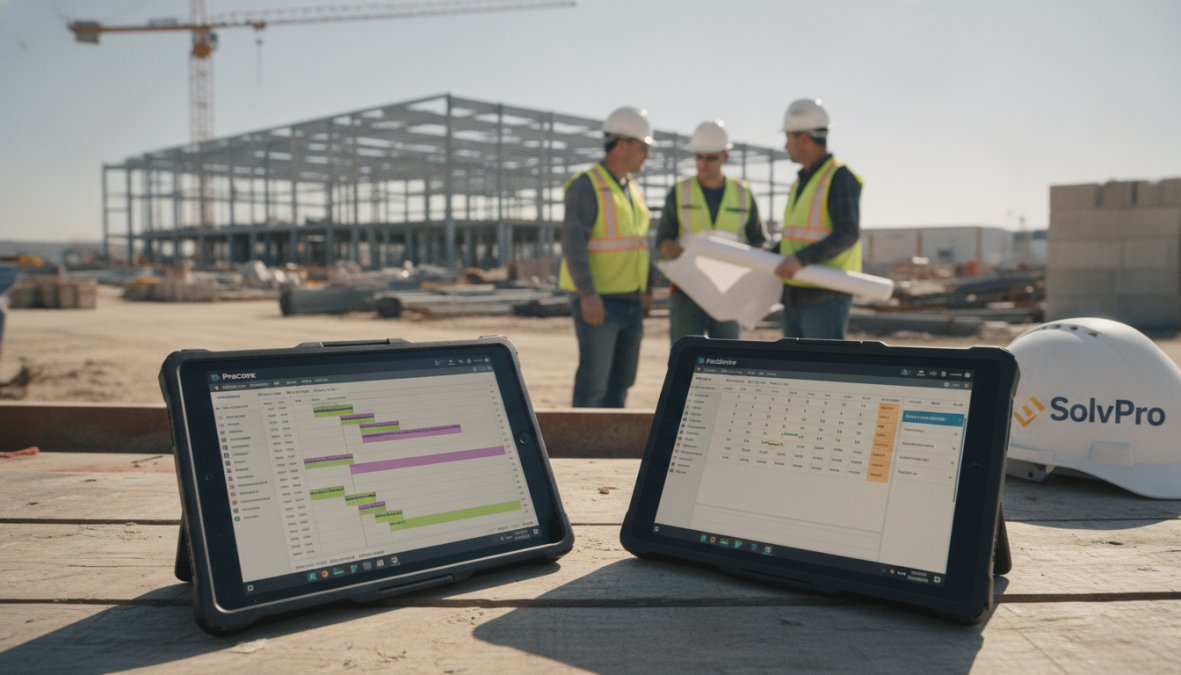
The difference between projects that finish on time and those that slip by weeks often comes down to scheduling discipline. Top rated construction scheduling tools make that discipline practical by automating the tedious parts, recalculating timelines, tracking progress, coordinating crews, so your team can focus on solving actual problems.
If your team is managing schedules through email, spreadsheets, or phone calls, scheduling software will save 10-15 hours per week immediately. SolvPro makes this transition seamless for small to mid-sized contractors by combining scheduling with crew tracking, digital contracts, and payments in one platform. With bilingual support and QuickBooks integration, it eliminates the operational chaos that slows projects down. Start your free trial today and see how much time your team can recover.
Frequently Asked Questions
What are the best construction scheduling tools for small contractors?
Small contractors benefit from affordable, user-friendly tools like SolvPro, Contractor Foreman, and Fieldwire. These platforms offer essential features, Gantt charts, mobile access, resource allocation, without the steep learning curve of enterprise software. SolvPro stands out with bilingual support and all-in-one field service management including digital contracts and QuickBooks integration, making it ideal for SMBs focused on finishing jobs faster and getting paid sooner.
What construction scheduling software features should I prioritize?
Prioritize: (1) Gantt charts and critical path method (CPM) visualization for timeline clarity; (2) Real-time collaboration and mobile apps for field-to-office communication; (3) Resource allocation and subcontractor management for crew coordination; (4) Automated reporting for productivity metrics; (5) Integration with accounting tools like QuickBooks; (6) Task dependencies and milestone tracking. Cloud-based solutions offer better accessibility than on-premise alternatives for distributed teams.
How long does it take to implement construction scheduling software?
Implementation timelines vary significantly. Cloud-based SaaS platforms like SolvPro and Fieldwire typically launch within 1-2 weeks with minimal onboarding. Enterprise solutions like Procore or Autodesk Build may require 4-12 weeks depending on project complexity and integration needs. Plan for: setup (1-3 days), team training (3-5 days), data migration (1-2 weeks), and full adoption (2-4 weeks). Many vendors offer free trials to test workflows before committing.
Can construction scheduling software integrate with my accounting system?
Yes. Most top-rated tools integrate with QuickBooks Online and Xero for seamless financial tracking. SolvPro, Buildertrend, Contractor Foreman, and CoConstruct all offer direct QuickBooks connectivity. Integration links scheduling data to invoicing, expense tracking, and budget management, eliminating manual data entry and improving post-implementation ROI. Verify integration availability with your specific accounting software before purchasing.
This article was written using GrandRanker