 listicle
Best Field Service Software for Small Businesses
Table of Contents
- What Is Field Service Management Software?
- Best Field Service Software for Small Businesses: Quick Comparison
- Top Field Service Software Solutions Reviewed
- 1. SolvPro: All-in-One Platform with Bilingual Support
- 2. Synchroteam: Mobile-First Dispatch and Real-Time Tracking
- 3. FieldEdge: Deep QuickBooks Integration for Contractors
- 4. Zentive: Industry-Specific Solution for Landscaping
- 5. Simpro: Enterprise-Grade Scalability for Complex Projects
- 6. Deelo: Unified Business Platform with 50+ Integrated Apps
- Key Features of Field Service Management Software
- How to Choose Field Service Management Software for Your Business
- Field Service Automation Best Practices for Small Teams
- Which Software Should You Pick? Decision Framework
- Conclusion
Last Updated: July 3, 2026
What Is Field Service Management Software?
Field service management software is a digital platform that centralizes scheduling, work orders, crew tracking, and payments for service-based businesses. It connects office staff with technicians in the field through real-time communication, automated dispatching, and mobile access to job details. The core benefit is visibility: you see where technicians are, what they're working on, when they'll finish, and billing happens automatically when work is complete.
Best Field Service Software for Small Businesses: Quick Comparison
Selecting the best field service software requires matching your workflow to the platform's strengths. Some tools excel at accounting integration, others prioritize mobile-first dispatch, and a few specialize in specific trades.
| Software | Starting Price | Best For | Key Strength |
|---|---|---|---|
| SolvPro | Free trial available | All-in-one needs | Bilingual support, QuickBooks integration |
| Synchroteam | $31/user/month | Mobile dispatch priority | Real-time GPS tracking, easy setup |
| FieldEdge | Contact for pricing | HVAC/plumbing contractors | Deep QuickBooks integration, price books |
| Zentive | $51/month | Landscaping/lawn care | Industry-specific job costing |
| Simpro | Contact for pricing | Complex projects | Enterprise scalability, advanced reporting |
| Deelo | $19/seat/month | Multiple disconnected tools | 50+ integrated apps, unified platform |
Small teams under five people need something simple and affordable. Businesses managing crews across multiple job sites need real-time tracking and advanced scheduling. HVAC and plumbing contractors need tight accounting integration.
Top Field Service Software Solutions Reviewed
1. SolvPro: All-in-One Platform with Bilingual Support
SolvPro is built for small to medium-sized service businesses that need one integrated system. It centralizes scheduling, work orders, crew tracking, digital contracts, and payments into a single mobile-friendly platform. The bilingual interface (English and Spanish) makes it accessible for diverse teams, a feature most competitors don't offer.
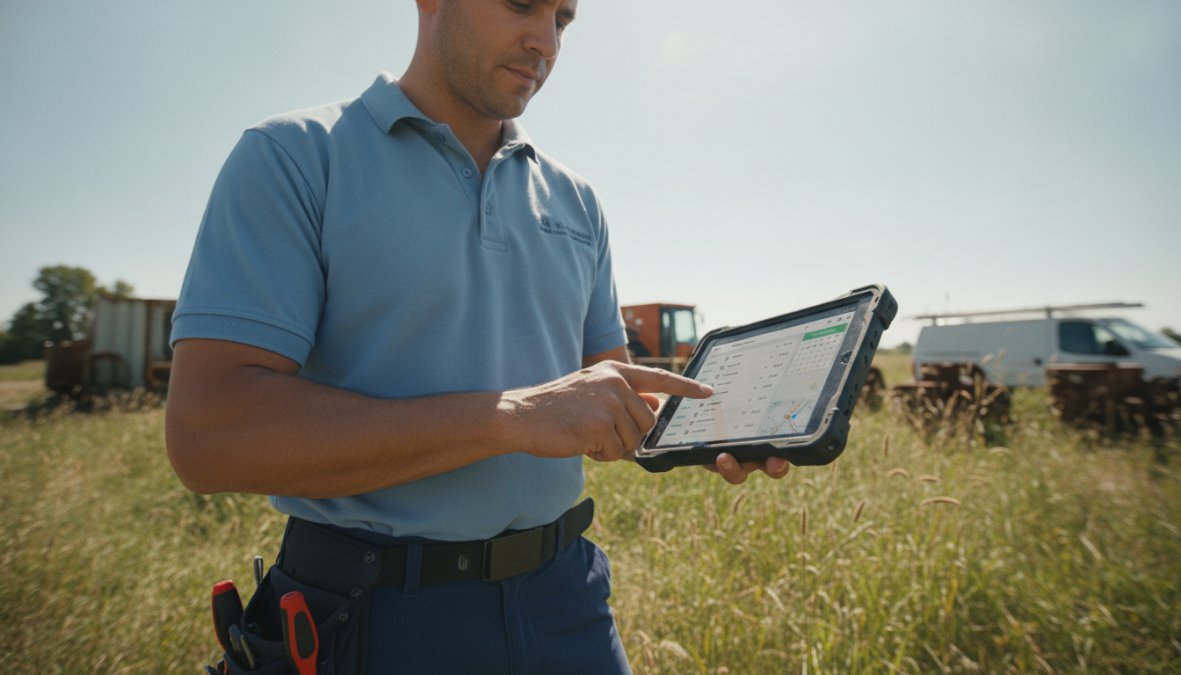
You can dispatch a job, have the technician receive it on their phone, capture a digital signature, and send an invoice without leaving the system. QuickBooks Online integration means your accounting syncs automatically. The mobile app works offline, so technicians don't lose access to job details in areas with spotty signal.
Pros:
- All-in-one system eliminates tool sprawl
- Bilingual English/Spanish interface
- Digital proposals and contracts built in
- QuickBooks Online integration with automatic syncing
- Mobile-friendly platform with offline capability
- Free trial to test before committing
Cons:
- Smaller integration ecosystem than enterprise platforms
- Limited advanced reporting compared to Simpro
Best For: Small teams (5-25 people) who want one integrated system without managing multiple subscriptions.
2. Synchroteam: Mobile-First Dispatch and Real-Time Tracking
Synchroteam prioritizes getting the right technician to the right job at the right time. The drag-and-drop dispatch board lets managers assign work in seconds. Real-time GPS tracking shows where each crew member is and whether they're running on schedule.
The mobile app is intuitive enough that training takes minutes. Technicians see job details, customer history, and required materials immediately. They can snap photos, add notes, capture signatures, and mark jobs complete from their phone. Pricing is transparent at $31 per user per month with no feature gating. Integration with QuickBooks and Xero keeps financials synchronized.
Pros:
- All users get full platform access with no tiered features
- Intuitive dispatch board with drag-and-drop assignment
- Fast deployment and easy mobile interface
- Real-time GPS tracking of technicians and fleet
- Native QuickBooks and Xero integration
Cons:
- Lacks built-in marketing or advanced CRM automation
- Focuses on field execution over back-office management
- Limited inventory management features
Best For: SMBs needing a clean, mobile-first dispatch tool with predictable per-user pricing.
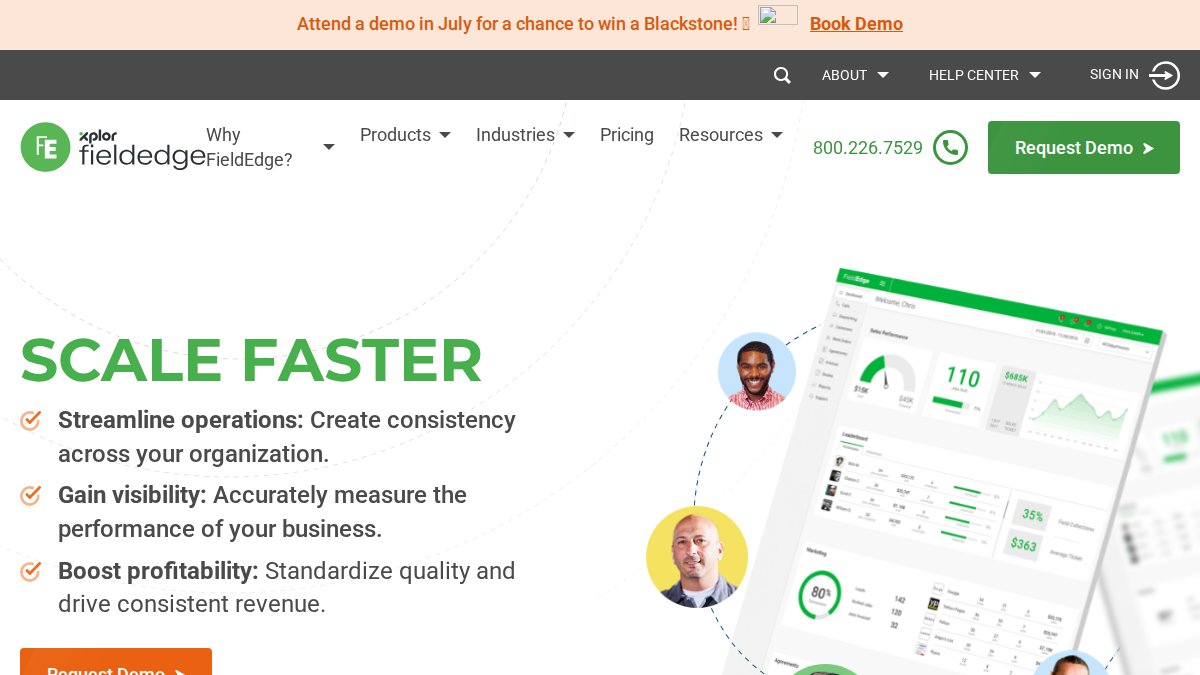
3. FieldEdge: Deep QuickBooks Integration for Contractors
FieldEdge is purpose-built for HVAC, plumbing, and electrical contractors. It eliminates duplicate data entry by syncing your price book, customer information, and job costs seamlessly between FieldEdge and QuickBooks. Technicians in the field see the exact same pricing and customer history that your office uses.
The price book management is sophisticated, allowing tiered pricing based on customer type or job complexity. Technicians build quotes in the field using these rules, and numbers automatically flow to QuickBooks when the job completes.
Pros:
- Seamless, deep QuickBooks integration eliminates double entry
- Built-in price book for consistent field quoting
- Comprehensive customer management portal
- Advanced reporting and warehouse inventory tracking
Cons:
- More complex setup than simpler tools
- Steeper learning curve for non-technical staff
Best For: HVAC and plumbing contractors needing tight accounting integration and sophisticated price book management.
4. Zentive: Industry-Specific Solution for Landscaping
Zentive is built specifically for the green industry: landscaping, lawn care, snow removal, and landscape maintenance. Every feature assumes your workflow. Seasonal scheduling, crew productivity tracking, job costing by crew, and route optimization all reflect how landscaping businesses actually work.
The platform handles recurring maintenance contracts without clunky workarounds. Real-time job costing shows whether a crew is profitable on each job.
Pros:
- Built specifically for green industry needs
- Strong focus on job costing and crew productivity
- Recurring contract management built in
- Real-time financial reporting by crew and job
Cons:
- Less suitable for non-green industry trades
- Limited third-party integration marketplace
Best For: Landscaping and lawn care businesses looking for industry-specific workflows.
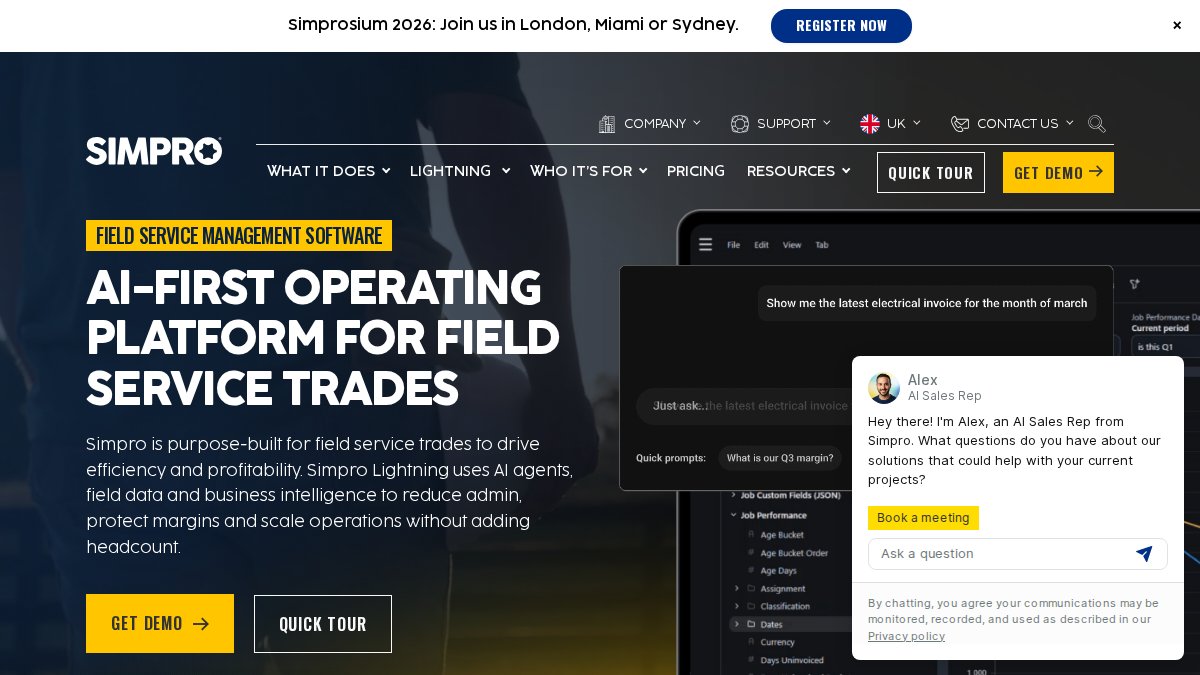
5. Simpro: Enterprise-Grade Scalability for Complex Projects
Simpro is the choice when projects are complex with multiple crews, subcontractors, material tracking, and detailed budgeting. It's built for businesses that have outgrown simple job scheduling and need advanced project management. You can track labor costs in real-time, manage purchasing workflows, and generate detailed business intelligence reports.
Multi-company and multi-currency support means Simpro scales with you as you expand.
Pros:
- Highly scalable and feature-rich
- Excellent for managing complex project lifecycles
- Advanced estimating and project management tools
- Real-time inventory management and purchasing
Cons:
- Steeper learning curve due to feature depth
- May be overkill for simple residential service businesses
Best For: Small businesses handling complex, large-scale projects where project profitability tracking is critical.
6. Deelo: Unified Business Platform with 50+ Integrated Apps
Deelo connects 50+ business apps (CRM, invoicing, marketing, e-commerce) into one unified platform. If you're juggling Mailchimp, Stripe, and a separate CRM, Deelo eliminates that friction by pulling everything into one dashboard with a unified data layer.
The drag-and-drop dispatch board is intuitive. Pricing is aggressive at $19 per seat per month with a free tier for testing.
Pros:
- Eliminates the need for separate CRM and marketing subscriptions
- 50+ integrated apps in one ecosystem
- Very affordable entry point with a free tier
- Unified data layer across all business functions
Cons:
- Newer platform compared to established competitors
- May lack some deep, industry-specific integrations
Best For: Small businesses tired of managing multiple disconnected tools who want one platform for field service, CRM, and marketing.
Key Features of Field Service Management Software
Work Order Management and Job Scheduling
Work order management is the foundation of field service operations. A work order contains everything a technician needs: customer name and address, job description, required materials, pricing, and special instructions. The best software makes creating and assigning work orders instant.
Automated scheduling algorithms match job requirements to technician skills and availability. Route optimization means technicians spend less time driving and more time billing. Teams using automated scheduling save 3-5 hours per week on coordination alone.
Mobile Accessibility and Technician Tracking
Your technicians are your revenue generators. They need access to job information, customer details, and pricing from anywhere, without relying on office staff for updates. Real-time technician tracking shows dispatchers where crews are and how long they'll take to reach the next job. The best mobile apps work offline, syncing automatically when connectivity returns.
Billing, Payments, and Invoicing
Getting paid faster is the primary reason small businesses adopt field service software. Instead of technicians finishing a job and someone in the office spending 30 minutes creating an invoice, the system generates it automatically. Digital signatures captured in the field become proof of completion.
Recurring billing for maintenance contracts happens automatically. Businesses using automated invoicing reduce days-to-payment from 30 days to 7 days.
How to Choose Field Service Management Software for Your Business
Evaluate Your Team Size and Operational Complexity
The right software scales with your business without burdening you with unnecessary features. Start by answering these questions:
- How many technicians do you currently manage?
- Do you expect to grow to 50+ technicians in the next two years?
- Are jobs simple (one technician, one visit) or complex (multiple crews, multiple days)?
- Do you manage recurring contracts or mostly one-time service calls?
- How important is accounting integration to your operation?
Small teams with simple jobs and tight budgets should consider SolvPro or Deelo. Teams managing 20+ technicians across multiple job sites need real-time tracking and advanced scheduling like Synchroteam or FieldEdge. Complex projects with multiple phases require Simpro's depth.
Assess Integration Ecosystem and Existing Tech Stack
Most small businesses already use accounting software (QuickBooks, Xero), payment processing (Stripe, Square), and possibly a CRM. The field service software you choose needs to integrate with your existing stack. Deep integration with one critical tool beats shallow integration with many.
Calculate Real-World ROI and Implementation Costs
Calculate your current costs: How many hours per week does your office staff spend scheduling, creating invoices, and chasing status updates? Multiply those hours by your staff's hourly rate. Good field service software typically reduces this by 40-60%.
Field Service Automation Best Practices for Small Teams
Automate Scheduling and Dispatch to Reduce Manual Work
The moment a customer books a job, automation should kick in. A job is created, assigned to the best available technician based on location and skills, and the technician is notified on their phone. Automation rules can be simple ("assign jobs to the closest available technician") or sophisticated ("assign only electricians to electrical jobs, prioritize technicians with positive reviews").
Use Preventative Maintenance and Service Agreements
One-time service calls are unpredictable revenue. Service agreements create predictable recurring income. Field service software makes this manageable at scale. You can have 500 customers on recurring monthly service with the system handling scheduling, reminders, invoicing, and payment automatically.
Simplify Paperless Operations and Customer Communication
Paper invoices, printed work orders, and handwritten notes create delays and errors. Digital workflows are faster and more accurate. Technicians receive job details on their phone and capture customer signatures digitally. Invoices are sent automatically. Customers get a text 30 minutes before arrival instead of wondering when the technician will arrive.
Which Software Should You Pick? Decision Framework
For Budget-Conscious Startups
Focus on affordability and simplicity. Deelo's free tier lets you test the platform at no cost. Once you're ready to scale, it's $19 per seat per month, the lowest cost among quality options. SolvPro's free trial gives you full access to test before committing.
For Trades Requiring Deep Accounting Integration
If you're in HVAC, plumbing, or electrical work, accounting integration is non-negotiable. FieldEdge is built for this use case with deep QuickBooks integration. SolvPro also integrates with QuickBooks Online, making it a solid option if you want simplicity with accounting integration.
For Industry-Specific Workflows
If you're in landscaping, lawn care, or snow removal, Zentive is purpose-built for your business. Generic software forces you to adapt your workflow to the tool. Zentive is the opposite.
For Businesses Managing Multiple Disconnected Tools
If you're currently using Mailchimp, Stripe, HubSpot, and a separate scheduling app, Deelo consolidates everything into one platform. The unified data layer means customer information, billing, and communication history are all in one place.
Choosing the best field service software comes down to matching your workflow, budget, and growth plans to the right platform. Start with a free trial, test the workflow with your team, and see which platform feels built for how you actually work. The right choice will save you hours every week and get you paid faster.
Frequently Asked Questions
What is field service management software and why do small businesses need it?
Field service management software centralizes scheduling, work orders, crew tracking, and payments in one platform. Small businesses use it to eliminate operational chaos, reduce paperwork, finish jobs faster, and get paid sooner. It streamlines dispatch, automates scheduling, and provides real-time technician tracking, essential for managing mobile workforces efficiently.
What key features should I look for in field service management software features?
Essential features include work order management, automated job scheduling and dispatch, mobile accessibility for technicians, GPS tracking, real-time job costing, invoicing and billing automation, customer portal access, and integration with accounting software like QuickBooks. Look for platforms offering paperless operations, service agreements, and preventative maintenance scheduling to maximize operational efficiency.
How much does field service software cost for small businesses?
Pricing varies widely. Some platforms offer free trials or free plans (like SolvPro and Deelo starting at $19/seat/month), while others charge per user ($31/user/month for Synchroteam) or require custom quotes. Implementation and migration costs can range from minimal for cloud-based SaaS solutions to substantial for enterprise platforms. Calculate ROI based on time savings and faster payment cycles.
Can field service software help with customer relationship management and service agreements?
Yes. Most modern field service platforms include CRM integration or built-in customer management portals where clients track job status, access invoices, and manage service agreements. Digital contracts and automated quote follow-ups streamline sales processes. Some platforms like Deelo integrate 50+ apps including dedicated CRM tools, while others like FieldEdge excel at managing customer history and preventative maintenance scheduling.
This article was written using GrandRanker