 listicle
Best Field Service Management Software for Small Business
Table of Contents
- What Is Field Service Management Software?
- Best Field Service Management Software for Small Business: Quick Comparison
- How We Selected the Best Options
- Top Field Service Management Software Solutions Reviewed
- 1. SolvPro: All-in-One Platform with Bilingual Support
- 2. Synchroteam: Transparent Pricing for Dispatch & Tracking
- 3. FieldEdge: Industry-Specific Solution for HVAC & Trades
- 4. mHelpDesk: Automation-First Platform for Service Workflows
- 5. Simpro: Enterprise-Grade Solution for Complex Projects
- 6. Zentive: Specialized for Landscaping & Green Services
- Key Features to Look for in Field Service Management Software
- Field Service Automation Best Practices for Small Teams
- Field Service Management Software Pricing for Small Businesses
- Industry-Specific Considerations: Choosing by Trade
Best Field Service Management Software for Small Business
Last Updated: June 30, 2026
When field service teams rely on spreadsheets, phone calls, and paper work orders, they lose hours to scheduling conflicts, missed appointments, and payment delays. The best field service management software for small business centralizes all operations, from job dispatch to invoicing, into one platform, helping teams finish jobs faster and get paid sooner. The right software cuts administrative overhead by 40-60% in the first three months.
This guide covers six proven solutions, shows you what features actually matter, and walks through how to pick the right tool for your specific trade.
What Is Field Service Management Software?
Field service management software is a cloud-based platform that organizes the entire lifecycle of a service job, from scheduling and dispatch through completion and payment. It replaces fragmented tools with a unified system where dispatchers assign jobs to technicians, crews see real-time updates on mobile devices, customers track arrival times, and office staff generate invoices and process payments automatically. For small businesses, FSM software is the difference between scaling to 10 technicians or staying stuck at 5.
Best Field Service Management Software for Small Business: Quick Comparison
| Software | Starting Price | Best For | Key Strength |
|---|---|---|---|
| SolvPro | Free trial available | All small service trades | Bilingual support, all-in-one platform |
| Synchroteam | $31.50/month per user | Budget-conscious teams | Transparent pricing, no setup fees |
| FieldEdge | Contact for pricing | HVAC, plumbing, electrical | Deep QuickBooks integration |
| mHelpDesk | Contact for pricing | Automation-focused workflows | Customer contact automation |
| Simpro | Contact for pricing | Complex project-based work | Enterprise-grade scalability |
| Zentive | $51/month | Landscaping and green services | Industry-specific features |
How We Selected the Best Options
We evaluated each platform on eight criteria: ease of setup, scheduling and dispatch capabilities, mobile technician experience, invoicing and payment processing, QuickBooks integration, customer portal features, reporting depth, and total cost of ownership for a 5-person team over 12 months. We prioritized tools that solve problems specific to small field service businesses, companies with 2-20 technicians that need more than a basic scheduling app but can't afford enterprise software.
Top Field Service Management Software Solutions Reviewed
1. SolvPro: All-in-One Platform with Bilingual Support
SolvPro is purpose-built for small to medium-sized service businesses, handling scheduling, work orders, crew tracking, digital contracts, and payments in one platform. Bilingual support in English and Spanish is critical for service teams with Spanish-speaking technicians or customers. The mobile app works offline, so technicians capture job details even without cell signal. Digital proposals and contracts let crews close jobs and collect signatures on-site. QuickBooks Online integration syncs financial data automatically. Setup typically takes one day for a small team.
Pros:
- All-in-one platform reduces tool sprawl
- Bilingual interface
- Mobile app works offline
- Digital proposals and contracts
- QuickBooks Online integration
- Fast setup
Cons:
- Fewer industry-specific features than FieldEdge
- Limited advanced reporting compared to enterprise tools
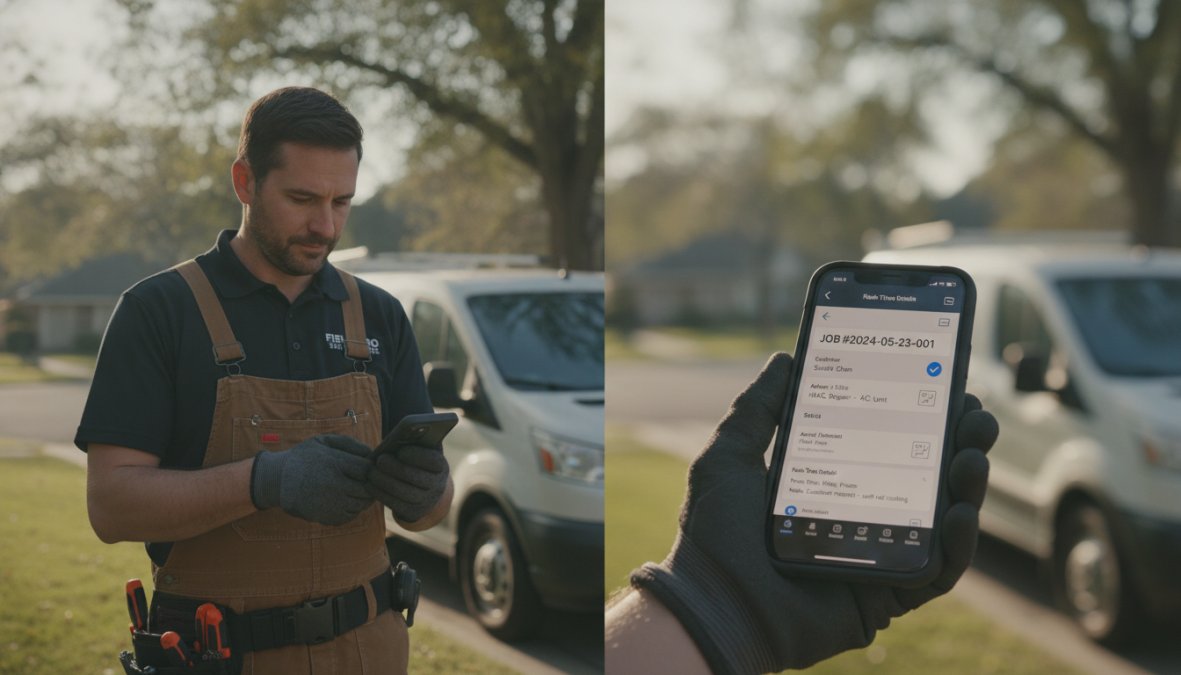
Best For: Small service businesses across all trades needing a simple, all-in-one solution.
2. Synchroteam: Transparent Pricing for Dispatch & Tracking
Synchroteam focuses on getting the right technician to the right job at the right time. Pricing is transparent: $31.50 per user per month with no setup fees or hidden charges. For a 5-person team, that's about $158/month. Real-time technician location tracking shows dispatch where crews actually are. Customizable reports track job completion rates, technician productivity, and revenue by service type. The REST API allows custom integrations.
Synchroteam doesn't include invoicing or payment processing, so you'll need separate accounting software.
Pros:
- Transparent per-user pricing with no hidden fees
- No setup or implementation costs
- Simple, intuitive interface
- Real-time GPS tracking
- Mobile app with offline functionality
Cons:
- No built-in invoicing or payment processing
- Lighter feature set than all-in-one platforms
- Limited customer portal functionality
Best For: Small teams (5-15 people) that prioritize simplicity and already have accounting software.
3. FieldEdge: Industry-Specific Solution for HVAC & Trades
FieldEdge is built specifically for HVAC, plumbing, and electrical contractors. Every feature is designed around how these trades work, technicians need to quote prices immediately on-site. FieldEdge includes a built-in price book that technicians access on their phone, select the service, and present a quote to the customer right there.
QuickBooks integration is native and deep. Data syncs bidirectionally, changes in the field update accounting instantly, and accounting adjustments flow back to the platform. Implementation takes 2-4 weeks for a small team, including data migration and staff training.
Pros:
- Industry-specific features for trades
- Strong QuickBooks sync
- Built-in price books for technician sales
- Advanced reporting by job type and profitability
- Comprehensive customer management
Cons:
- Steeper learning curve than general-purpose tools
- Pricing not publicly available
- Overkill for service businesses outside HVAC/plumbing/electrical
Best For: HVAC, plumbing, and electrical contractors handling both service calls and larger jobs.
4. mHelpDesk: Automation-First Platform for Service Workflows
mHelpDesk centers on automating the service lifecycle, from lead capture through payment. The platform sends automated appointment reminders to customers, reducing no-shows, and automated follow-up emails remind customers about upcoming maintenance. Integrated invoicing generates invoices automatically when jobs are marked complete. The mobile app syncs field data back to the office in real time so the office team can invoice the same day.
Pros:
- Strong automation features for customer contact
- User-friendly interface for office staff
- Integrated invoicing and billing
- Mobile app with field-to-office sync
- Customizable reporting
Cons:
- Some users report occasional performance lag
- No industry-specific features
- Pricing not publicly available
Best For: Small to medium-sized service businesses looking for automation and affordability.
5. Simpro: Enterprise-Grade Solution for Complex Projects
Simpro is built for trade businesses that handle large projects alongside standard service calls. The platform includes end-to-end project management, estimate creation, project scheduling, budget tracking, and profitability analysis. Inventory and asset management tracks tools and materials across multiple job sites. Advanced cash flow and profitability reporting shows which projects are making money. Simpro shines when you have 15+ people and handle multiple concurrent projects.
Pros:
- Highly scalable for complex project-based work
- Comprehensive compliance and safety features
- Advanced project management and estimating
- Inventory and asset management
- Deep financial reporting
Cons:
- Higher cost and complexity
- May be overkill for very small businesses
- Steeper learning curve and implementation timeline
- Pricing not publicly available
Best For: Trade businesses handling large projects alongside service calls, especially those with 15+ technicians.
6. Zentive: Specialized for Landscaping & Green Services
Zentive is built specifically for landscaping, lawn care, tree service, and green industry businesses. The platform includes route optimization for crews (critical when you have 20 lawn jobs across a city), real-time job costing to track profitability per property, and automated quote follow-up. The mobile app includes offline capabilities, and the CRM tracks customer preferences so crews can recommend additional services on-site. Pricing starts at $51/month.
Pros:
- Industry-specific features for green service providers
- Route optimization for landscaping crews
- Real-time job costing and financial reporting
- Simple, results-oriented interface
- Mobile app with offline capabilities
Cons:
- Limited utility for non-green industry service businesses
- Fewer advanced reporting features than enterprise platforms
- Smaller ecosystem of integrations
Best For: Landscaping, lawn care, tree service, and green industry businesses.
Key Features to Look for in Field Service Management Software
Scheduling, Dispatching & Route Optimization
The foundation of FSM software is automatic scheduling. The system should suggest which technician to assign based on location, availability, and skill set. Route optimization matters when you have multiple jobs per technician per day, the software should suggest the most efficient route and automatically reorder jobs if something urgent comes in.
Work Order Management & Real-Time Tracking
Every job needs a digital work order with job details, customer contact info, service history, and parts/materials needed. Real-time tracking means the office and customer can see where the technician is and when they'll arrive, eliminating unnecessary calls and reducing no-shows.
Mobile Technician App & Offline Capabilities
Technicians work in the field where cell signal is unreliable. The mobile app must work offline, technicians should see job details, mark work complete, and capture photos even without internet. Data syncs automatically when connection is restored.
Invoicing, Billing & Payment Processing
Invoices should generate automatically when a job is marked complete. The system should pull customer details, service description, labor hours, materials used, and any on-site adjustments. Payment processing should be built in or seamlessly integrated so technicians can collect payment on-site.
Field Service Automation Best Practices for Small Teams
Eliminate Manual Scheduling & Reduce Paperwork
Start by identifying the manual tasks that consume the most time. For most small field service businesses, it's scheduling and dispatching. A dispatcher manually checking availability and assigning jobs can spend 2-3 hours per day on this alone. Automation eliminates this by setting rules for automatic assignment. Digital work orders and automatic invoicing cut paperwork overhead by 80%.
Implement Preventive Maintenance Workflows
Preventive maintenance is higher-margin work than emergency repairs. FSM software should include preventive maintenance scheduling, mark a customer for quarterly maintenance, and the system automatically creates a job on that schedule. This turns reactive "customer calls with a problem" into proactive "we call the customer before there's a problem."
Track Technician Productivity & Job Costing
FSM software should track how long each job takes, which technician completed it, what materials were used, and whether it was profitable. Over time, this data reveals patterns. Job costing reveals which services are actually making money. You might think your maintenance contracts are profitable, but if you're spending 3 hours per job and charging $150, you're making $50/hour after materials.
Field Service Management Software Pricing for Small Businesses
Free & Freemium Options
SolvPro offers a free trial that includes the full platform for a limited time. Freemium models offer basic functionality free with premium features at a cost, but most limit you to 3-5 technicians or strip out essential features like invoicing.
Per-User vs. Flat-Rate Pricing Models
Per-user pricing charges $20-50 per technician per month. For a 5-person team, that's $100-250/month. Flat-rate pricing charges a single monthly fee ($100-300/month) regardless of team size. For small businesses (under 10 technicians), flat-rate pricing is usually cheaper.
Total Cost of Ownership & Hidden Fees
The monthly software cost is only part of the picture. Implementation, training, and data migration add to the real cost. SolvPro has fast setup (one day) and minimal implementation cost. FieldEdge requires 2-4 weeks of implementation and staff training, which could cost $2,000-5,000. Calculate total cost of ownership over 12 months: (monthly cost × 12) + implementation + training.
Industry-Specific Considerations: Choosing by Trade
HVAC, Plumbing & Electrical Contractors
These trades benefit most from industry-specific features. Technicians sell on-site, so built-in price books and sales tools are critical. FieldEdge is purpose-built for this. QuickBooks integration matters because these trades have complex accounting.
Landscaping & Green Service Businesses
Route optimization is critical. A landscaping crew with 20 lawn jobs across a city can waste hours driving between properties if the route is inefficient. Zentive's route optimization is built for this workflow.
General Service & Maintenance Companies
For facility maintenance, general handyman services, and property management, SolvPro's all-in-one approach works well. You get scheduling, dispatch, invoicing, and payment processing without paying for features you don't need.
| Trade | Best FSM Platform | Key Reason |
|---|---|---|
| HVAC, Plumbing, Electrical | FieldEdge | Industry-specific price books and sales tools |
| Landscaping, Lawn Care | Zentive | Route optimization and seasonal tracking |
| General Service, Maintenance | SolvPro | All-in-one flexibility without trade-specific overhead |
| Large Multi-Project Contractors | Simpro | Project management and complex job costing |
| Budget-Conscious Teams | Synchroteam | Transparent per-user pricing, no hidden fees |
Choosing the best field service management software for small business comes down to three questions: What's your trade? How many technicians do you have? What's your budget and setup tolerance?
For most small service businesses, SolvPro strikes the best balance, all-in-one platform, bilingual support, fast setup, and no hidden fees. The free trial lets you test it risk-free before committing.
Frequently Asked Questions
What is field service management software and why do small businesses need it?
Field service management software centralizes scheduling, work orders, dispatching, and invoicing into one cloud-based platform. For small businesses, it eliminates manual processes, reduces paperwork, and improves technician productivity. By automating job assignment and tracking, you finish jobs faster and get paid sooner, critical for cash flow in service businesses.
What are the most important field service management software features for a small team?
The core features to prioritize are automated scheduling and dispatching, mobile app access for technicians, real-time GPS tracking, work order management, and integrated invoicing and billing. Additional value comes from preventive maintenance scheduling, customer portal access, and integration with your existing accounting software like QuickBooks.
How much does field service management software cost for small businesses?
Pricing varies widely. Some platforms like SolvPro offer free trials and free plans to start. Others use per-user subscription models (e.g., Synchroteam at $31.50/month per user) or contact-for-pricing enterprise models. Consider total cost of ownership, including setup, training, and integrations, not just monthly fees. Many offer scalable pricing as your team grows.
Can field service management software integrate with QuickBooks and other tools I already use?
Yes, most modern FSM platforms integrate with QuickBooks Online and other accounting software. SolvPro, FieldEdge, and mHelpDesk all offer native integrations that sync invoices, payments, and customer data automatically. Check the specific platform's integration ecosystem before committing to ensure it connects with your CRM, payment processor, and other business tools.
This article was written using GrandRanker